Need help?
Do you have a question about the Jam Alloy HX-P560 and is the answer not in the manual?
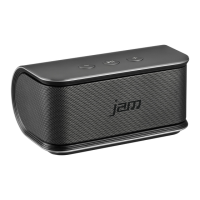
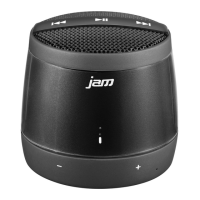
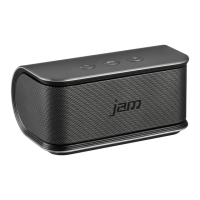
This document describes the Jam Alloy device, a portable audio system with Bluetooth connectivity and a focus on user-friendly operation. The device offers a range of features designed for convenience, including quick charging, speakerphone capabilities, and intuitive controls for audio playback and volume.
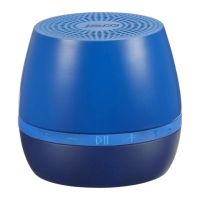
The Jam Alloy is primarily a portable Bluetooth speaker, allowing users to stream audio wirelessly from compatible devices such as smartphones, tablets, or computers. It features a built-in speakerphone function, enabling hands-free calling when connected to a phone. The device is designed for easy portability, making it suitable for use in various settings, both indoors and outdoors. Its core function is to provide a reliable and high-quality audio experience with the added benefit of communication capabilities.
To connect the Jam Alloy via Bluetooth, users need to press and hold the power button for three seconds to turn the device on. Once powered on, the device automatically enters pairing mode, indicated by a flashing blue LED. Users then select "Jam Alloy" from their device's Bluetooth menu to establish the connection. If a passcode is required, "0000" should be entered. The device can also be manually put into pairing mode by pressing and holding the Bluetooth button for three seconds.
The Jam Alloy offers standard audio playback controls. Users can play or pause tracks by pressing the play/pause button. To skip to the next track, the "Next Track" button should be pressed. To go back to the previous track, the "Previous Track" button is used. Volume adjustments are made using the volume up and volume down buttons. A short press on the volume up button increases the volume, while a short press on the volume down button decreases it. Holding these buttons down will continuously adjust the volume.
When a call comes in while the device is connected via Bluetooth, users can answer it by pressing the play/pause button. To end a call, the same button is pressed again. If a user wishes to decline an incoming call, they can press and hold the play/pause button for two seconds. This feature allows for hands-free communication, enhancing convenience during activities where holding a phone might be impractical.
The Jam Alloy features an automatic power-off function to conserve battery. If the device is left unpaired for two minutes, it will automatically shut down. Similarly, if it remains connected but inactive (no audio playback) for 15 minutes or more, it will also power off. This intelligent power management helps extend battery life and ensures the device is not left on unnecessarily.
The device is charged via a micro-USB cable. A red LED indicator illuminates when the device is charging, and it turns off once the battery is full. It is recommended to charge the device for at least 4 hours before its first use to ensure optimal battery performance. Regular charging ensures the device is always ready for use.
The Jam Alloy uses LED indicators to communicate its status:
The device has several physical controls:
To maintain the device's appearance and functionality, it is recommended to clean it regularly. Users should use a soft, dry cloth to wipe down the exterior. Avoid using harsh chemicals, abrasive cleaners, or solvents, as these can damage the device's finish and internal components.
When not in use for extended periods, the Jam Alloy should be stored in a cool, dry place. It is advisable to fully charge the device before storing it to prevent deep discharge, which can reduce battery life.
The manual provides guidance for common issues. For example, if the device is not pairing, users should ensure it is in pairing mode and within range of the Bluetooth device. If audio quality is poor, checking the connection and ensuring the device is not too far from the source can help. For more complex issues, the customer service contact information is provided.
The device complies with FCC rules, ensuring it meets regulatory standards for electronic devices. This includes guidelines for preventing harmful interference and ensuring the device accepts any interference received. Users are advised against making unauthorized modifications to the product, as this could void their authority to operate the equipment and potentially cause harmful interference. If interference occurs, users are encouraged to reorient or relocate the receiving antenna, increase the separation between the equipment and receiver, or connect the equipment to a different circuit outlet.
For any questions or assistance, users can refer to the "Need More Help?" section of the manual. Customer service is available via phone and email. For US customers, the number is 1.888.802.0040, and for Canadian customers, it is 1.888.225.7378. Support hours are Monday to Friday, 8:30 AM to 7:00 PM EST. Online resources, including FAQs and a user guide, are also available at www.jamaudio.com/instruction-books.
In summary, the Jam Alloy is a versatile and user-friendly portable Bluetooth speaker with integrated speakerphone capabilities, designed for ease of use and convenience in various environments. Its intuitive controls, intelligent power management, and clear LED indicators contribute to a seamless user experience, while robust customer support ensures assistance is readily available.
 General
| Type | Portable Bluetooth Speaker |
|---|---|
| Weight | 0.4 lbs |
| Bluetooth Range | 30 feet |
| Charging Time | 3 hours |
| Battery | Rechargeable Lithium-Ion |

 To Next Page