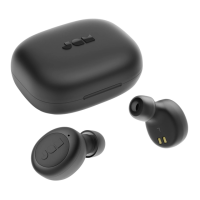
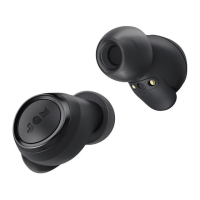
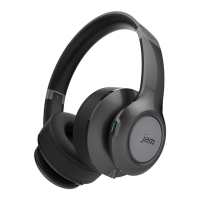
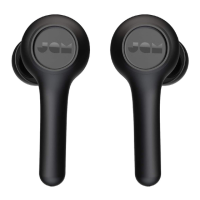
This document is an instruction manual for the JAM "Live Large" HX-EP303 earphones.
Function Description:
The JAM "Live Large" HX-EP303 are wireless earphones designed for audio playback and call handling. They feature Bluetooth connectivity, allowing users to pair them with various devices such as smartphones, tablets, and computers. The earphones are powered by a rechargeable battery, offering portability and convenience for on-the-go use. They include integrated controls for managing music playback (play/pause, volume up/down, skip track forward/backward) and phone calls (pick up, decline, end call, move call to phone, decline second incoming call). An LED light indicator provides visual feedback on the earphone's status, including charging, low battery, pairing mode, and connection status. The earphones also have an Aux-in port for wired connection, offering flexibility for devices without Bluetooth or when battery power is low.
Important Technical Specifications:
- Model: HX-EP303
- Connectivity: Bluetooth
- Battery: Rechargeable lithium battery
- Charging Time: Approximately 2 hours
- Play Time: Up to 7 hours
- Operating Frequency Band: 2402 - 2480MHz
- Maximum Radio-Frequency Power Transmitted: 6.53dBm
- Pairing Code (if prompted): "0000"
- Included Accessories: 3 sets of ear tips, USB cable, Quick-Start Guide, Welcome card, Legal card, Jam sticker.
Usage Features:
- Power On/Off: Long press the "play/pause" button for 3 seconds.
- Bluetooth Pairing: Once turned on, the earphones automatically enter pairing mode (LED blinks red and blue). Enable Bluetooth on your device and select "Live Large" from the Bluetooth menu. A tone will confirm successful connection, and the LED will turn solid blue.
- Wired Connection: An Aux-in port allows for a wired connection using an aux cord (not included). When plugged in, the LED will turn solid red.
- Music Playback Controls:
- Play/Pause: Short press the "play/pause" button (0.5 seconds).
- Volume Up: Short press the "O" button.
- Volume Down: Short press the "X" button.
- Skip Forward Track: Long press the "O" button.
- Skip Backward Track: Long press the "X" button.
- Call Handling:
- Pick Up Call: Short press the "play/pause" button.
- Decline Call: Long press the "play/pause" button.
- End Call: Short press the "play/pause" button.
- Take Second Incoming Call: Short press the "play/pause" button.
- Decline Second Incoming Call: Long press the "play/pause" button.
- Move Call to Phone: While on a call, long press the "play/pause" button to transfer the call from earphones to the phone.
- Disconnecting Paired Device: Hold down the "X" and "O" buttons simultaneously for 5 seconds.
- LED Indicators:
- Charging: Red flash every 5 seconds (low battery), Solid red (charging), LED off (charging complete).
- In Use: Flashing blue and red (pairing mode), Blue flash every 5 seconds (paired with device).
Maintenance Features:
- Charging: The earphones are powered by a rechargeable battery. To charge, unwrap the integrated charging cable, plug the micro USB end into the earphone's charging port, and connect the larger USB plug to a computer or a powered USB AC adapter. The LED will flash red when the battery is low, turn solid red during charging, and turn off when fully charged.
- Battery Replacement: The product includes a rechargeable battery designed to last the lifetime of the product. In the unlikely event that a replacement battery is required, contact Consumer Relations for warranty and out-of-warranty replacement battery service.
- Cleaning: The manual advises against placing the product on surfaces wet from water or cleaning solvents.
- General Care:
- Use the product only for its intended purpose.
- Do not use attachments not recommended by Jam.
- Avoid placing or storing the product where it can fall or be dropped into a tub, sink, water, or any other liquid.
- Keep away from heated surfaces.
- Do not operate if it has a damaged cord, plug, cable, or housing.
- Dispose of batteries and the product according to local, state, province, and country guidelines, as they contain substances damaging to the environment and health.
- Safety:
- Listen responsibly; turn down the volume on your device before connecting earphones and gradually increase to a comfortable listening level to avoid hearing damage.
- This product is not a toy and is not for use by children.
- The product contains small parts that may present a choking hazard for young children.
- All servicing must be performed by authorized Jam Audio service personnel.

 Need help?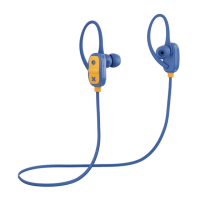

 To Next Page
 General