104 •
••
• HOG – Version 3.20
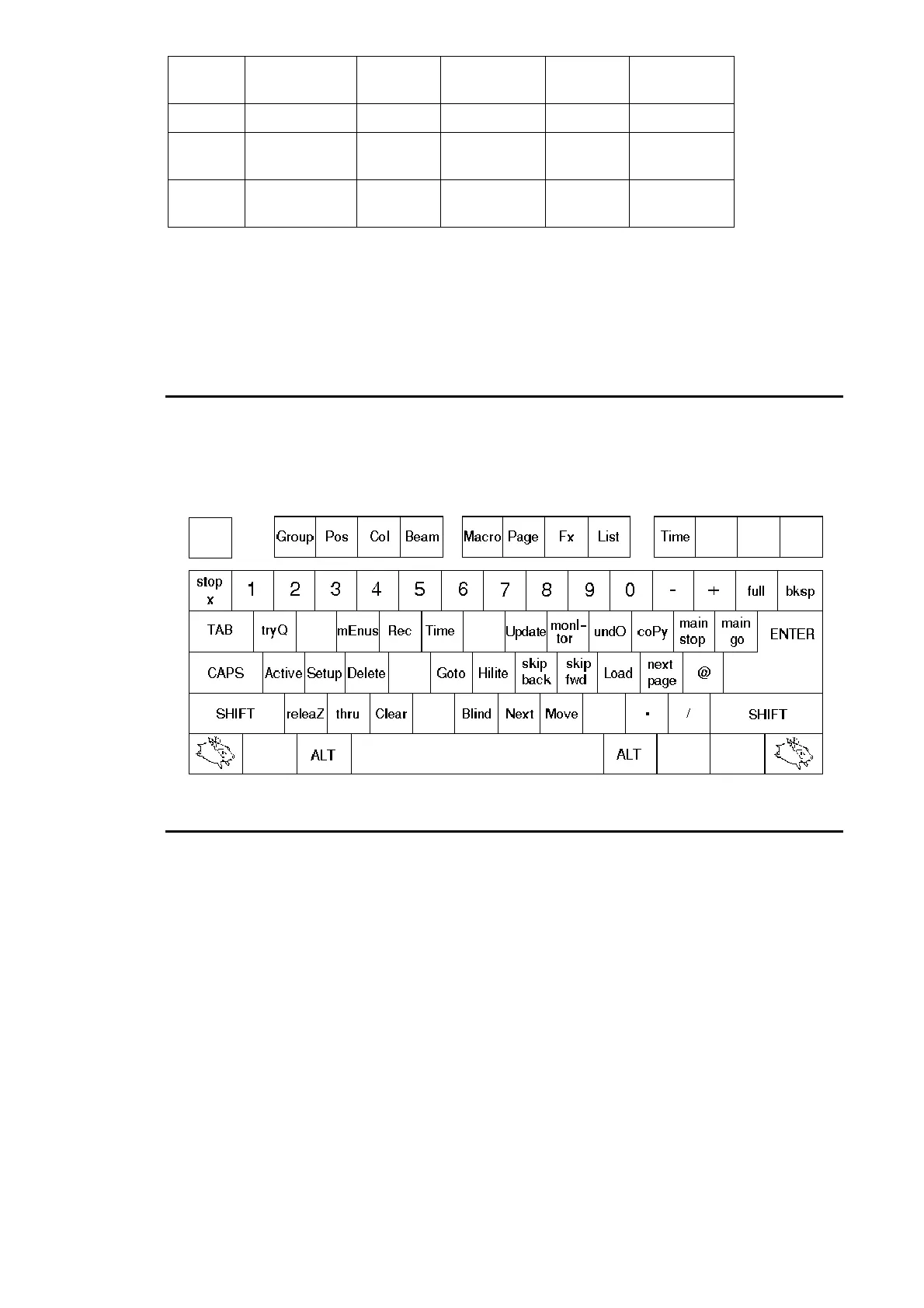
Shift +
Number
Choose x
Tab +
Number
Go x
~` +
Number
Stop x
“
At @
\
Full
Cursors
Cursors
Return/
Enter
Enter
Shift +
Func
Tool keys
Tab +
Func
Window Ctrls
Back-
space
Backspace
The main command keys might perform unwanted operations if accidentally pressed. So on an HOG
external keyboard, the
Alt
key must be held down in order for the command to be accepted. The Alt key
may be released once the command key has been pressed, even if the command key is still being held
down. Adding the line “no_keyboard_guard = 1” to the file moreopts.txt will disable this protection. This
protection is not present on the HogEdit offline editor (available from the Flying Pig website
http://www.flyingpig.com).
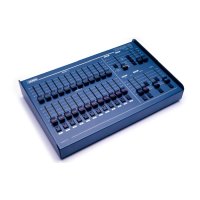
Key Mapping
The mapping given is for an English (US) keyboard. Other keyboard layouts may differ slightly, but the
HOG commands will remain on the same physical keys, regardless of what their labels happen to be. Use
the diagram below to identify the keys on your particular keyboard.
Choose
Choose
also has added functionality when used in combination with the following:
Go
Step up
Halt
Step down
Flash
Activate without “going”
Fader
Fade all parameters


 To Next Page