46
Thispositionisfree,itdoesnotlock.
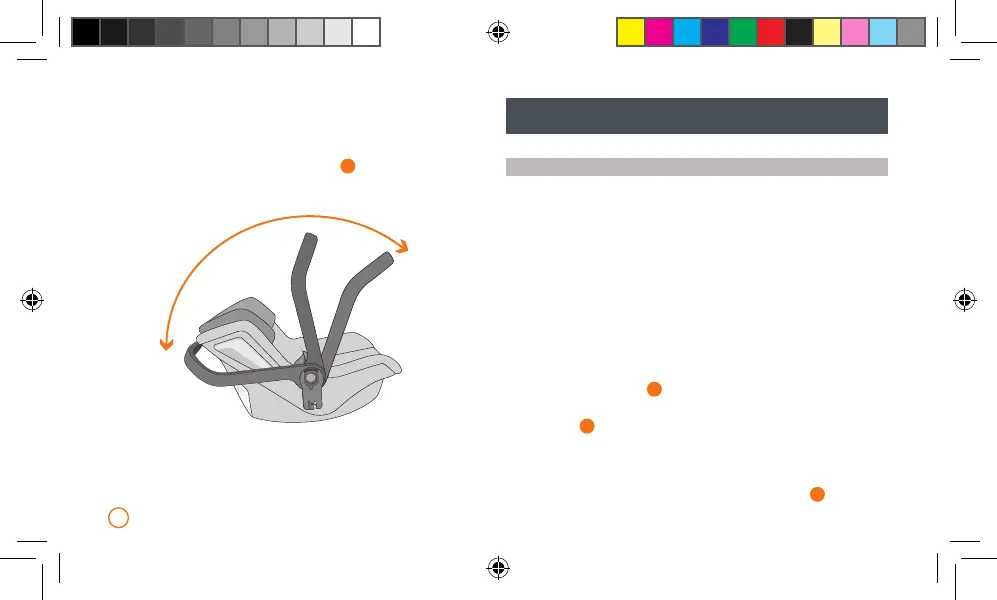
Position 2:CARRYING.Makingiteasiertocarry.
Position 3:CAR.Anti-rotationpositionforuseinthecar.
Tochangetheposition,pressbothbuttons
2
.dandturnthehandle
totherequiredposition.Tomoveitfromtherestingpositionitisnot
necessarytopressthebuttons,simplemovethehandle.
Adjusttheheightoftheharnessbysimplypressingabutton.Avoids
theinconvenienceofhavingtoremoveandthentthestrapsagain
whenyouneedtochangetheheightofthebelts.
Removableandwashableupholstery.
1
2
3
F. INSTALLING THE KOOS iSIZE WITH THE
iPLATFORM IN THE CAR
INSTALLING THE iPLATFORM IN YOUR CAR
Not all systems are the same, therefore we advise you to test your
iPLATFORM in the car where it is going to be installed. To install the
platform, read your vehicle instruction manual, it will tell you which
seatsarecompatiblewiththeplatform.TheiPLATFORMiscompatible
withtheISOxcategoryD.
Theanti-rotationleg(1)isanimportantsafetyfeature,titcorrectlyso
itissupportedbytheoorofthevehicle.Ifthelegsupportsurfaceis
nottheactualvehiclechassis(luggagecompartmentforexample)do
notinstalltheplatformonthisseat.Todothis,followthestepsbelow:
Position the base on the seat with the anti-rotation leg (1) and the
fasteningbar(9)unfolded.Extendthelegwiththehelpoftheupper
adjustmentbutton(5a),untilthewindowindicatorshowsOKandthe
buttonchangestogreen.
1
.a
ExtracttheISOxanchors(2)byturningthehandle(4)onthesideof
theplatform.
1
.b
Guidebothanchors(2)towardstheISOxconnectorsofyourvehicle
and press until both sides are locked. Two green signals on the
releasebuttons(3)willshowyouthattheyarecorrectlyanchored.
Ifoneorbothofthesignalsarered,repeatthisstep.
1
.c


 To Next Page
 Loading...