Need help?
Do you have a question about the Jay's Audio CDT2-MK3 and is the answer not in the manual?
Provides operational advice and best practices for the CDT.
Details the included items and provides unpacking instructions.
Covers AC power connection and available digital output types.
Step-by-step guide for loading a disc and initiating playback.
Procedure for safely changing discs during operation.
Details the functions of the remote control buttons.
Highlights the premium components and design features of the CDT2-MK3.
Lists key technical specifications like output sampling rate and power.
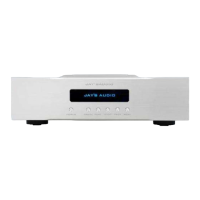
The Jay's Audio CDT2-MK3 is a high-end CD transport designed for optimal audio performance and durability. This device is built with meticulous attention to detail, with each unit undergoing rigorous testing using Audio Precision APX525 before shipment to ensure quality and reliability. Proper installation and handling are crucial to maximize its performance potential.
The CDT2-MK3 functions as a dedicated CD transport, meaning it reads digital audio data from compact discs and outputs it to an external Digital-to-Analog Converter (DAC) for sound reproduction. It does not perform D/A conversion itself, focusing solely on providing a pristine digital signal. The device supports digital output at either 16 Bit / 44.1kHz or 16 Bit / 176.4kHz, offering flexibility for different DACs and audio preferences. It is equipped with multiple digital output options, including HDMI I2S (LVDS), AES/EBU, SPDIF (RCA), and SPDIF (BNC), allowing for broad compatibility with various external DACs. The digital outputs are isolated to minimize interference and ensure a clean signal. For longer interconnect cable runs, AES/EBU connection is recommended.
The CDT2-MK3 features a top-loading design, which contributes to its robust build and potentially better disc stability during playback. To operate the device, users first need to ensure it's properly unpacked and any protective foams, especially those securing the CDM4/19 laser assembly, are completely removed.
To start playback, press the "Play" button on the front panel or the remote control. The OLED display will show track number and elapsed time.
It is recommended to stop the current disc playback by pressing the "Stop" button before changing discs. This allows the CDM4 mechanism motor to gradually stop spinning. Slide the top-loading lid open, gently remove the disc clamp and the disc, then follow the disc loading steps for the new disc.
The CDT2-MK3 comes with a milled solid aluminum remote control. While it's a generic remote for all Jay's Audio CDT/CDP products, not all buttons are functional with the CDT2-MK3.
Important Note on I2S: There is no industry standard for I2S connections. While the CDT2-MK3's I2S connection has been verified with several DACs (including Jay's Audio DAC2-SE, DENAFRIPS Pontus/Venus/Terminator, PSAudio Directstream DAC, Singxer SDA-1, and Holo Spring 1/2), compatibility with other DACs is not guaranteed and is not considered a defect if matching fails.
Warm-up: The CDT2-MK3 performs at its best after approximately one hour of warming up. Power On/Off: The unit can be turned on or off using the rear power switch. It is safe to leave the power switch on 24/7 for continuous optimal performance. However, for long periods of non-use, it is recommended to switch off the main power to conserve energy. Burn-in: The CDT requires about 400 hours of burn-in time to reach its full sonic potential. Fuse Replacement: The AC Mains is fitted with a 1.6A, 5x20mm, Slow Blow fuse. If the fuse blows, replace it with the provided spare fuse or one with identical specifications. Frequent fuse blowing indicates a fault and requires further investigation by the manufacturer. Cleaning: While not explicitly detailed, general care for audio equipment, such as keeping the unit free from dust and ensuring proper ventilation, will contribute to its longevity. The use of provided gloves during handling helps prevent fingerprints and smudges on the chassis.
The CDT2-MK3 incorporates premium components to achieve its high-fidelity performance:
The Jay's Audio CDT2-MK3 is designed for audiophiles seeking a dedicated, high-performance CD transport that delivers a pristine digital signal to their external DAC, ensuring an uncompromised listening experience.
 General
| Type | CD Transport |
|---|---|
| Weight | 15 kg |
| Digital Output | Coaxial, Optical |
| Dimensions | 430mm x 300mm x 110mm |
| Frequency Response | 20Hz - 20kHz |

 To Next Page