
 Need help?
Do you have a question about the Jay-tech Jay-book 9901 and is the answer not in the manual?
Guidelines for safe operation and maintenance to prolong the computer's service life.
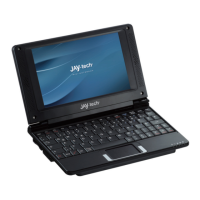
Overview of the JAY-BOOK's features and capabilities as a mini notebook.
Detailed guide on using the touch pad for navigation and interaction with the device.
Steps to perform an emergency shut-down when the system is unresponsive.
Covers essential functions like starting, shutting down, resetting, and charging the device.
Instructions for connecting to wireless (Wi-Fi, 3G) and wired (LAN) networks.
Guide to using office software (TextMaker, PlanMaker) and media players (video, audio).
Guidance on managing files on built-in flash, SD card, USB drives, and playing games.
Description of useful keyboard shortcut keys for quick operations like volume and Wi-Fi.

 To Next Page
 General