74
Controls and Switches
Your motorhome is equipped with various switches and controls that allow you to operate
and monitor the systems in your motorhome.
Information on these controls and their location will be provided throughout this manual.
Additional information on the various components can be found in the component manu-
facturer’s user guide.
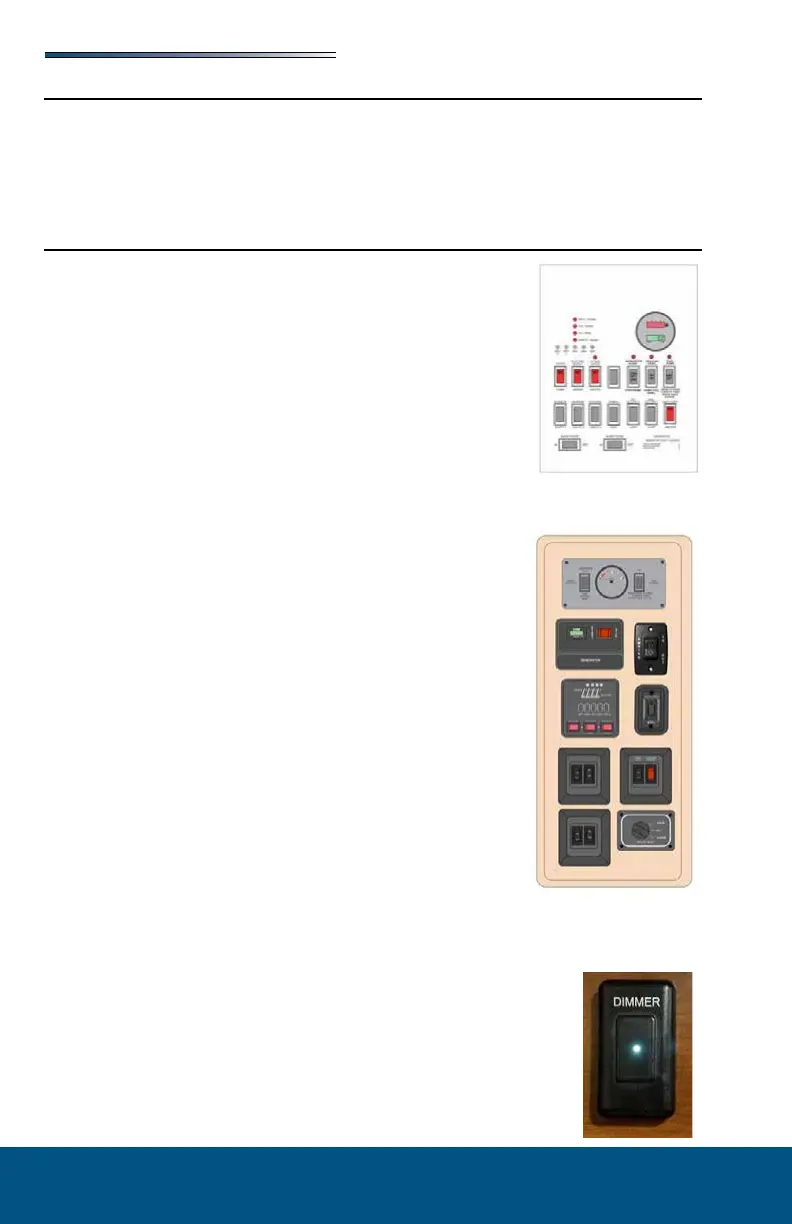
Command Center
The command center is typically located inside the entrance door
or in the living area of the RV, and contains switches and controls
for various electrical functions. Command center applications, con-
gurations and components will vary by model.
Items found on these panels may include:
Fuel gauge and hour meter with switches for fuel pump
and fuel levels; fuel station (if so equipped) on/o switch
Lighted red pump and water heater switches (electric &
LP gas)
Generator start / stop switch; may include hour meter
Tank heater switchesLight switches for porch lights, ex-
terior security lights, interior lights, awning LED lights,
front cap LED accent lights, power entry step
Cargo bed red lighted control switch
Slideout control switches (press and hold to extend / re-
tract)
Awning control switches (press and hold to extend / re-
tract)
Systems monitor with LED indicators for tank levels and
battery charge status
Auto leveling control panel (for leveling the RV)
Inverter panel (power switch with display)
Power bunk bed lift control switch
Speaker selector switch
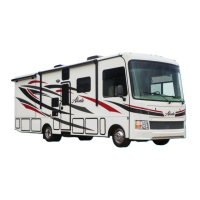
Some models may have the modules mounted directly to the in-
terior wall of the vehicle. They are typically located near the en-
trance door.
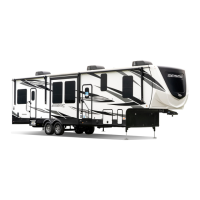
Certain models may include a touch dimmer switch next to the
Command Center panel. (There are no interior light switches on the Com-
mand Center panel).
• Turn ON ceiling lights: Tap the LED light on the dimmer
• Turn OFF ceiling lights: Tap the LED light on the dimmer
• Dimmer: If lights are o, hold nger on the LED light and lights
will begin turning on gradually until fully lit. If lights are on,
hold nger on the LED light and lights begin to gradually turn o.







 To Next Page