Section 3: Quick Start
Congratulations on your purchase of JBL Professional EON
®
Series loudspeakers! We know you
are anxious to get up and running as fast as possible, which is why you are reading this section.
The following will help you get set up as soon as possible.
Packaging Contents
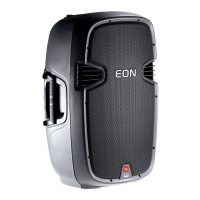
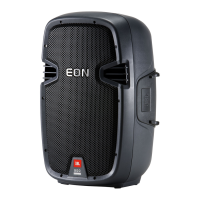
Your EON515XT system should include the following:
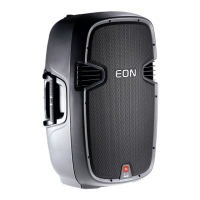
1 x EON515XT speaker
1 x 10'P,(&3RZHU&DEOH
1 x User’s Guide
1. Refer to the Application Examples with EON515XT in Section 6.
2. Turn the INPUT 1, 2, and 3 controls fully counter-clockwise.
3. Set the MIC/LINE switch:
,IDPLFURSKRQHZLOOEHFRQQHFWHGGLUHFWO\WR,1387VHWWKH0,&/,1(VZLWFKWRWKH
0,&SRVLWLRQGHSUHVVHG7KH0,&/('ZLOOLOOXPLQDWHZKHQSRZHULVWXUQHGRQ
,IDPL[HU&'SOD\HUFDVVHWWHWDSHRUHOHFWURQLFPXVLFDOLQVWUXPHQWWKH³VRXUFH´ZLOOEH
FRQQHFWHGGLUHFWO\WR,1387VHWWKH0,&/,1(VZLWFKWRWKH/,1(SRVLWLRQGLVHQJDJHG
4. Set the EQ controls to the center position.
5. Plug the power cable into a properly grounded 3-wire AC power outlet
6. Plug the XLR cable from the mixer or microphone into the INPUT 3 connector.
&RQQHFWRWKHUVRXUFHVLIXVHGWRWKH/,1(DQG/,1(LQSXWFRQQHFWRUV
8. POWER-UP PROCEDURE
The main power switch is located on the input panel on the back of the enclosure. Always ensure that the
VSHDNHUV\VWHPLVWKHODVWWKLQJ\RXSRZHUXSDQGWKH¿UVWWKLQJWRWXUQRIIZKHQRSHUDWLQJ\RXUFRPSOHWH3$
V\VWHP,IVSHDNHUV\VWHPVDUHGDLV\FKDLQHGWRJHWKHUDOZD\VWXUQRIIWKHODVWV\VWHPLQWKHFKDLQ¿UVW
Power “on” is indicated by the illumination of the logo on the front of the enclosure and the power “on” LED.
)LUVWVZLWFKRQWKHSRZHUWRWKHPL[HUDXGLRVRXUFHVRUPXVLFDOLQVWUXPHQWVWKDWDUHIHHGLQJ\RXU(21
1H[WWXUQRQWKHSRZHUVZLWFK
5HYHUVHWKLVSURFHVVZKHQVKXWWLQJGRZQ\RXUV\VWHP
9. SET VOLUME
,I\RXDUHXVLQJDQDXGLRPL[LQJFRQVROHUHIHUWRWKHPDQXIDFWXUHU¶VLQVWUXFWLRQVWRSURSHUO\VHW
gain structure.
7XUQXS\RXUVRXUFHVWRWKHOHYHOWKDWZLOOEHXVHGLQSHUIRUPDQFHDQGWDONVLQJRUSOD\LQWRWKHV\VWHP
%ULQJWKH,1387FRQWUROXSFORFNZLVHXQWLOWKHGHVLUHGYROXPHKDVEHHQUHDFKHG,I\RXDUHXVLQJD
microphone, turn the INPUT 3 control up slowly to avoid feedback.
,I\RXDUHXVLQJWKH,1387DQG,1387LQSXWVEULQJWKH,1387DQG,1387FRQWUROVXSXQWLOWKH
desired volume has been reached.
10. CHECK THE LIMIT LED
7KH/,0,7LQGLFDWRUÀDVKHVZKHQWKHORXGVSHDNHU¶VRQERDUGDPSOL¿HUVDUHDSSURDFKLQJPD[LPXPRXWSXW
2FFDVLRQDOÀDVKHVDUHQRUPDOIRUYHU\ORXGRSHUDWLRQ+RZHYHULIWKH/,0,7/('VWD\VLOOXPLQDWHGWKHVRXQG
may be distorted and it is an indication that more speakers or a lower performance volume may be required
IRU\RXUVSHFL¿FDSSOLFDWLRQ


 To Next Page