Need help?
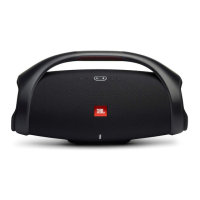
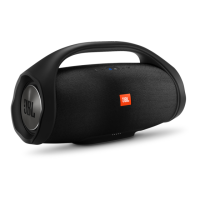
Do you have a question about the JBL BOOMBOX and is the answer not in the manual?
First step in the JBL Connect+ pairing process.
Second step in the JBL Connect+ pairing process.
Details the single button function for sound mode switching.
 General
| Product type | - |
|---|---|
| Product color | Black |
| Volume control | Digital |
| Carrying handle(s) | Yes |
| Protection features | Waterproof |
| International Protection (IP) code | IPX7 |
| Tweeter diameter | 20 mm |
| Number of drivers | 4 |
| Number of speakers | 1 |
| Audio output channels | - channels |
| RMS rated power | - W |
| Signal-to-Noise Ratio (SNR) | 80 dB |
| Bluetooth version | 4.2 |
| Bluetooth profiles | A2DP, AVRCP, HFP |
| Connectivity technology | Wireless |
| Battery capacity | 74 Wh |
| Power source type | Battery |
| Quantity per pack | 1 pc(s) |
| Recommended usage | Universal |
 Weight and Dimensions
| Depth | 195.5 mm |
|---|---|
| Width | 495 mm |
| Height | 254.5 mm |
| Weight | 5250 g |

 To Next Page