Need help?
Do you have a question about the JBL Cinema Sound CS3 and is the answer not in the manual?
Ensures the unit is connected to the correct voltage to prevent damage or fire.
Advises against using extension cords for safety and performance.
Provides guidelines for safe and proper placement of the unit for ventilation and stability.
Details the video capabilities including HDMI, progressive scan, and various output options.
Highlights the audio features like surround sound and digital audio output.
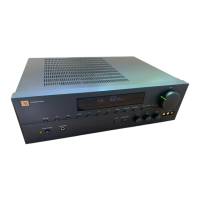
Describes the front panel display that shows messages and status indications.
Explains the function of the power button for turning the unit on and off.
Allows direct playback of files from USB devices.
Connects to the video input on a TV or projector for standard video signals.
Outputs component video signals for high-resolution TVs and projectors.
Connects to HDMI input on HD displays for optimal digital audio/video.
Powers the unit on and selects the input source.
Guides on connecting audio sources and speakers for optimal sound quality.
Explains how to connect using HDMI for high-definition digital audio and video.
Troubleshooting steps for when the unit does not turn on.
Steps to resolve issues when a disc cannot be played or playback stops.
Solutions for issues where no video signal is displayed.
Steps to resolve problems with sound volume or channel balance.

 To Next Page
 General