EasyManua.ls Logo

JBL CSMA 2120 - User Manual

JBL CSMA 2120
32 pages
Print Icon
To Next Page IconTo Next Page
Loading...
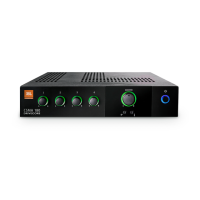
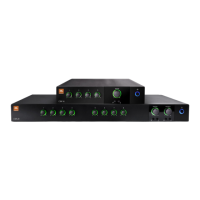
CSMA 180
CSMA 1120
CSMA 240
CSMA 280
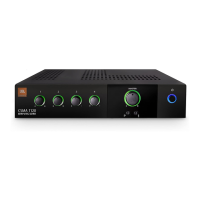
CSMA 2120
Commercial Series
Mixer-Amplier
Operation Manual
CSMA Mixer-Amplifiers
CSMA Commercial Series

Questions and Answers

  • L
    Leslie HeathAug 8, 2025
    What to do if there is no sound from my JBL CSMA 2120 Music Mixer?
    • M
      Michael MorenoAug 8, 2025
      If you're experiencing no sound or low sound with your JBL Music Mixer, here are a few things to check: * Make sure that an input signal is present and at an adequate level. * Increase the master volume. * If a CSR-V is connected, check its connection and volume. * Increase the mixer channel inputs. * Ensure the Ch 1 Priority switch is open. * If using 70V or 100V outputs, verify the Hi-Z switch is ON. * Check that the power switch is ON.
  • C
    Christine WrightAug 16, 2025
    Why is the sound distorted on my JBL CSMA 2120 Music Mixer?
    • A
      Angelica HaydenAug 17, 2025
      If the sound from your JBL Music Mixer is distorted, try the following: * Reduce the input level controls. * Turn down the master volume. * If using a line-level source, ensure the MIC/LINE switch is set to the LINE position.
  • C
    charleskirkAug 28, 2025
    How to fix JBL Music Mixer when it has no power?
    • B
      Bruce Bell Jr.Aug 28, 2025
      If your JBL Music Mixer has no power and the power ring isn't lit, the mixer-amplifier might not be properly plugged into the power receptacle. Plug the mixer-amplifier into the power receptacle.

Summary

Important Safety Information

Safety Instructions

General safety guidelines for operating the amplifier, including power and grounding.

UK Mains Plug Warning

Specific warning regarding the UK mains plug and grounding requirements.

Electromagnetic Compatibility

Compliance information related to EMC standards and potential interference.

Magnetic Field Precautions

Advice on locating the amplifier to avoid magnetic field interference.

Welcome and Features

Product Features

Lists key features of the JBL CSMA series mixer-amplifiers.

Front Panel Controls and Indicators

Details the controls and indicators found on the front panel of the mixer-amplifier.

Rear Panel Controls (Four Channel)

Describes rear panel connections and controls for the four-channel models.

Rear Panel Controls (Eight Channel)

Describes rear panel connections and controls for the eight-channel models.

Setup and Installation

Unpacking Your Amplifier

Instructions for unpacking and inspecting the amplifier for transit damage.

Installing Your Amplifier

Guidance on how to safely install the amplifier, including rack and surface mounting.

Ensuring Proper Cooling

Guidelines for maintaining adequate airflow and space around the amplifier for cooling.

Input Wire and Connectors

Recommendations for selecting appropriate wires and connectors for balanced and unbalanced inputs.

Output Wiring and Connectors

Details on connecting speakers to the amplifier for 70V or 100V systems and wire gauge selection.

Wiring Your Audio System

Explains typical input and output wiring for connecting audio sources and speakers.

Connecting to AC Mains

Instructions for safely connecting the amplifier to the AC power source.

Protecting Your Speakers

Advice on preventing speaker damage from clipping and subsonic signals using HI-Z mode.

Startup Procedure

Step-by-step guide for powering on the amplifier for the first time.

Operation

Precautions

Important safety precautions and operational guidelines before and during use.

Input Routing

Explains how to configure input signal routing between amplifiers and channels.

High-Z Switch

Details the function of the High-Z switch for 70V/100V operation and high-pass filtering.

Phantom Power

Information on providing phantom power to microphones via the input channels.

VOX Ducking

How to use VOX ducking for automatic level adjustment during announcements.

Priority Muting

How to set up priority muting for microphones or announcements.

Remote Volume Control

How to implement remote volume control using the JBL CSR-V module.

Sleep Mode

Explains the automatic sleep mode function to save energy and how to wake the unit.

AUX Output

Describes the auxiliary output for connecting to additional amplifiers.

Troubleshooting

Common Issues and Solutions

Common issues and their potential causes and solutions for the mixer-amplifier.

JBL CSMA 2120 Specifications

General IconGeneral
Channels2
Frequency Response20 Hz - 20 kHz
THD<0.5%
Outputs2 outputs
EQBass and Treble controls
Power Supply100-240 VAC, 50/60 Hz

Related product manuals