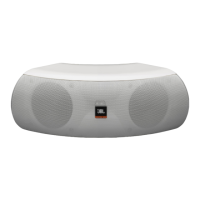
JBL/Infinity Soundbar Quick-Start Guide
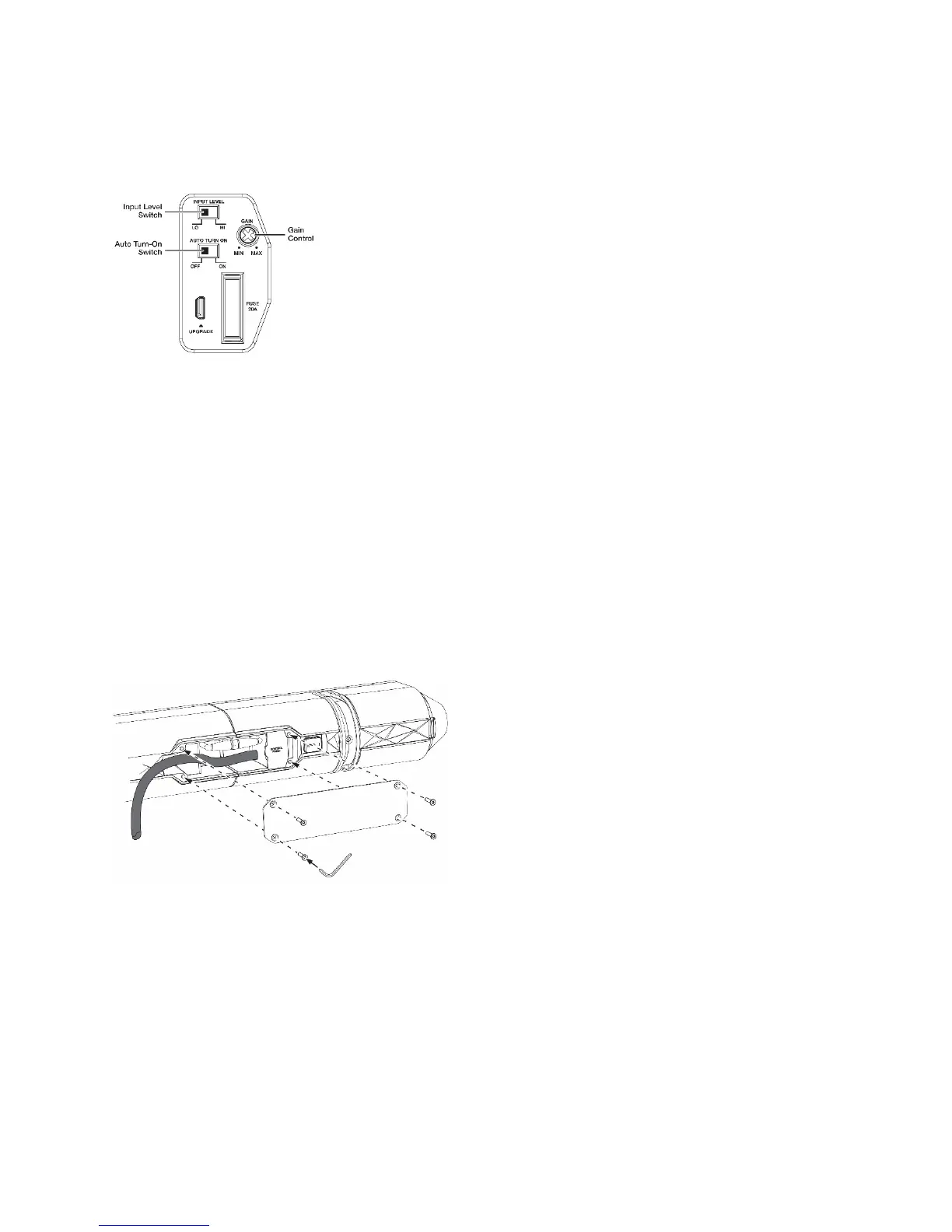
5.Beforeattachingtherearbridgeplate, youwillneedtosettheInputLevelswitch,AutoTurn‐On
switchandGaincontrols:
[Insertillustration:“ControlPanel_082316.ai”]
a.Ifyouwillbeconnectingthesoundbar’saudioinputstothepre‐outsofacarstereoheadunit or
otherline‐
levelsource,settheInputLevelswitchinthe“Lo”position.Ifyouwillbeconnectingthe
soundbartothespeaker‐leveloutputsofacarstereoheadunit,settheInputLevelswitchinthe
“Hi”position.
b.IfyouhavesettheInputLevelswitchinthe“Lo”position,
settheGaincontrol[TBD];ifyouhave
settheInputLevelswitchinthe“Hi”position,settheGaincontrol[TBD].Afteryoucompletethe
installationandbeginusingyoursoundbaryoucanfine‐tunetheGaincontrolsettingtomaximize
thesoundbar’sperformance.
c.Ifyouwant
thesoundbartoautomaticallyturnonwhenitreceivesanaudiosignal,settheAuto
Turn‐Onswitchinthe“On”position.Ifnot,settheswitchinthe“Off”position.
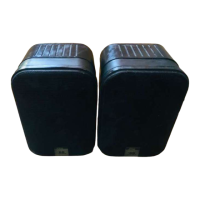
6.Attachtherearbridgeplatetothetwospeakers,usingthesmallhexwrenchandtheremaining4
bridgeplatescrews.
[Insertillustration:“Assembly_5_082316.ai”]
Mounting
1a.Insertthe2mountingbracketbaseassembliesintothe2mountingtrackopeningsonthebottomof
thesoundbar.
1b.Slidethemounti ng bracketbasesinsidethetracksallthewayaroundtothetopofthesoundbar.
[Insertillustration:“Mounting_1_082816.ai”]


 To Next Page