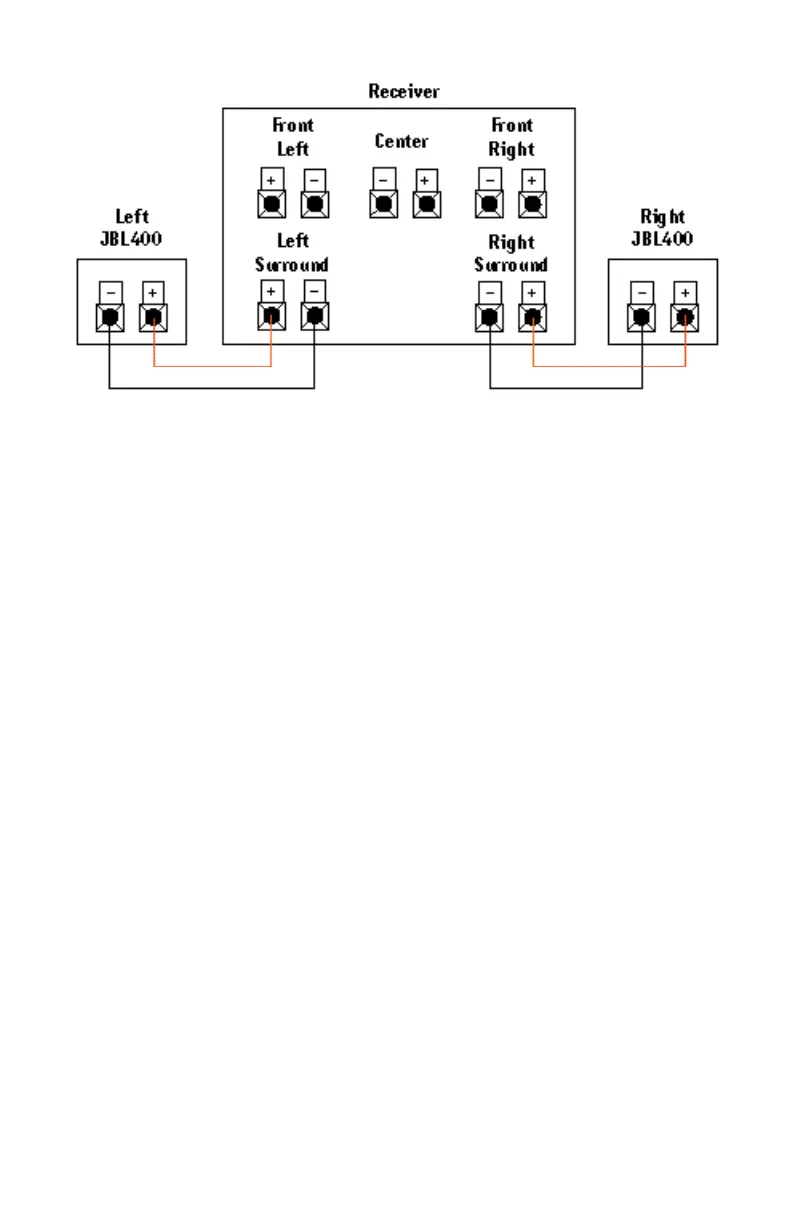
If there is no sound from
the surround speakers,
check the following:
• Check all wires and con-
nections between receiver/
amplifier and speakers. Make
sure all wires are connected.
Make sure none of the
speaker wires are frayed,
cut, or punctured.
• Review proper operation of
your receiver/amplifier and its
surround-sound features.
• Make sure the movie or TV
show you are watching is
recorded in Dolby
*
Surround.
If it is not, check to see if
your receiver/amplifier has
other surround modes you
may use.
If there is no sound from
the center speaker, check
the following:
• Make sure that your
receiver’s Center Channel
Mode is in the “normal” or
“wide” position. If it is in
the “phantom” position, the
center speaker will not play.
• Check all connections
between processor/amplifier
and the center speaker.
If the system plays at low
volumes but shuts off as
volume is increased, check
the following:
• Check all wires and con-
nections between receiver/
amplifier and speakers. Make
sure all wires are connected.
Make sure none of the
speaker wires are frayed,
cut, or punctured.
• If more than one pair of
main speakers is being used,
check the minimum imped-
ance requirements of your
receiver/amplifier.
Troubleshooting
JBL400 OM 7/23/98 9:43 AM Page 3



 To Next Page