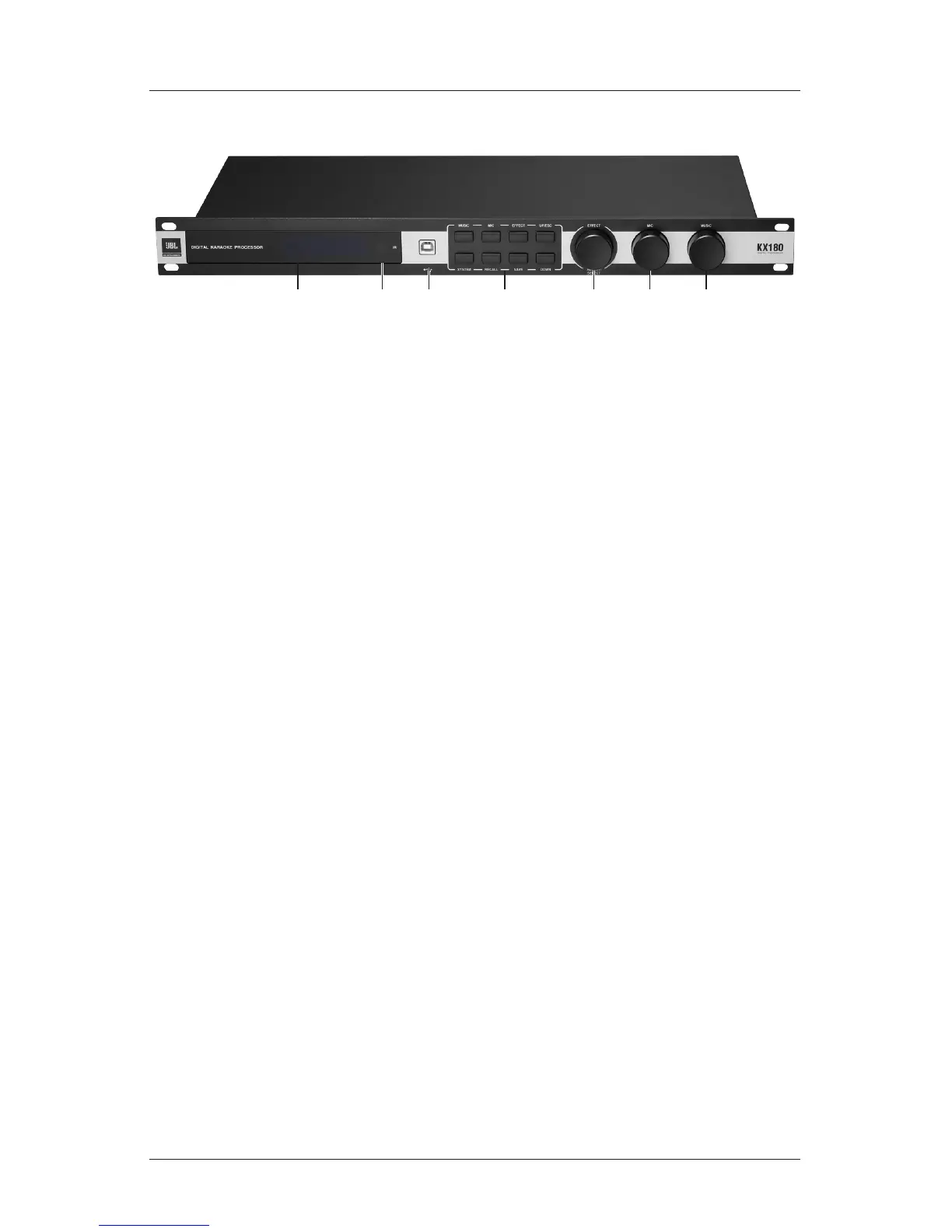
Front Panel
1. LCD Display: displays the initial settings after boosting or parameters when
any control is used.
2. IR: accepts IR signal sent through an IR remote or transmitter.
3. USB Interface: Type-B USB connector. Connects to a PC for GUI operation.
4. Menu Buttons: includes six parameter buttons (MUSIC, MIC, EFFECT,
SYSTEM, RECALL & SAVE) and two navigation buttons (UP/ESC &
DOWN).
• MUSIC: press to visit or edit Music Input and Output paramters.
• MIC: press to visit or edit parameters of Mic 1, Mic 2 and Mic 3.
• EFFECT: press to visit or edit Effect Input EQ, Echo and Reverb para-
mters.
• SYSTEM: press to visit or edit Signal Source, Initial Preset/Volume,
Limit Volume, Data Save Mode, Music Excite, Microphone Feedback
Inhibition, Keyboard and Authority Control, etc.
• RECALL: press to recall data from a preset.
• SAVE: press to save data to a preset.
• UP/ESC: Short-press will navigate to the previous parameter or escape
to the last screen. Long-press will navigate to the homescreen.
• DOWN: press to navigate to the next parameter.
5. EFFECT / ADJUST/SELECT: this knob can be used for Effect Volume ad-
justment, unlocking the homescreen and parameter editing.
• To adjust Effect Volume: when the LCD shows the homescreen, rotate
the knob to adjust the EFFECT volume.
• To unlock the LCD homescreen: when the LCD is locked, press and


 To Next Page