Need help?
Do you have a question about the JBL Link View and is the answer not in the manual?
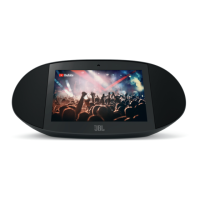
Details the front-facing components of the JBL Link View device.
Details the rear-facing components of the JBL Link View device.
Provides details and information regarding the power cable for the device.
Instructions for connecting the JBL Link View device to a power source.
Guide to downloading and setting up the Google Home application.
Advisories from Industry Canada regarding device operation and potential interference.
Details limitations on device usage in specific frequency bands and geographical regions.
 General
| Resolution | 1280 x 800 pixels |
|---|---|
| Speakers | 2 x 10W |
| Connectivity | Wi-Fi, Bluetooth |
| Voice Assistant | Google Assistant |
| Camera | 5MP |
| Weight | 1.3 kg |
| Frequency Response | 60Hz - 20kHz |
| Signal-to-noise Ratio | >80dB |
| Wireless Network | 802.11b/g/n/ac (2.4GHz/5GHz) |
| Bluetooth Version | 4.2 |
| Display | 8-inch touchscreen |
| Transducer | 2 x 51mm |
| Microphones | 2 far-field microphones |

 To Next Page