Need help?
Do you have a question about the JBL Link 10 and is the answer not in the manual?
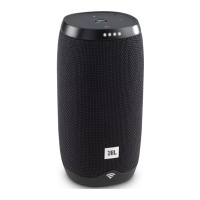
Details the microphones, button panel, and active lights on the front of the speaker.
Explains Bluetooth pairing, volume adjustment, Google Assistant interaction, and audio stop functions.
Covers battery level indicator, power button, microphone mute, and USB connector for charging/restart.
Describes the micro USB port for charging the device.
 General
| Driver diameter | 45 mm |
|---|---|
| Number of drivers | 2 |
| Number of speakers | 1 |
| Audio output channels | 2.0 channels |
| RMS rated power | 16 W |
| Wi-Fi | Yes |
| Frequency range | 2.4 - 5 GHz |
| Bluetooth version | 4.2 |
| Connectivity technology | Wireless |
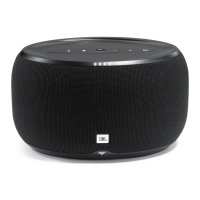
| Product type | Stereo portable speaker |
| Product color | Black |
| Product design | Cylinder |
| Recommended usage | Universal |
| Battery type | Built-in |
| Battery voltage | 3.7 V |
| Battery capacity | 4000 mAh |
| Power source type | Battery |
| Battery recharge time | 5 h |
| Input current | 1 A |
 Weight and Dimensions
| Width | 86 mm |
|---|---|
| Height | 169 mm |
| Weight | 710 g |

 To Next Page