EasyManua.ls Logo

JBL PARTYBOX 1000 - User Manual

JBL PARTYBOX 1000
6 pages
Print Icon
To Next Page IconTo Next Page
Loading...
PARTYBOX 1000
Quick Start Guide
Question and Answer IconNeed help?

Do you have a question about the JBL PARTYBOX 1000 and is the answer not in the manual?

Summary

Product Setup and Components

Whats in the Box

Lists all items included in the JBL PartyBox 1000 package, such as the main unit and accessories.

Product Overview and Controls

Top Panel Controls

Details the functions of top panel buttons for playback, DJ effects, connectivity, and lighting.

Key and Voice Cancellation Functions

Explains the 'Key' adjustment and 'Voice Cancel' features for vocal effects and music modification.

DJ Pad Interface

Covers DJ pad operations including color control, sound effects selection, and audio recording.

Connections and Ports

Back Panel Ports

Identifies and describes the purpose of each connection port located on the back of the PartyBox.

Bluetooth Connectivity

Instructions for pairing and connecting devices wirelessly via Bluetooth to the PartyBox.

USB Connection

Guidance on connecting USB storage devices for music playback or charging external devices.

AUX and Line In Connections

Details how to connect audio sources using AUX and Line In ports for wired audio playback.

Advanced Features

Air Gesture Wristband Control

Explains how to use the air gesture wristband to control sound effects and light patterns.

TWS (True Wireless Stereo) Mode

Instructions for linking two PartyBox speakers wirelessly for stereo sound output.

LED Behavior Indicators

Describes the meaning of different LED light patterns and their corresponding device states.

Specifications

Summary

Product Setup and Components

Whats in the Box

Lists all items included in the JBL PartyBox 1000 package, such as the main unit and accessories.

Product Overview and Controls

Top Panel Controls

Details the functions of top panel buttons for playback, DJ effects, connectivity, and lighting.

Key and Voice Cancellation Functions

Explains the 'Key' adjustment and 'Voice Cancel' features for vocal effects and music modification.

DJ Pad Interface

Covers DJ pad operations including color control, sound effects selection, and audio recording.

Connections and Ports

Back Panel Ports

Identifies and describes the purpose of each connection port located on the back of the PartyBox.

Bluetooth Connectivity

Instructions for pairing and connecting devices wirelessly via Bluetooth to the PartyBox.

USB Connection

Guidance on connecting USB storage devices for music playback or charging external devices.

AUX and Line In Connections

Details how to connect audio sources using AUX and Line In ports for wired audio playback.

Advanced Features

Air Gesture Wristband Control

Explains how to use the air gesture wristband to control sound effects and light patterns.

TWS (True Wireless Stereo) Mode

Instructions for linking two PartyBox speakers wirelessly for stereo sound output.

LED Behavior Indicators

Describes the meaning of different LED light patterns and their corresponding device states.

Specifications

Overview

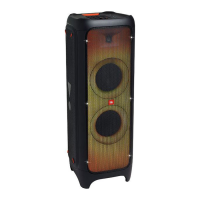
The JBL PartyBox 1000 is a powerful party speaker designed to deliver an immersive audio experience with dynamic light shows and interactive DJ features. This quick start guide outlines its functions, usage, and basic maintenance.

Function Description

The PartyBox 1000 serves as a comprehensive entertainment system, combining high-quality audio output with interactive light effects and DJ controls. Its primary function is to play music from various sources, including Bluetooth-enabled devices, USB drives, and auxiliary inputs. The speaker features a robust sound system capable of filling large spaces with clear, powerful audio.

A key distinguishing feature is the integrated DJ pad, which allows users to mix and add sound effects in real-time. This pad includes multiple sound effect options, such as drums, keyboard, piano, and customizable sounds, enabling users to create unique mixes. The "Smart DJ" feature further enhances the DJ experience by analyzing music rhythm and harmonizing DJ effects, ensuring continuous music playback even between tracks from Bluetooth and USB sources.

The PartyBox 1000 also incorporates dynamic light shows that synchronize with the music, creating an engaging visual experience. Users can switch between different light show patterns and control the strobe light for added effect. An innovative "Air Gesture Wristband" allows for remote control of certain DJ effects and light patterns through hand movements, adding an interactive dimension to the party.

For enhanced audio, the speaker includes a "BASS BOOST" function with two levels, allowing users to intensify the low-frequency output. It also features an "ECHO" control for adjusting the echo volume, which is particularly useful when using microphones.

The device supports True Wireless Stereo (TWS) mode, enabling two PartyBox 1000 speakers to be connected wirelessly for a more expansive stereo sound experience. This feature allows users to designate one speaker as the left channel and the other as the right channel, or to have both play in stereo.

Usage Features

Power and Connectivity:

To power on or off the device, press the dedicated power button. The speaker offers multiple connectivity options:

  • Bluetooth: Easily pair with Bluetooth-enabled devices for wireless music streaming. A short press enters pairing mode, while a long press disconnects and pairs with a new device.
  • USB: Connect a USB storage device to play music files directly. The USB port also serves as a charging port for external devices.
  • AUX (3.5mm): Connect external audio devices using a standard 3.5mm audio cable.
  • LINE IN (RCA): Connect analog audio output jacks from other audio devices using RCA cables.
  • Microphone Input: Connect a microphone for karaoke or announcements. The microphone volume can be adjusted.
  • Guitar Input: Connect a guitar. The guitar volume can be adjusted.

Music Playback and Control:

  • Source Selection: Press the source selection button repeatedly to cycle through Bluetooth, USB, AUX, and LINE IN inputs. LED indicators show the currently selected source.
  • Play/Pause/Skip: Press once to play or pause music. Press twice to play the next track, and three times to play the previous track.
  • Volume Control: Use the +/- buttons to adjust the overall volume. Pressing both simultaneously mutes the audio output.

DJ Features:

  • DJ Pad: The top panel features a DJ pad with multiple keys. Pressing these keys allows users to select and trigger various sound effects like drums, keyboard, piano, or customized sounds.
  • Recording: Users can record new tracks, with the ability to record up to 8 tracks. There are controls to delete the last recorded track or all recorded tracks.
  • Smart DJ: Activate Smart DJ to automatically analyze music rhythm and mix DJ effects, ensuring continuous and harmonized playback.
  • Echo Control: Rotate the ECHO knob to adjust the echo volume, particularly useful for microphone use.

Light Show Features:

  • Light Show Patterns: Press the light show button to switch between different light show patterns.
  • Strobe Light: Press and hold the light show button for 2 seconds to turn the strobe light on or off.
  • Color Control Mode: Enter color control mode to toggle between different light colors for the front panel and the Air Gesture Wristband.

Air Gesture Wristband:

The wristband allows for remote control of specific functions:

  • Gesture Control: Perform gestures like "Clap," "Shake," and "Rotate" to trigger sound effects or switch light patterns.
  • Power On/Off: The wristband can be powered on or off by pressing and holding its button. It automatically pairs with the PartyBox 1000 when nearby.

True Wireless Stereo (TWS) Mode:

  • To activate TWS mode, press and hold the TWS button on both speakers for 5 seconds. Once connected, use the L/R button on one speaker to toggle between left channel, right channel, or stereo mode.

Maintenance Features

General Care:

  • Keep the device clean and free from dust.
  • Avoid placing obstacles between TWS-connected speakers for optimal performance.
  • Ensure the Air Gesture Wristband is charged or has fresh batteries for continuous use. The wristband uses 2x 3V CR2032 batteries.

Troubleshooting (LED Behavior):

The LED indicators provide visual feedback on the device's status:

  • Power: White (Constant) for Power On, Amber (Constant) for Standby.
  • Bluetooth: White (Constant) for Connected, White (Flashing) for Pairing.
  • BASS BOOST: White (Constant) when On.
  • VOICE CANCEL: White (Constant) when On.
  • L/R CHANNEL: White (Constant) when On.
  • SMART DJ: White (Constant) when On.

Software and Manuals:

  • For more detailed information and troubleshooting, users are encouraged to download the owner's manual from the JBL website. This ensures access to comprehensive instructions and support.

The JBL PartyBox 1000 is designed for ease of use and maximum entertainment, offering a blend of powerful audio, interactive DJ capabilities, and captivating light shows, all controllable through intuitive interfaces and an innovative gesture wristband.

JBL PARTYBOX 1000 Specifications

General IconGeneral
WooferYes
Speaker type-
Speaker positionFront
Number of drivers3
Speaker placementFloor
Audio output channels1.0 channels
Number of woofer drivers1
Woofer diameter (imperial)12 \
Number of mid-range drivers2
Mid-range driver diameter (imperial)7 \
Frequency range30 - 20000 Hz
RMS rated power1100 W
Signal-to-Noise Ratio (SNR)80 dB
Product colorBlack
Volume controlButtons
Housing materialPlastic
Recommended usageDJ
Country of originChina
Number of cartons per pallet3 pc(s)
AirPlayNo
Connectivity technologyWired & Wireless
AC input voltage100 - 240 V
Power source typeAC
Power consumption (standby)0.5 W
Package typeBox
Quantity per pack1 pc(s)
Pallet net weight117000 g
Pallet GTIN (EAN/UPC)6925281954405
Pallet length1200 mm
Master (outer) case width475 mm
Master (outer) case length1155 mm
Master (outer) case volume0.261 cm³
Master (outer) case weight39000 g
Weight and Dimensions IconWeight and Dimensions
Depth468 mm
Width397 mm
Height1158 mm
Weight34700 g
Cord length1.2 m
Package weightWeight of the packaged product in gram.

Videos

How to connect JBL Partybox 1000 with other speakers

How to Connect 2 JBL Partybox 1000 TWS (without cables)

How To Connect MIC to JBL Partybox 1000

How to Tame Bass on JBL PartyBox 1000

How to RESET JBL PartyBox 1000

Related product manuals