2
1
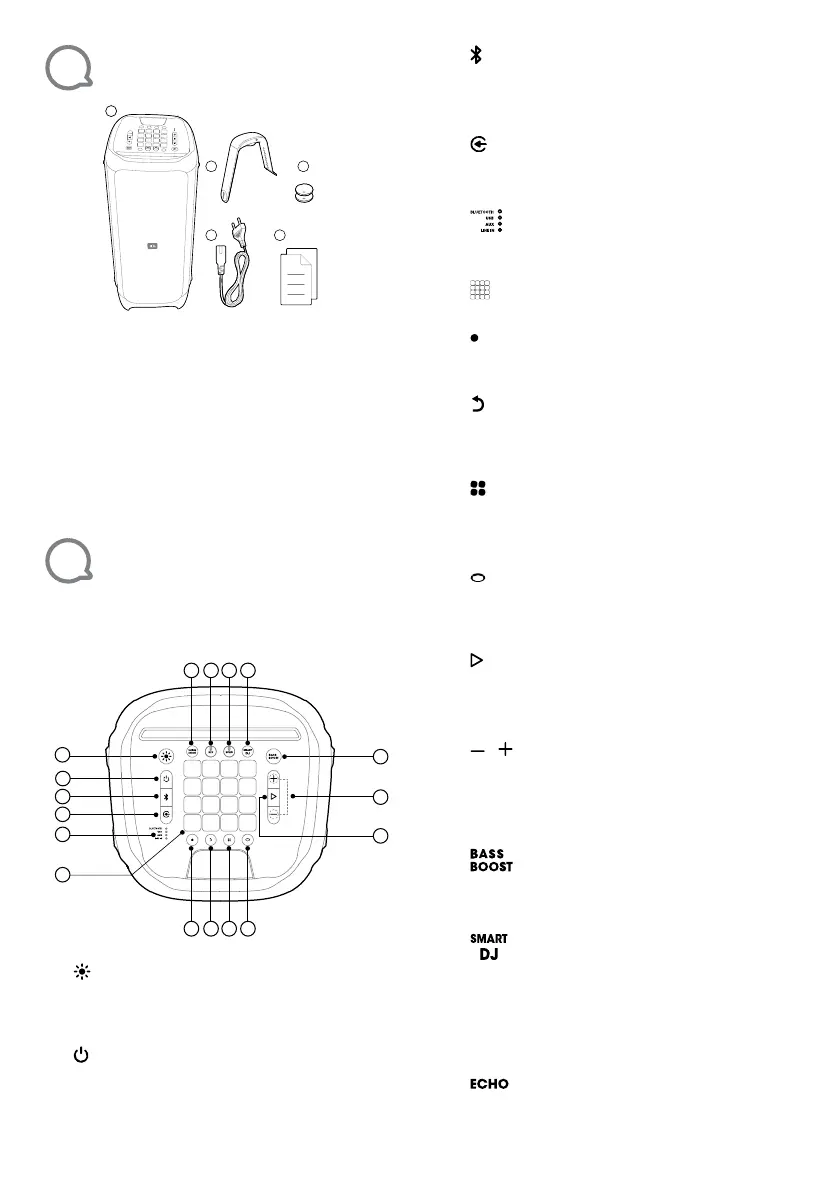
What’s in the box
1
2 3
4
5
1)
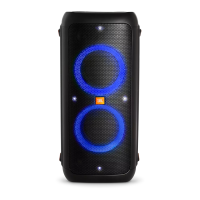
Main unit
2)
Air gesture wristband
3)
Air gesture wristband batteries (2x 3V CR2032)
4)
Power cord*
5)
Quick Start Guide, Safety sheet, Warranty card
*Power cord quantity and plug type vary by regions.
Note:
– For more information, please download the owner’s manual
from www.jbl.com
2
Overview
2.1 Top panel
11
13
2
3
4
1
5
6
17 16 15 14
7
8 9
10
12
1)
•
Press to switch light show patterns.
•
Press and hold for 2 seconds to turn the
strobe light on or off.
2)
•
Power on/off.
3)
•
Short Press to enter Bluetooth pairing mode.
•
Press and hold for 20 seconds to disconnect
and pair with a new device.
4)
•
Press repeatedly to select a music source
(Bluetooth / USB / AUX / LINE IN).
5)
•
LED indicators to show the current music
source.
6)
•
DJ control keys.
7)
•
Press to record a new track. Up to 8 tracks
can be recorded.
8)
•
Press to delete the last recorded track.
•
Press and hold for 2 seconds to delete all
recorded tracks.
9)
•
Press repeatedly to select a sound
effect (Drums / Keyboard / Piano / DJ /
Customized).
10)
•
Press to enter color control mode to toggle
between different light colors of your PartyBox
front panel and wristband.
11)
•
Press once to play or pause the music.
•
Press twice to play the next track.
•
Press three times to play the previous track.
12) /
•
Press to decrease or increase the volume
level.
•
Press both simultaneously to mute the audio
output.
13)
•
Press repeatedly to switch between sound
boost level 1 and level 2 or turn off.
14)
•
Press to turn the Smart DJ on or off.
Notes:
– Smart DJ analyze music rhythm and mix DJ effects with
harmonize beats.
– Smart DJ lls the void of silence between two tracks and play
music continuously with BT and USB sources.
15)
•
Rotate to adjust echo volume.


 To Next Page