18
WI-FI SETUP
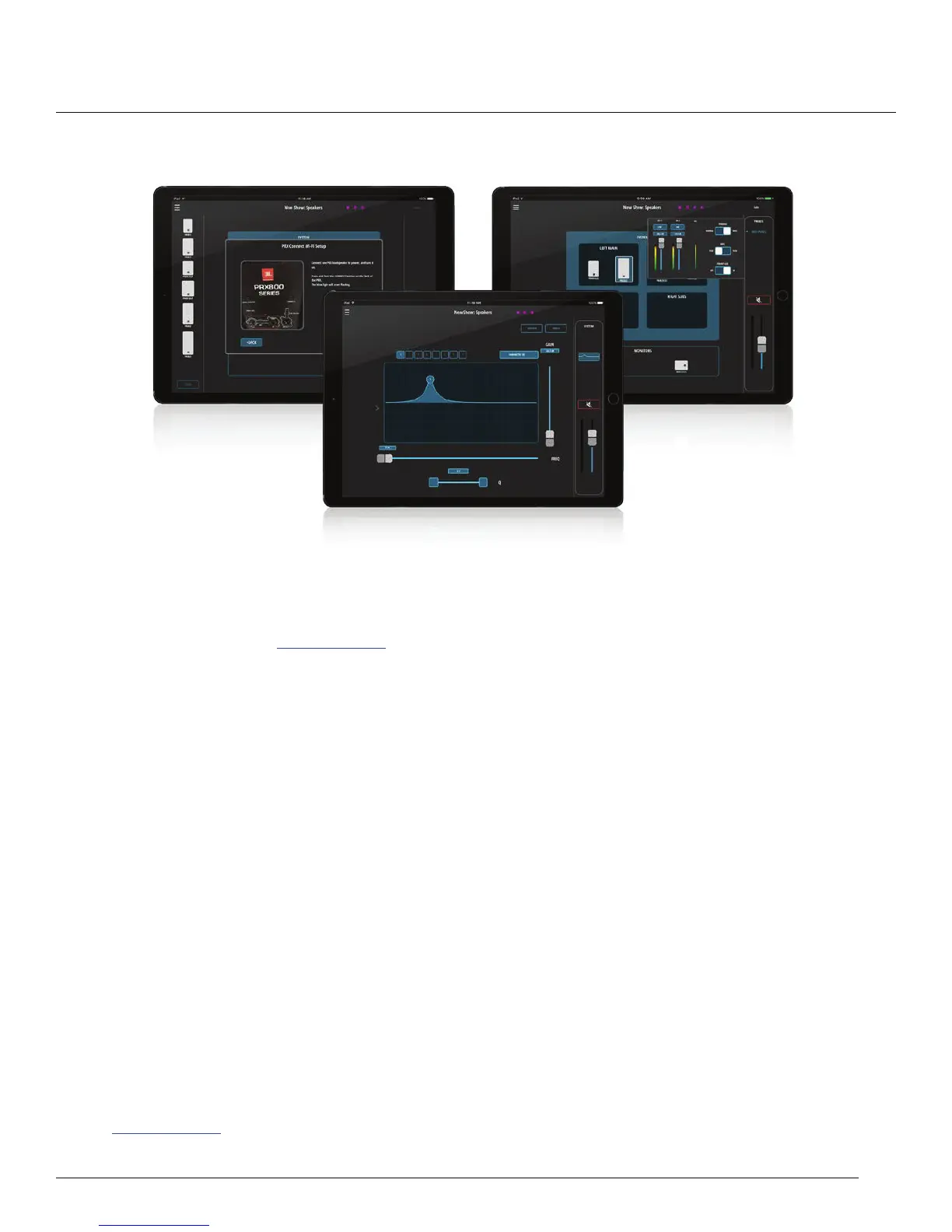
To connect to the PRX800W speakers via WI-FI, perform the following:
1. Download the app from www.jblpro.com then install it.
2. Power on all PRX800W speakers in your setup.
3. The application will display a welcome screen — select “SET UP A NEW SYSTEM”.
4. Enter the name of the band and the name of the venue.
5. Select NEXT.
6. Go to the back of each speaker and set it to Access Point mode by pressing and holding the CONNECT
EXWWRQIRUVHFRQGV²WKH&211(&7/('ZLOOEHJLQÀDVKLQJVORZO\
7. 6HOHFW1(;7RQFHDOOVSHDNHUVKDYHEHHQVHWWR$FFHVV3RLQWPRGHÀDVKLQJVORZO\
8. Go to your device’s Wi-Fi settings and select any network labeled PRX800 xx.xx.xx.
9. Come back to the PRX Connect application and press NEXT.
10. Enter your router’s name, the security protocol, and the router password.
11. $VHDFKVSHDNHUEHJLQVWRFRQQHFWWRWKHURXWHUWKH&211(&7/('ZLOOEHJLQÀDVKLQJUDSLGO\WKHQOLJKW
VROLGRQFHFRQQHFWHG1RWH\RXPD\QHHGWRUHSHDWWKLVVWHSLIDQ\VSHDNHUFRQWLQXHVWRKDYHDÀDVKLQJ
OLJKW
12. After the CONNECT LEDs light solid on all speakers, you can now continue with the layout and settings for
each speaker and the entire show.
13. For more details on the show setup and additional features, please see the complete application manual at
www.jblpro.com.


 To Next Page