Need help?
Do you have a question about the JBL Tune230NC TWS and is the answer not in the manual?
Instructions for quick pairing using the Fast Pair feature on compatible Android devices.
Details touch controls for ANC, Ambient Aware, TalkThru, playback, and voice assistants on the left earbud.
Details touch controls for ANC, Ambient Aware, TalkThru, playback, and voice assistants on the right earbud.
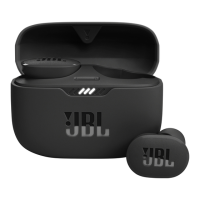
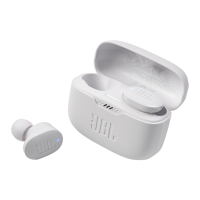
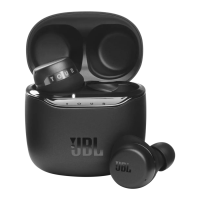
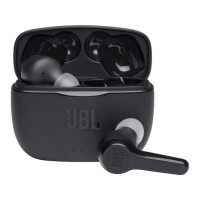
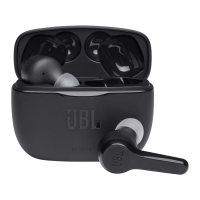
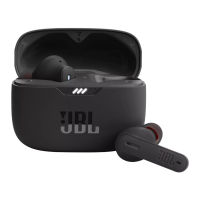
The JBL TUNE230NC TWS is a pair of true wireless stereo earbuds designed for an immersive audio experience with active noise cancellation and smart features. These earbuds are accompanied by a charging case and are intended for on-the-go use, offering both convenience and high-quality sound.
The JBL TUNE230NC TWS earbuds provide a comprehensive audio solution, allowing users to listen to music, make calls, and interact with voice assistants. The core function revolves around delivering clear audio with the added benefit of Active Noise Cancelling (ANC), which helps to block out ambient distractions. For situations where environmental awareness is crucial, the earbuds also feature Ambient Aware and TalkThru modes, enabling users to hear their surroundings or engage in conversations without removing the earbuds.
The "TWS" in the name stands for True Wireless Stereo, indicating that the left and right earbuds operate independently, connecting wirelessly to each other and to the audio source. This design allows for flexible listening modes: stereo mode when both earbuds are used, and mono mode when only one earbud is preferred. The earbuds are equipped with Bluetooth connectivity, ensuring a stable and efficient wireless connection to compatible devices.
The JBL TUNE230NC TWS offers a range of features designed to enhance the user experience, from initial setup to daily use and advanced controls.
Upon unboxing, users will find the earbuds, a charging case, multiple sizes of ear tips (S/M/L) for a customized fit, a USB charging cable, and documentation. The first step for optimal audio performance and comfort is to try different ear tip sizes to find the perfect fit. Once the ear tips are selected, the earbuds are inserted into the ears and adjusted for a secure and comfortable position.
For the initial setup, the earbuds are placed into the charging case. To power on and connect, simply open the charging case. The earbuds will automatically enter pairing mode. For Android™ 6.0+ devices, a "Fast Pair" notification will appear, allowing for quick and seamless pairing with a single tap, and the device will be tied to the user's Google Account. For other devices, users can navigate to their device's Bluetooth settings and select "JBL TUNE230NC TWS" from the list of available devices to establish a connection.
A key feature of these earbuds is "Dual Connect + Sync." This allows for flexible listening. In "Stereo Mode," both the left (L) and right (R) earbuds are used simultaneously, providing a full stereo sound experience. In "Mono Mode," users can choose to use either the left or right earbud independently, which is useful for conserving battery or when one ear needs to remain open to the environment. The earbuds automatically sync, ensuring a smooth transition between modes.
The earbuds feature intuitive touch controls for managing audio playback, calls, and special modes.
To power off the earbuds, simply place them back into the charging case and close the lid. This action also initiates charging.
The JBL Headphones App is a central hub for unlocking the full potential of the JBL TUNE230NC TWS. The app provides:
The earbuds are charged by placing them into the charging case. The charging case itself is charged via a USB cable. A full charge for the earbuds and case takes approximately 2 hours from empty. A quick 10-minute charge can provide up to 2 hours of music playtime, which is a convenient feature for users on the go. LED indicators on the earbuds and charging case provide visual feedback on the charging status.
LED indicators on the earbuds and charging case communicate various statuses:
These indicators help users monitor the connection status and battery levels, ensuring they are always aware of the device's operational state.
 General
| Frequency Response | 20 Hz - 20 kHz |
|---|---|
| Bluetooth Version | 5.2 |
| Water Resistance | IPX4 |
| Impedance | 16 ohm |
| Microphone Sensitivity | -38 dBV/Pa @1 kHz |
| Bluetooth transmitter power | < 12 dBm |
| Bluetooth transmitter modulation | GFSK, π/4 DQPSK, 8DPSK |
| Weight (each earbud) | 5.1 g |
| Ambient Aware | Yes |
| TalkThru | Yes |
| Voice Assistant Support | Yes |
| Driver Size | 6 mm |
| Battery Life | 40 hours |
| Battery Life (with ANC) | Up to 8 hours in the earbuds + 24 hours in the case |
| Battery Life (without ANC) | 10 hours (earbuds) + 30 hours (charging case) |
| Charging Time | 2 hours |
| Noise Cancellation | Yes, Active Noise Cancellation (ANC) |
| Type | Earbud |
| Bluetooth profiles | A2DP V1.3, AVRCP V1.6, HFP V1.7 |
| Bluetooth transmitter frequency range | 2.4 GHz – 2.4835 GHz |
| Music playtime with BT on | Up to 10 hrs |
| Music playtime with BT and ANC on | 8 hours |
| Quick Charge | 10 min charging for 2 hours playtime |
| Microphone | 4-mic technology |
| Colors | Black, Blue, White |

 To Next Page