7 - 15
CHAPTER 7 Calibration
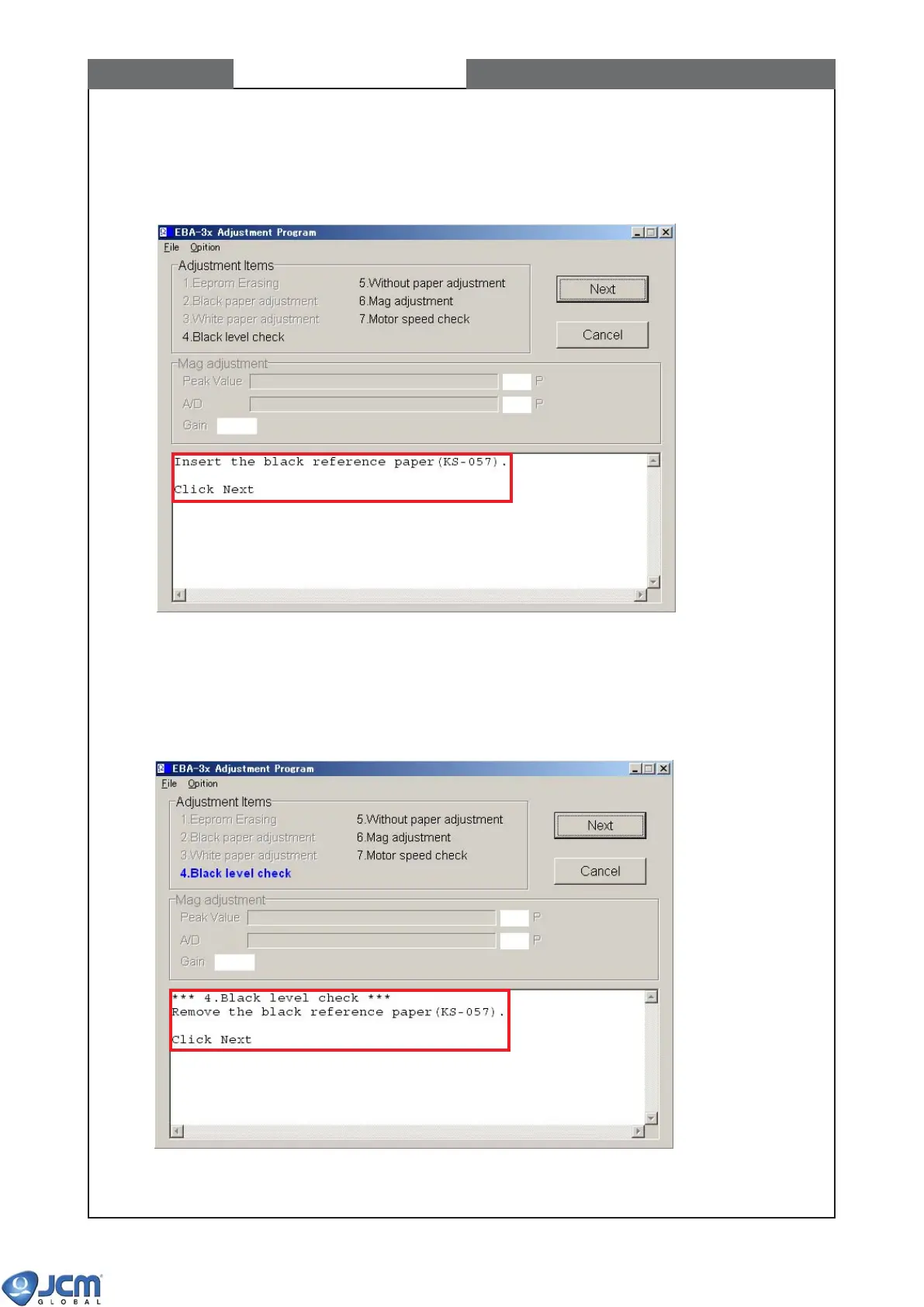
9) Then the following message will appear (See Fig-33). Insert the black reference paper to the EBA-30/32/34
unit and then press the [Next] button to start the Black level check.
Fig-33
10) When complete the Black level check, the following message will appear (See Fig-34). Remove the black
reference paper from the EBA-30/32/34 unit and close the acceptor head cover properly. Then click [Next]
button to start Without paper adustment.
Fig-34


 To Next Page