7 - 21
• (1) Execution Monitor
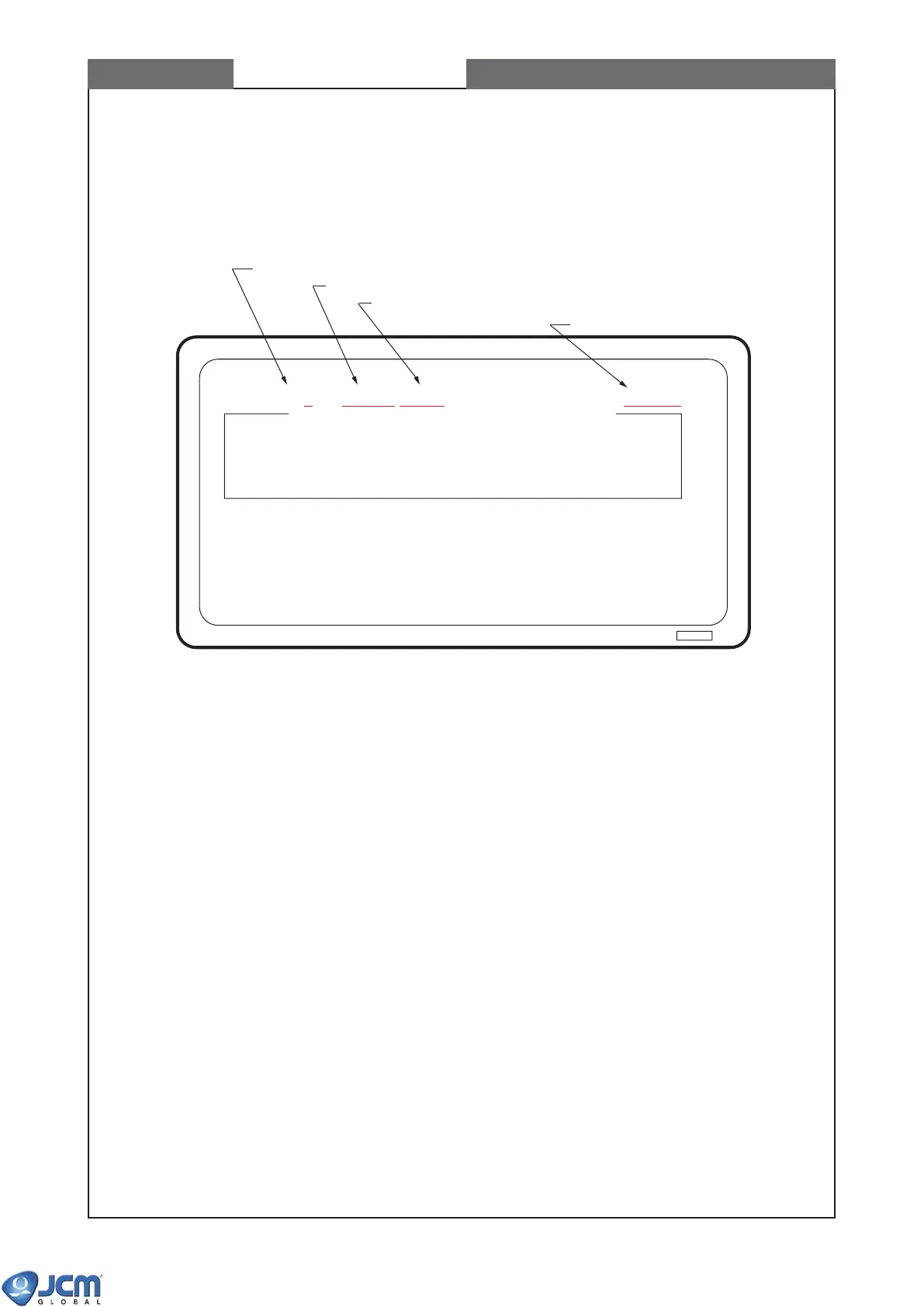
1)When the program starts, the following monitor appears.
Note: If the download file is correct, "VCF420" appears on the top line (See Fig-43).
Fig-43
(2) Commands:
Use letter keys to enter a command.
I: Addressed Reset - Reset a selected unit in the machine.
V: Version Information Request - Read the program version after downloading completed.
G: Global Reset - Reset all the units (including EBA) connected to the machine.
[Ctrl]-x:Abort - Exit the program
F: File Download - Download the specified file.
P: Program Check Verify - Check CRC by EBA itself.
[Ctrl]-f:File Download (Selection) - DO NOT USE THIS COMMAND!
S: Set Start Addr. & Seed Val. - Set the start address and initial value of CRC when checking
CRC.
CHAPTER 7 Downloading software to Flash Memory
Dev.=f0 Port1 File=xxxx.xxx VCF420:00C00000:00C7FFFF CRC3173 38400bps RUN
DOWN LOAD PROGRM Ver.214-00 05/JUN/'03 JCM
I:Addressed Reset V:Version Information Request
G:Global Reset Ctrl-X:Abort
F:File Download P:Program Check Verify
S:Set Start Addr. & Seed Val.
Ctrl-f:File Download (Section) (Start Addr,:000000 Seed Val.:0000)
Device Ver.:
Validator Status:
Selected serial port NO.
Entered download filename.
If the download file is for the EBA-3x series, "VCF420" appears.
Baud rate


 To Next Page