242 MULTIMEDIA
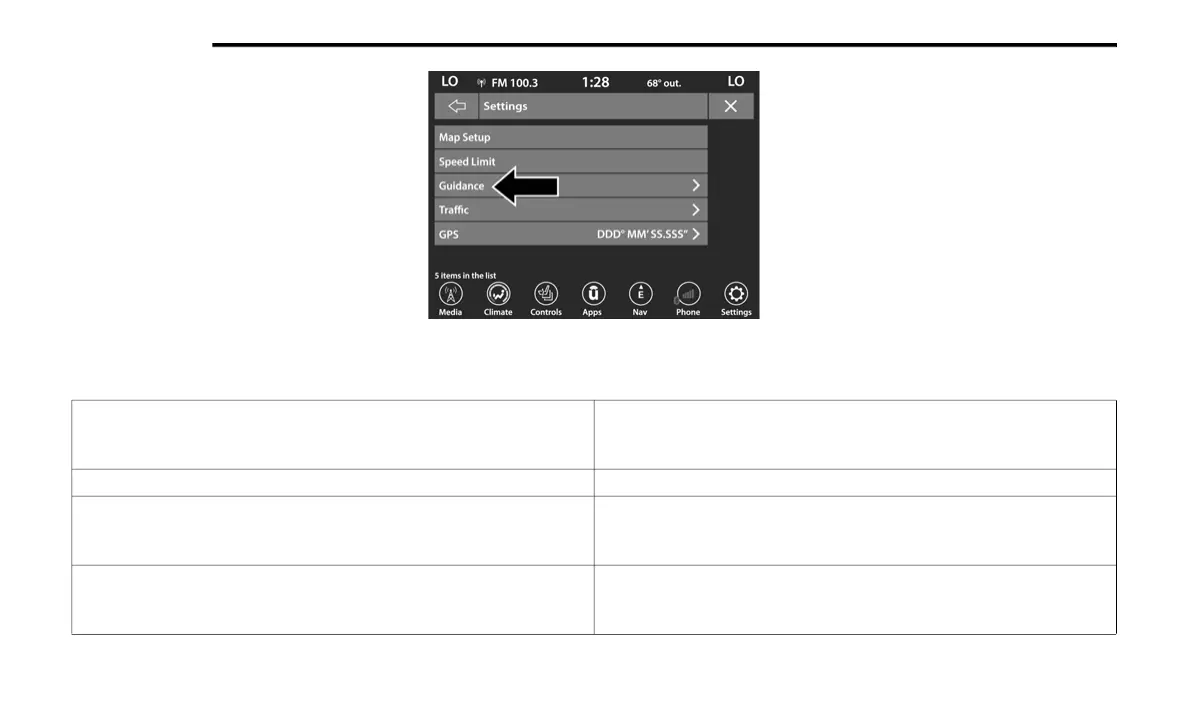
Settings — Guidance
With the Map displayed, press the Options
button, then press the Settings button and then
the Guidance button. You can also access this
menu by pressing the Settings button in the
lower right of the Nav Main Menu.
Guidance Button
The following Guidance options are available:
Play Voice Guidance
Press this button to enable Voice Guidance prompts during route
guidance. Press and release the button until a check mark appears,
showing the setting has been selected.
Nav Guidance Volume Press the + or – buttons to adjust the Nav Guidance Volume.
Lane Recommendation
Press this button to enable Lane Recommendation during route
guidance. Press and release the button until a check mark appears,
showing the setting has been selected.
Junction View
Press this button to enable Junction View during route guidance. Press
and release the button until a check mark appears, showing the setting
has been selected.
21_BV_OM_EN_USC_t.book Page 242















 To Next Page