EasyManua.ls Logo

Jeio tech IST-3075 - User Manual

Jeio tech IST-3075
70 pages
Print Icon
To Next Page IconTo Next Page
Loading...
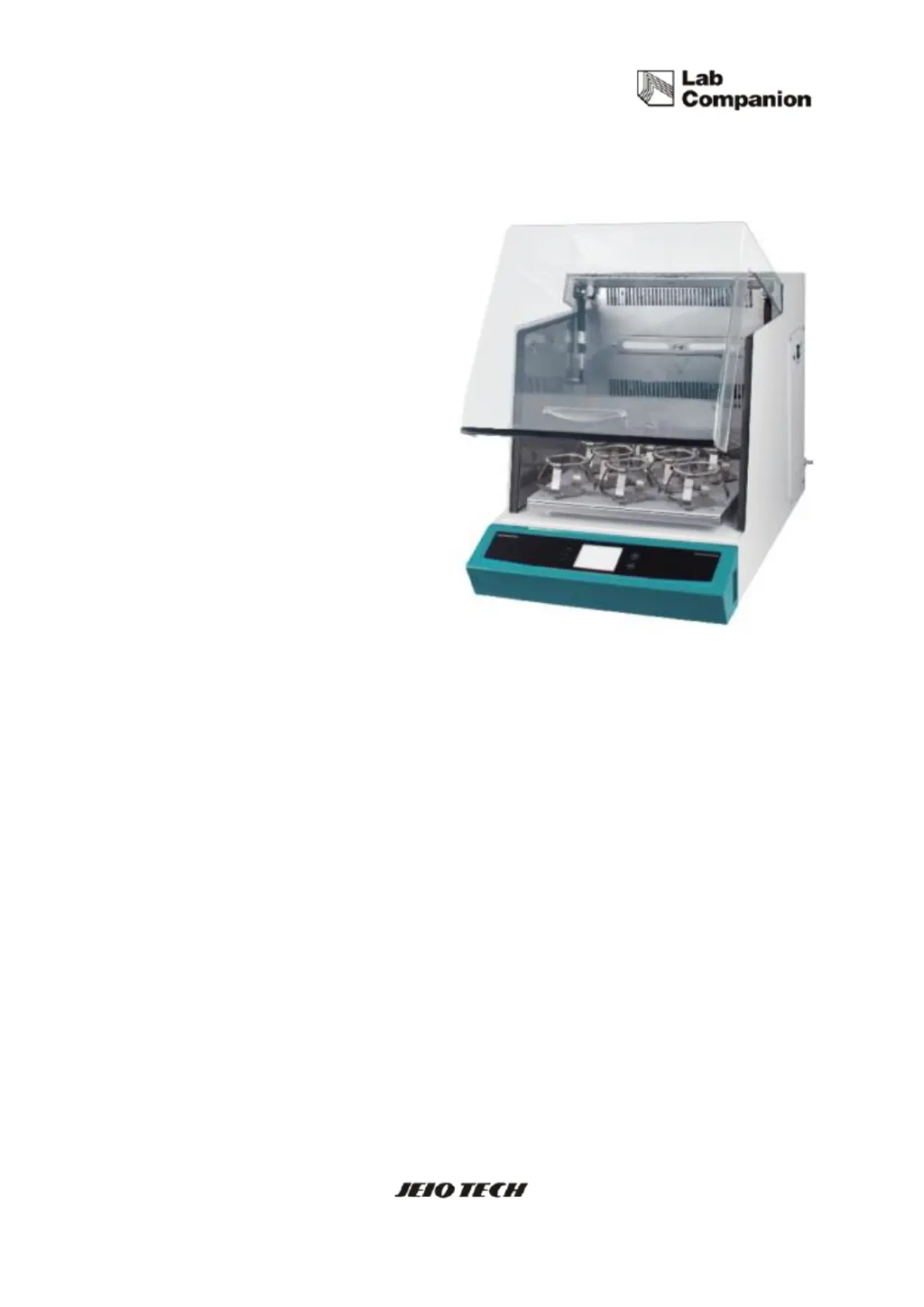
Operating Manual
Shaking Incubator
Model : IST-3075, IST-4075, IST-3075R, IST-4075R
Menual no. : XXXXXXXXXXX

Table of Contents

Questions and Answers

  • M
    Matthew CurtisAug 14, 2025
    How to troubleshoot if my Jeio tech Accessories equipment is not turning on?
    • Z
      Zachary KellerAug 14, 2025
      If your Jeio tech Accessories equipment isn't turning on, first, ensure the power plug is securely connected to the socket. Next, check if the circuit breaker has tripped. If the fuse is short-circuited, replace it with a new one. Also, verify that there isn't a power outage. If these steps don't resolve the issue, further assistance may be needed.
  • J
    jonathanbakerAug 17, 2025
    Why is the temperature of my Jeio tech Accessories incubator not reaching the set value?
    • J
      jimenezedwardAug 17, 2025
      If the temperature of your Jeio tech Accessories incubator isn't reaching the set value, first, check if the Temperature Control ON indicator is illuminated. Ensure that the outdoor temperature isn't too high or low, and maintain an appropriate room temperature. Also check the door switch. Check the air filter condition and clean it. If the temperature is unstable, perform Auto Tuning. If the problem persists, further assistance may be required.
  • C
    Crystal OrtizAug 21, 2025
    What to do if my Jeio tech IST-3075 equipment powers on but the controller doesn't operate?
    • E
      Eric SchmidtAug 21, 2025
      If your Jeio tech Accessories equipment powers on but the controller isn't working, check the power plug connection to the socket. Inspect the panel board circuit breaker and reset it before turning the machine on. If the Display board or Main PCB has a problem, or if the Power switch is faulty, further assistance will be required.
  • A
    Andrew HernandezAug 25, 2025
    How to fix shaking trouble in Jeio tech IST-3075 Accessories?
    • H
      hallmadisonAug 25, 2025
      To address shaking issues with your Jeio tech Accessories: * If there's excessive vibration, ensure the machine is level, adjusting as needed. * If vibration is intense and the shaking speed slows, redistribute samples evenly. * For overloading, reduce sample weight. * Check the door switch. * If shaking doesn't start after pressing the start button, cancel the timer setup. If the problem persists, further assistance may be needed.
  • S
    Susan JohnsonAug 28, 2025
    What to do if I get an over current error on my Jeio tech Accessories?
    • D
      David AriasAug 28, 2025
      If you're getting an over current error on your Jeio tech Accessories, check for any overload or obstructions within the shaking system.
  • C
    Christopher MoodyAug 31, 2025
    How to reduce noise from Jeio tech IST-3075?
    • C
      Curtis BarrettAug 31, 2025
      To reduce noise from your Jeio tech Accessories, check that the platform and samples are securely fixed. Also, make sure the sample weight is evenly distributed. If the issue continues, further assistance may be needed.
  • D
    daviskennethSep 3, 2025
    What causes load unbalance in Jeio tech IST-3075?
    • S
      Steven MccormickSep 4, 2025
      Load unbalance in Jeio tech Accessories can be caused by an unbalanced sample setting, overload, or an un-flat surface. Check these factors to resolve the issue.
  • J
    jamespayneSep 6, 2025
    What to do if Jeio tech Accessories shows a 'Door Open' error?
    • K
      Kelly CarrollSep 6, 2025
      If your Jeio tech Accessories displays a 'Door Open' error, ensure the door is completely closed. Then, press the start button to restart the unit.
  • S
    Suzanne DunnSep 10, 2025
    How to solve temperature limit error in Jeio tech Accessories?
    • X
      xporterSep 10, 2025
      To address a temperature limit error in your Jeio tech Accessories, check the setting on the analog over temperature regulator and the operating temperature. Restart the equipment once the temperature is within the acceptable range.

Summary

Safety

Safety Symbols and Statements

Explanation of symbols and statements for safe operation.

Responsibility and Warnings

Manufacturer's disclaimer and critical warning statements.

Functional Description

High Performance Features

Details on precision temperature and speed control capabilities.

Safety Features

Details built-in safety mechanisms for protection.

Installation

Space and Environmental Requirements

Specifies clearance, ambient temperature, and humidity.

Installation Procedures and Cautions

Guidelines and precautions for physical setup.

Power Connection

Guidance on safely connecting the unit to the power supply.

Operation

Temperature Control

How to set, start, stop, and change temperature.

Shaking Control

How to set, start, stop, and change shaking speed.

Shaking Timer

How to set and manage the shaking timer function.

Alarms and Safety Stops

Explains system alarms and automatic shutdown procedures.

Troubleshooting

Operational Stops

Solutions for common issues causing the unit to stop during operation.

Common Problems and Solutions

Addresses issues like power, controller, and temperature problems.

Jeio tech IST-3075 Specifications

General IconGeneral
BrandJeio tech
ModelIST-3075
CategoryAccessories
LanguageEnglish

Related product manuals