7. Delete-
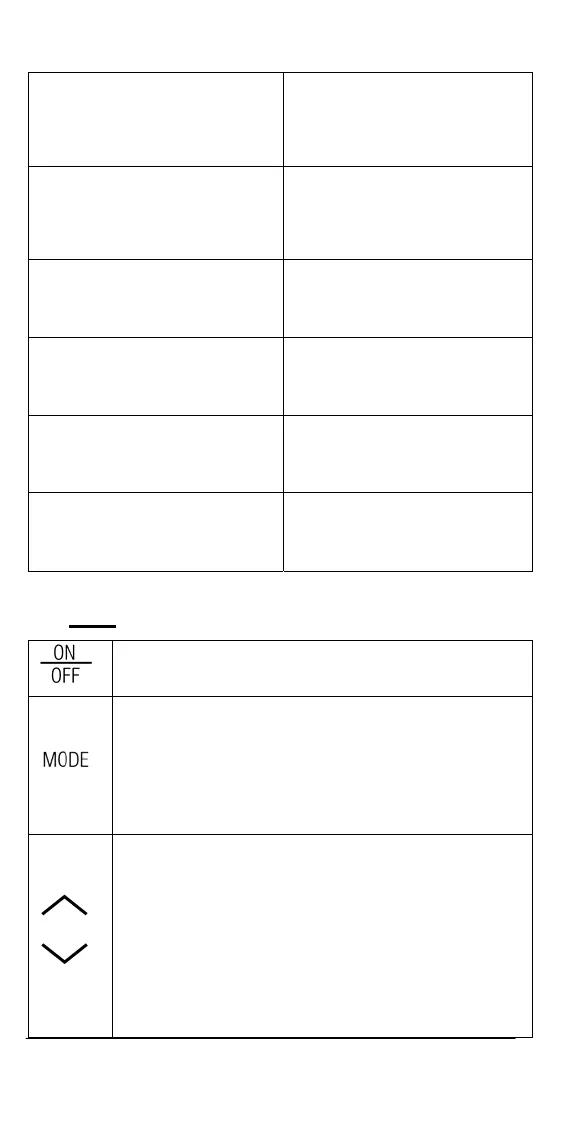
To delete stored data.
13. Full-
This will indicate that all 50
data storage sites are used
up.
8. pH/mV-
Unit and mode indicators.
14. HOLD-
This will indicate that the
reading is frozen during
AUTOLOCK mode.
9. Main display for pH, mV and
probe efficiency values
15. Recall-
To recall data from the data
storage.
10. Temperature and unit
display
16. Each-
To delete a single set of data
from the data storage.
11. Data storage site number.
17. All-
To delete all the data in the
data storage.
12. Save-
To save a reading into the data
storage.
B. Keys
ON/OFF-
Powers on and shuts off the meter.
MODE-
Selects display mode. Pressing this key changes the
disp
lay sequentially to display pH-AUTOLOCK,
mV-AUTOLOCK, pH, mV, Recall and Delete
interface.
In “Recall” and “Delete” modes, press this key to exit
“Recall” and “Delete” modes respectively.
UP/DOWN-
The two keys are used to manually enter the
temperature values. T
hey have no effect on the unit
when operating in ATC mode.
In “Recall” mode, view saved data and data storage
site number by
pressing these keys.
In “Delete” mode, press these keys to select between
the “Delete Ea
ch” and “Delete All” mode.
In “Delete Each” mode, view to be deleted data and
data site numbers by pressing these keys.
19


 To Next Page