Installation of driver in Mac OS X
Important! Do not connect the before the driver is installed.Eagle 100/Lynx 500
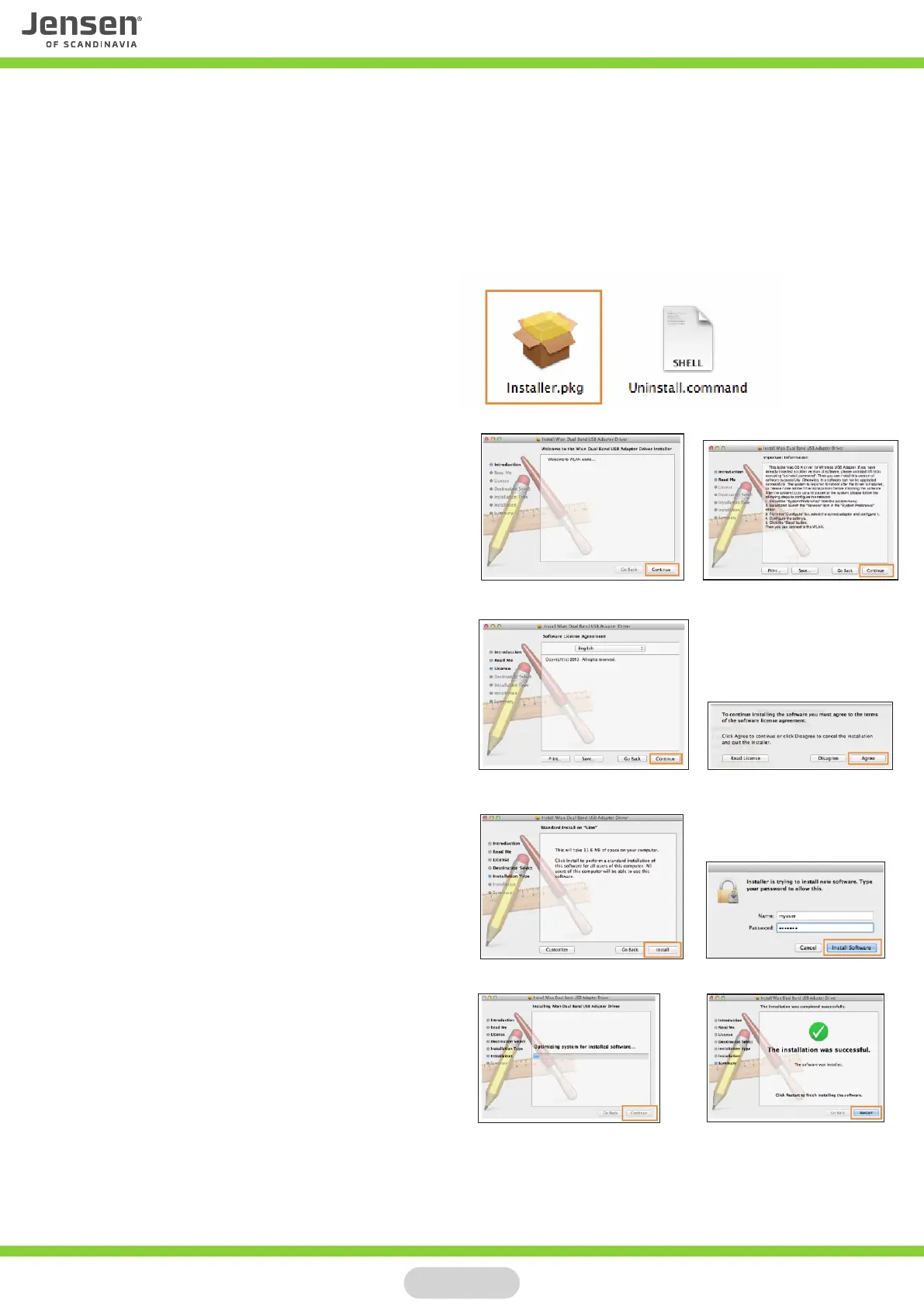
Insert the driver CD, open Finder and go to the folder Mac -> OS X and open the folder
for your OS X version
* If you have downloaded the driver please run the file installer.pkg to start the installation.
Double click on the file Installer.pkg to start
the installation.
Click Continue and then Continue again.
Click Continue and then Agree
Click Install.
Enter the system password for your mac
and then click Continue Installation.
When the driver is fully installed click Restart
This will initiate a reboot of your mac computer.
When the computer have startet again you can
insert the to your computer.Eagle 100/Lynx 500
Page 5



 To Next Page