7
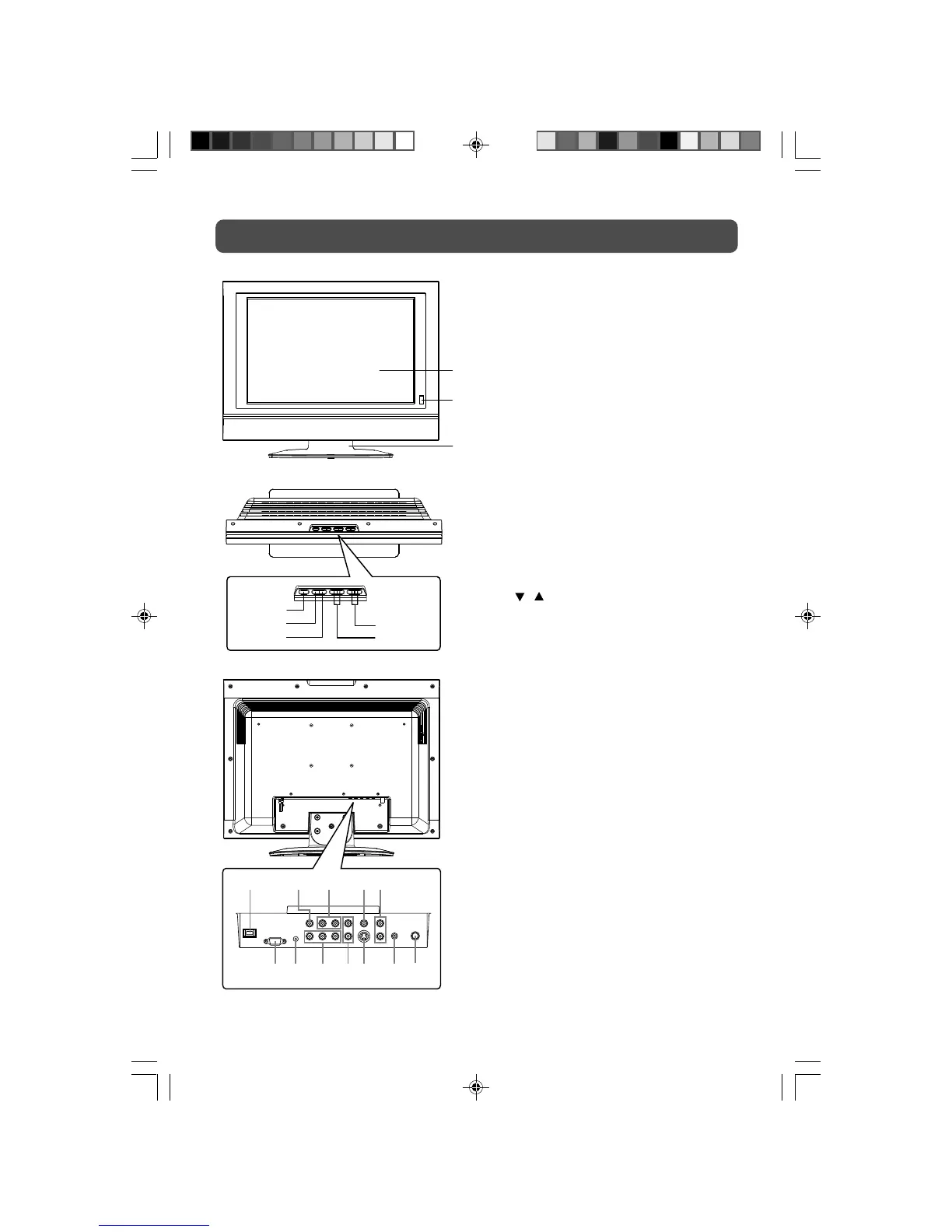
UNIT REFERENCE GUIDE
1) Color LCD Screen
2) STANDBY Indicator
Indicates whether the unit is ON or in
STANDBY (OFF) mode.
Light On: The unit is in STANDBY.
Light Off: The unit is turned ON.
REMOTE CONTROL SENSOR
Do not block this sensor or remote
control will not work.
3) Removable Base Stand
4) STANDBY/ON Button
Turns the unit on and off.
5) MENU Button
Enters and exits the TV menu.
6) FUNCTION Button
Selects TV, AV IN, YUV IN or PC IN.
7) – VOL + Controls
Adjusts the volume level and highlight
selections (Left & Right) on the menu
screen.
8)
/ Buttons
Selects a TV channel and highlight
selections (Up & Down) on the menu
screen.
9) DC IN 12V
10) AV OUT Video Output Jack
11) AV OUT Audio Output Jacks (Left/
Right)
12) AV IN Video Input Jack
13) AV IN Audio Input Jacks (Left/Right)
14) PC IN MONITOR/VGA Jack
15) PC IN Audio Jack
16) YUV IN Component Video Input Jacks
(Y/P
B/PR)
17) YUV IN Audio Input Jacks (Left/Right)
18) AV IN S-Video Input Jack
19) Headphone Jack
20) TV Antenna Cable Terminal - Coaxial
TV Antenna Input
1
2
3
4
5
6
7
8
9 10 11 12
14 15 16 17 18 20
13
19
PLV36190CS1_IB_ENG_JEN_R1.pmd 11/2/2007, 5:09 PM7



 To Next Page