PLAYING A COMPACT DISC
1. Press the POWER
Button to turn on the unit.
2. Press the FUNCTION button to select “ CD ” mode.
3. Press the “OPEN/CLOSE” button on the main unit to open the CD door.
4. Place a CD inside the tray with the printed side facing up and then close the CD door by
pressing the “ CD door OPEN/CLOSE “ button again.
IMPORTANT: The CD door is a motorized door. DO NOT PUSH OR FORCE THE DOOR
CLOSED WITH YOUR HAND OR USE ANY OTHER MEANS TO OPEN OR CLOSE IT. THIS
COULD DAMAGE THE DOOR MECHANISM.
5. When the disc is loading, “TOC READ” will appear and flashing on the display. After a few
seconds, the LCD display will show the total number of tracks and total playing time.
6. Press the Play
button to start playback, the first track will start playback.
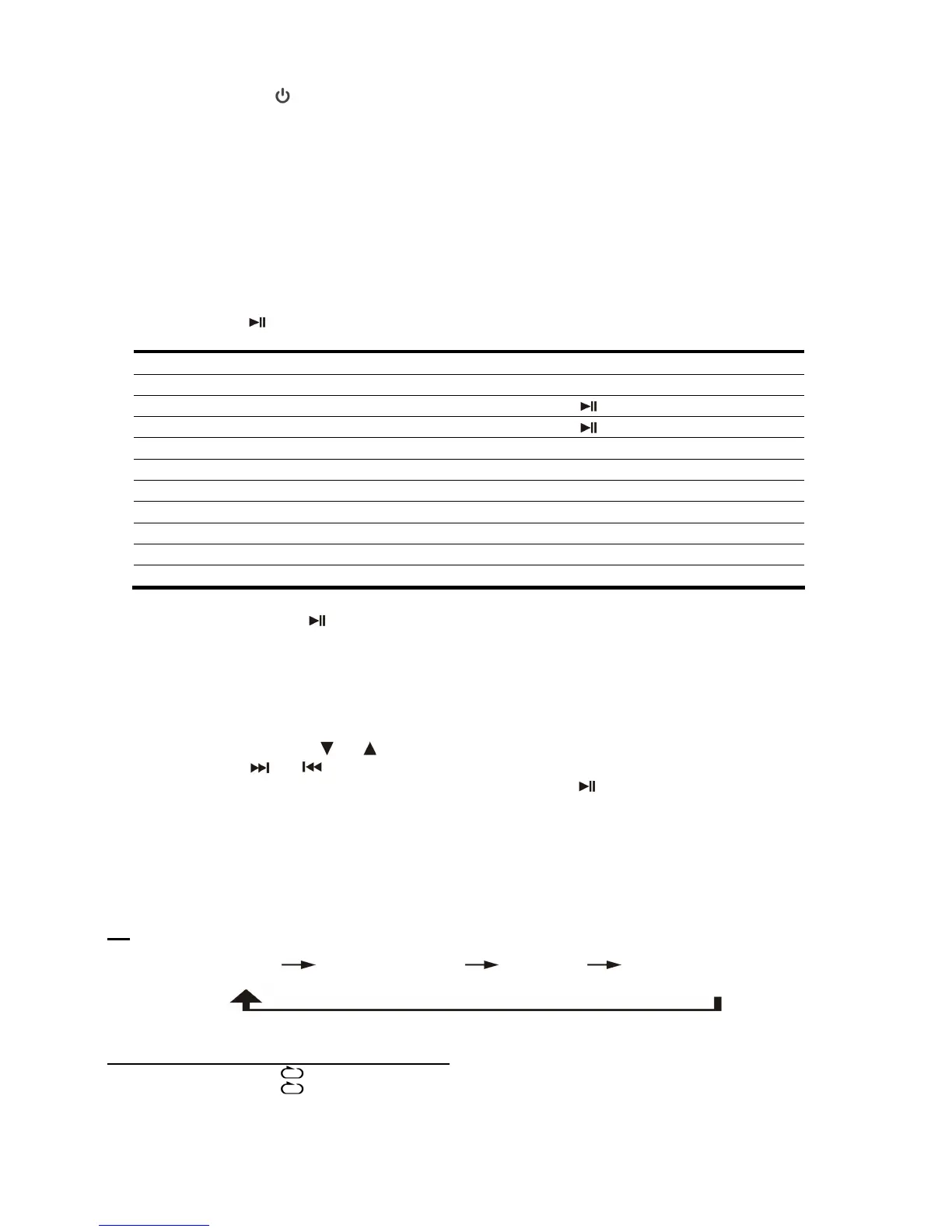
TO: PRESS:
Stop play STOP
Pause play PLAY/PAUSE
Resume play after pause PLAY/PAUSE
Scan forward or backward And hold SKIP UP or SKIP DOWN
Skip single tracks SKIP UP or SKIP DOWN briefly
Skip 10 tracks +10 / -10 (remote only)
Skip folder(MP3 / WMA -CD only) FOLDER PRE-UP
Control the volume VOL+ / VOL-
Switch between the preset EQ PRESET EQ repeatedly (remote only)
Stop output from speakers MUTE (remote only)
Note:
- Press the PLAY/PAUSE
button to pause the CD playback, the play icon “” blinks on LCD to
indicate the CD is in the pause mode.
- “NO DISC” will be displayed when a CD is loaded up side down, or there is no CD inside.
PLAYING A MP3/WMA DISC
1. After the disc loads, the total numbers of albums and total number of tracks will be shown on
the LCD display.
2. Press the FOLDER/ PRE
or buttons on remote control to select the album number.
3. Press the SKIP
or buttons to select the track number.
4. When the desired track and album is selected, press the Play
button to start playback.
5. The “MP3” icon will appear on the LCD display for MP3 format music while and the “WMA” icon
for WMA format music.
CD PLAY MODE
With this function, you can select desired CD playback mode by pressing the PLAY MODE button
on remote control repeatedly:
CD
REPEAT 1
REPEAT ALL TRACK RANDOM OFF MODE
PLAY MODE INDICATOR ON LCD DISPLAY
REPEAT TRACK
FLASHING
REPEAT ALL
LIGHTS STEADILY
RANDOM RAN
OFF MODE
13



 To Next Page