EasyManua.ls Logo

Jensen JAS-725 - User Manual

Jensen JAS-725
21 pages
Print Icon
To Next Page IconTo Next Page
Loading...
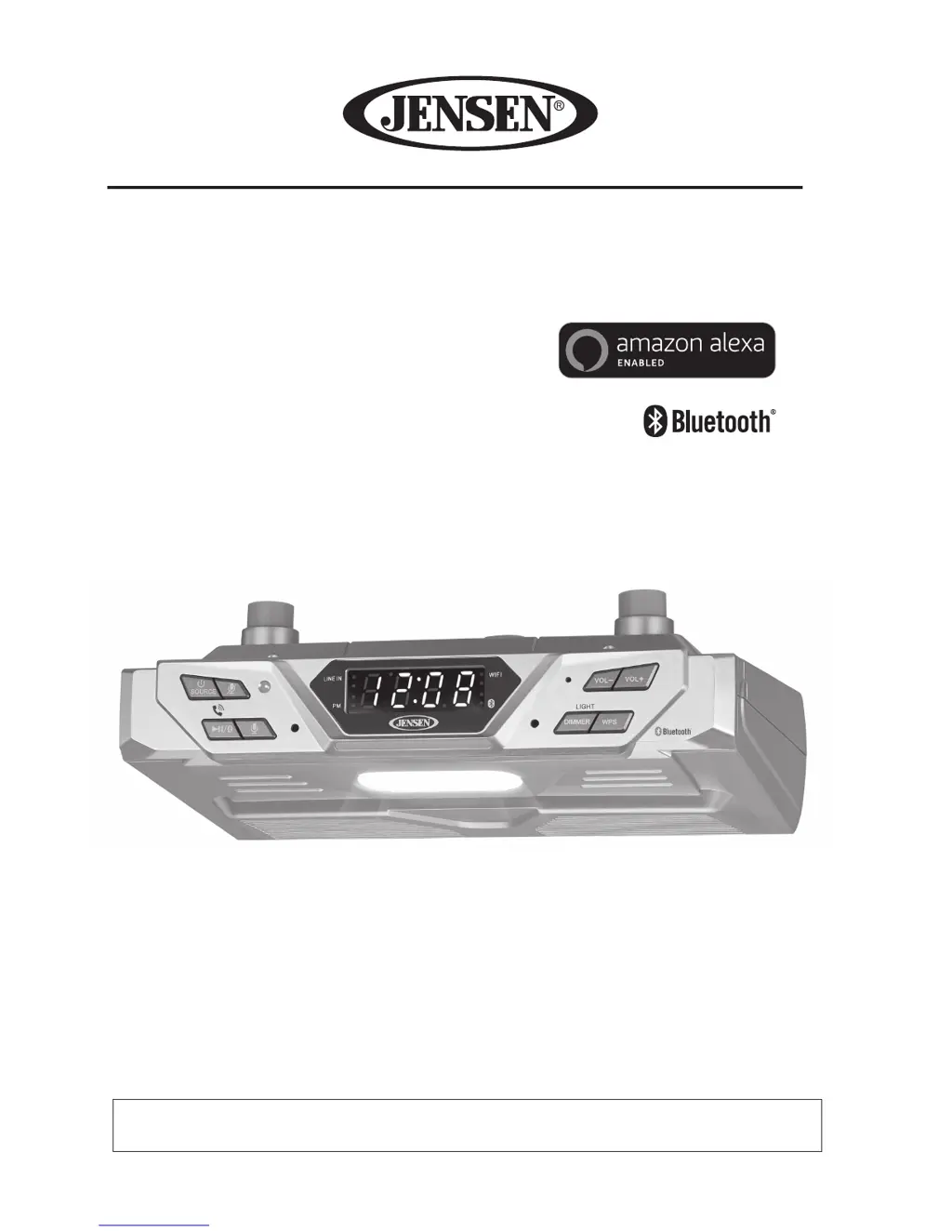
AMAZON ALEXA-ENABLED BLUETOOTH/WI-FI
UNDER CABINET SMART MUSIC SYSTEM
MODEL: JAS-725
USER MANUAL
PLEASE READ THIS USER MANUAL COMPLETELY BEFORE OPERATING THIS UNIT AND
RETAIN THIS BOOKLET FOR FUTURE REFERENCE.

Questions and Answers

  • L
    leahjenkinsJul 31, 2025
    Why is there no sound coming from my Jensen Media Converter?
    • J
      Jonathan PetersJul 31, 2025
      There could be several reasons for the lack of sound. First, ensure that the Media Converter and your smartphone are connected to the same Wi-Fi network. If that's not the issue, make sure the speaker is properly set up by following the setup steps in the manual. Also, verify that you've selected the JAS-725 for casting on your smartphone screen. If you are using Bluetooth, ensure that the Media Converter is connected to your cell phone via Bluetooth and that the speaker is within the Bluetooth operating range (33 ft.).
  • C
    Cindy WhiteAug 5, 2025
    What to do if my Jensen JAS-725 Media Converter cannot connect to a Wi-Fi network?
    • R
      Richard Green Jr.Aug 5, 2025
      If your Media Converter is unable to connect to Wi-Fi, first ensure that the speaker is turned on and in Wi-Fi mode. Then, verify that you're using the correct Wi-Fi network password and that the network is functioning correctly. If you're still having issues, try uninstalling and reinstalling the Jensen Wi-Fi Audio App, turning the speaker off and then on again, and restarting the setup using the WPS button.
  • J
    Jeffrey NunezAug 9, 2025
    How to fix Alexa voice control not working on Jensen JAS-725?
    • E
      Erin SantosAug 9, 2025
      If Alexa voice control isn't working, ensure that the JAS-725 is connected to your Wi-Fi network using the Jensen app. Also, verify that you are logged into your Amazon Alexa account. Finally, check that the microphones on the JAS-725 are not muted by pressing the MIC ON/OFF button.
  • I
    ianthonyAug 13, 2025
    How to troubleshoot a Jensen Media Converter that does not turn on?
    • C
      collinsmatthewAug 13, 2025
      If the unit isn't responding, first check if it's properly connected to the AC outlet. If it is, try plugging the unit into another outlet to rule out a power issue with the original outlet.
  • J
    Joshua DiazAug 18, 2025
    Why does my Jensen JAS-725 sound distorted?
    • H
      harristravisAug 18, 2025
      Sound distortion can occur if the volume level is set too high; try decreasing the volume. Also, if the original sound source from an external device is of poor quality, distortion and noise may be noticeable. Try a different audio source, such as a music CD. If using an older iPod, reduce its output volume. You might also want to turn bass boost OFF or change the EQ setting.
  • A
    alexanderderekAug 22, 2025
    What to do if my Jensen Media Converter has power but low volume?
    • J
      Jennifer LaneAug 22, 2025
      If the unit is on but the volume is low or nonexistent, check the volume control. It might have been turned all the way down. Turn the volume control to a higher output.
  • J
    jparkerAug 26, 2025
    Why does my Jensen JAS-725 Media Converter get warm?
    • L
      Laura HooverAug 27, 2025
      It's normal for the unit to get warm after extended play at high volume. You can turn the unit off for a period of time or lower the volume.

Summary

Important Safety Instructions

FCC Compliance Information

Preparation and Setup

Location of Controls

Control Overview

Getting Started

Connecting the AC Power

Steps for connecting the unit to a power source.

Connecting to Wi-Fi Network

Guide to connecting the JAS-725 to a Wi-Fi network.

Downloading Alexa App

Instructions for downloading and setting up the Amazon Alexa app.

Jensen Wi-Fi Audio App Setup

Connecting to Your Amazon Account

Amazon Alexa Manual Setup

Wi-Fi Network Management

Factory Default Reset

Using Amazon Alexa Voice Control

Group and Ungroup Speakers

Playback Music on Speakers

Bluetooth Operation

Pairing Bluetooth Devices

Steps for pairing a Bluetooth device with the JAS-725.

Line-In Operation

Resetting the JAS-725

Troubleshooting Guide

Jensen JAS-725 Specifications

General IconGeneral
BrandJensen
ModelJAS-725
CategoryMedia Converter
LanguageEnglish

Related product manuals