Customizing the LOCK Settings
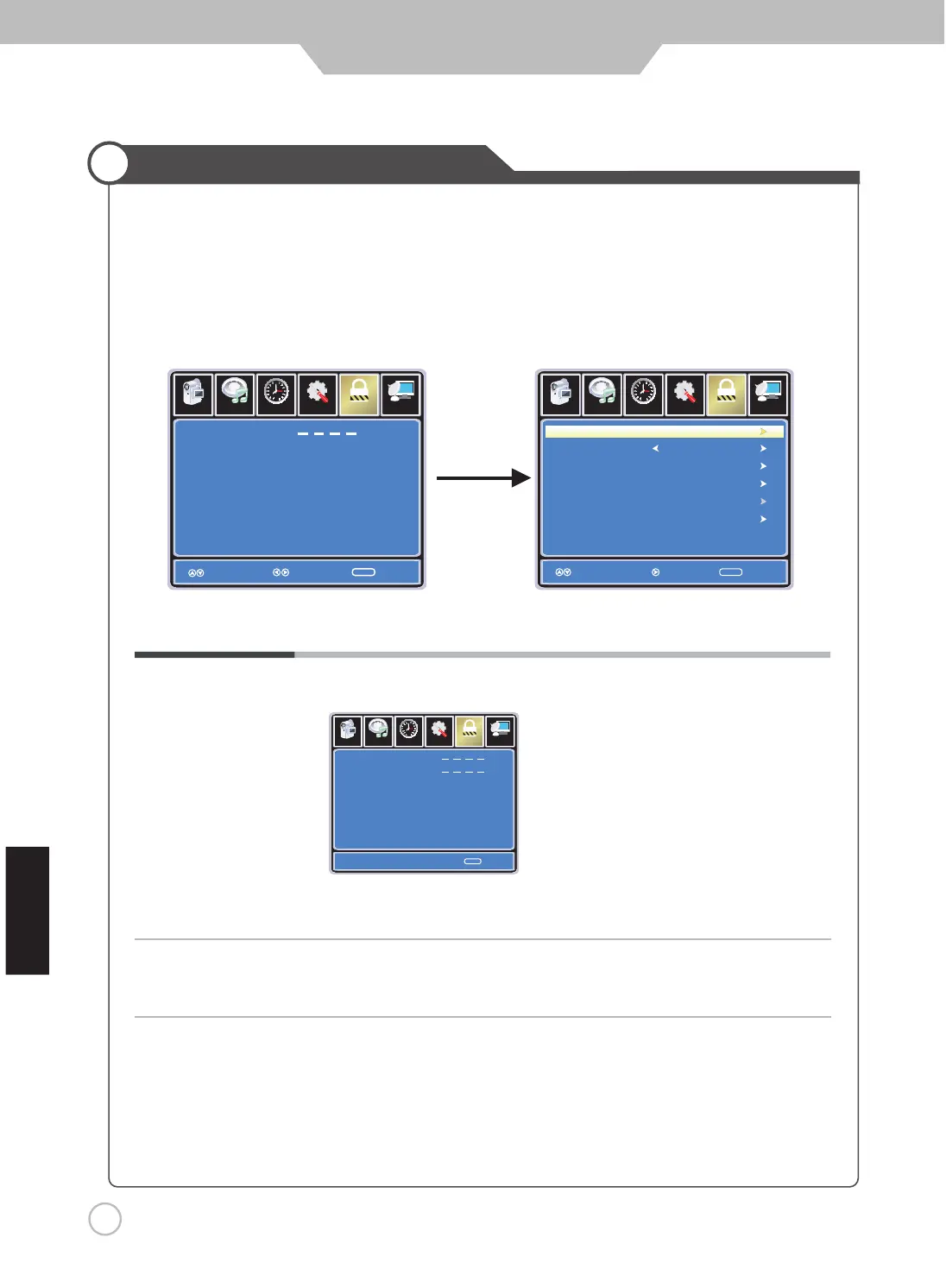
Select TV source for example. (Press SOURCE button to select TV mode)
1. Press the POWER button to turn the LED TV on
2. Press the MENU button on the remote control to display the Main menu, and use the LEFT and RIGHT
buttons to select the LOCK
3. Use the DOWN button to highlight “Enter Password” , use the numeric keys to input a 4-digit password.
After that, the screen will display the next menu. After setting, press menu or exit button to exit.
NOTE: The factory password is 0000.
The LOCK menu includes the following options :
Change Password Use DOWN button to select “Change Password”, then press RIGHT
or ENTER button to enter into the following menu.
Input the new 4-digit password and confirm it.
System Lock Allows you to turn On or Off the system lock.
If you turn off the system lock, then the following items (US, Canada, RRT Setting
and Reset RRT) will not be used.
Setup
Lo ck
12
6
Time
Pi cture
Channe l
Enter Password
Exit
MENU
Se tup
Lo ck
12
6
Time
Pi cture
Ch annel
System Lock
US
Canada
Reset RRT
RRT Setting
Move
MENU
On
input
4-digit password
Setu p
Lock
12
6
Time
Pi ct ure
Ch an nel
En ter New Passw o rd
Co nfirm Password
MENU
0-9
Next
Audio
Audio
Audio
hsilgnE
Select Move
Change Password
ReturnReturn
ReturnReturn


 To Next Page