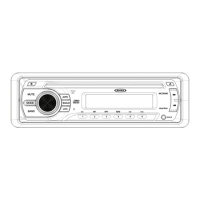
MCD5090
5
BASIC OPERATION
Power On/Off ( )
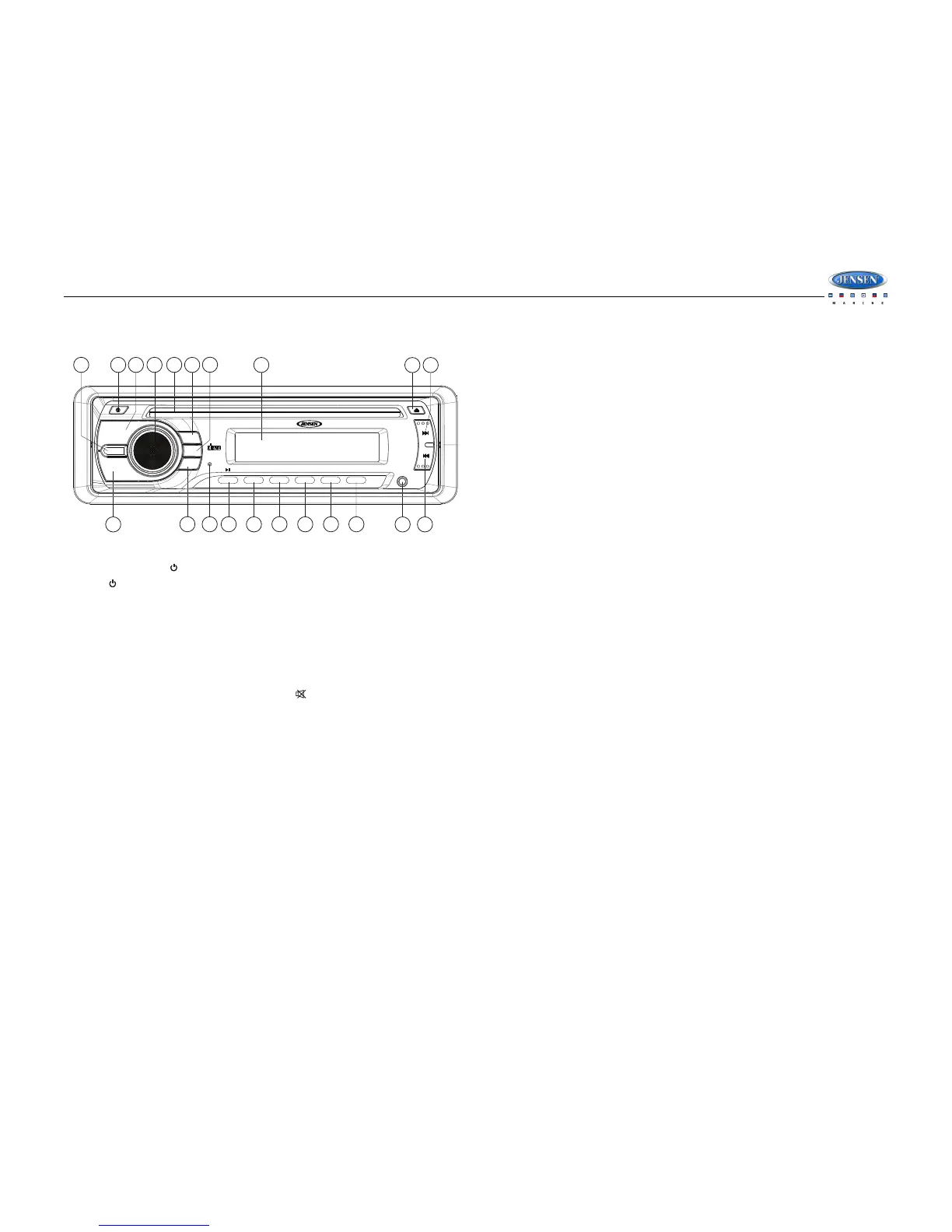
Press the button (1) to turn the unit on or off.
Volume Control
To increase the volume, turn the audio control knob (4) clockwise.
To decrease the volume, turn the audio control knob counter clockwise. When the volume is
adjusted, the volume level is shown on the display panel as a number ranging from “0” (lowest)
to “63” (highest).
Mute
Press the MUTE button (8) to mute the audio output. “ “ will appear on the LCD panel (7).
Press MUTE again to restore the audio output to the previous level.
Mode
Press the MODE button (5) to select a different mode of operation, as indicated on the LCD
panel (7). Available modes include Tuner, CD, and AUX IN.
Equalizer (EQ)
The preset equalizer applies preset sound effects to the unit’s audio output signal. To adjust
the preset equalizer, press the EQ/LD button (15). Press repeatedly to choose between the
following modes: OFF, POP, ROCK, CLAS.
Loudness (LD)
When listening to music at low volume levels, this feature will boost the bass and treble ranges
to compensate for the characteristics of human hearing. Press and hold the EQ/LD button (15)
to activate this feature. “LOUD” appears on the display panel. Press and hold the EQ/LD
button again to turn the LOUD function off.
Auxiliary Input Operation
You can connect another audio/video system to the unit using the AUX IN input (20) on the
front panel of the unit. Once the device is connected, press the MODE button (5) on the front
panel to select “AUX” mode.
Audio Menu
Press the audio control (PUSH SEL) knob (4) to access the Audio Menu. You can navigate
through the Audio Menu items by pressing the audio control knob repeatedly. Once the desired
menu item appears on the display, adjust that option by turning the audio control knob within
10 seconds. The unit will automatically exit the Audio Menu after six seconds of inactivity. The
following menu items can be adjusted.
Bass Level (BA)
Use the audio control knob to adjust the Bass level range from “-7” to “+7”.
Treble Level (TR)
Use the audio control knob to adjust the Treble level range from “-7” to “+7”.
Balance (BL)
Use the audio control knob to adjust the Balance between the right and left speakers from “R 9”
(full right) to “L 9” (full left). “0” represents an equal balance between the right and left
speakers.
Fader (FD)
Use the audio control knob to adjust the Fader between the front and rear speakers from “R 9”
(full rear) to “F 9” (full front). “0” represents an equal balance between the front and rear
speakers.
Clock Set
• In clock display mode, press the audio control (PUSH SEL) knob (4) for 2 seconds to
enter clock adjustment mode.
• While the hour is flashing, turn the audio control knob (4) to adjust the value as follows:
• USA Tuning Mode: 1-12
• EURO Tuning Mode: 00 - 23
• Press the audio control (PUSH SEL) knob to confirm the hours.
• While the minutes are flashing, rotate the audio control knob to change the value (from 00
to 59).
• Press and hold the audio control (PUSH SEL) knob for 2 seconds to confirm the time and
exit clock adjustment mode.
Reset
Use a pencil or any non-metallic object to press and hold the reset button (17) for five seconds
to reset the main unit. The unit will return to the factory default settings.


 To Next Page
 Loading...