OPERATIONMPR419Q
6
Wireless Charging Operation
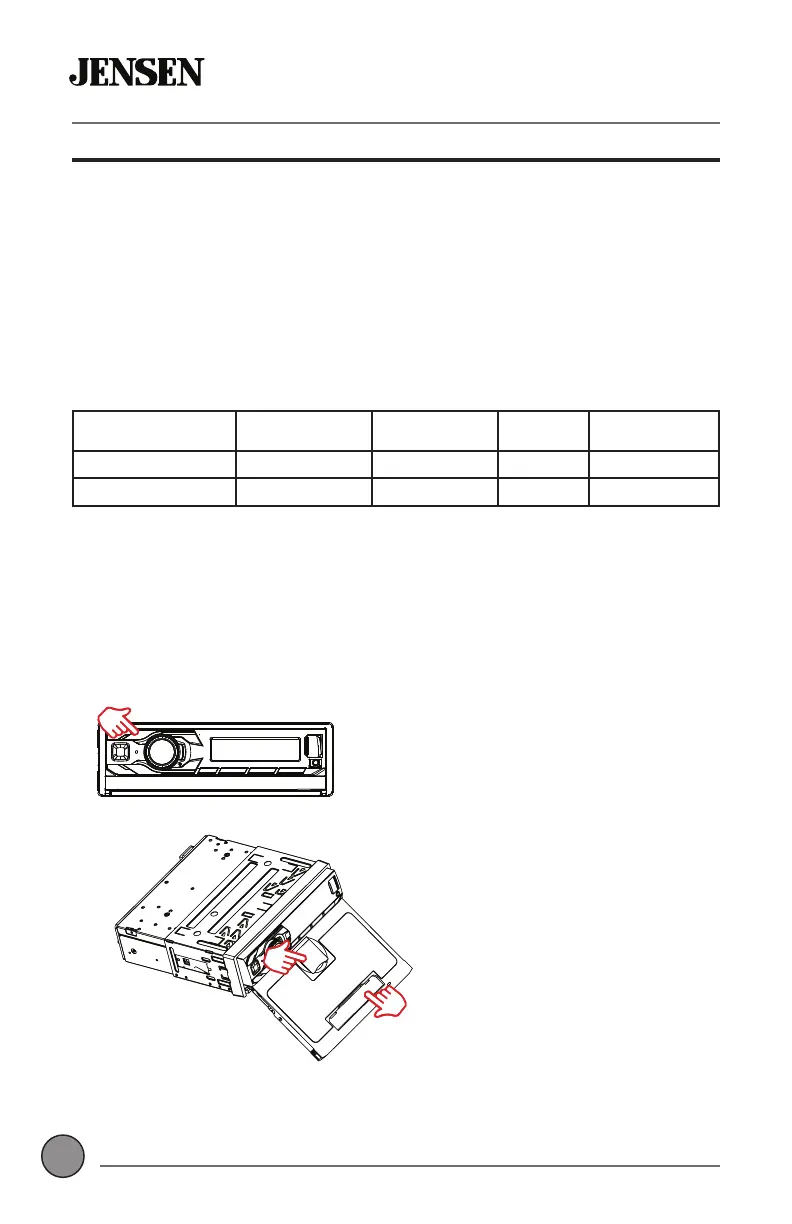
To use the wireless charging pad, press OPEN on the front panel.and
the pad will automatically slide out from the unit. Once the pad is fully
extended, open the phone holder at the bottom. Place the phone on the
pad, and lift the buckle on the top of the pad to securely support the phone.
Note: Only supports phones with wireless charging feature.
After the phone enters charging mode, the LED status indicator will begin
to blue at the bottom of the pad. Normal charging mode will be indicated by
blue LED. If the foreign object is detected,the white LED will be blinking.
When charging is completed, the LED will remain solid blue.
When charging is complete, remove the phone and close the phone holder
at the bottom of the pad. Press OPEN to retract the pad. If the phone holder
on the pad is not closed, the charging pad will not retract.
Step #1
Press OPEN to open or close the
wireless charging pad.
Step #2
Open phone holder on the
bottom of the pad.
Note – Use the phone holder
on the top of the pad in order to
hold the smartphone more firmly.
Step #1
Press OPEN to open or close the
wireless charging pad.
Step #2
Open phone holder on the
bottom of the pad.
Note – Use the phone holder
on the top of the pad in order to
hold the smartphone more firmly.
LED Indication Standby FOD Charging Full Charge
Blue 2ႇ 2ႇ On On
White On Blinking 2ႇ 2ႇ



 To Next Page