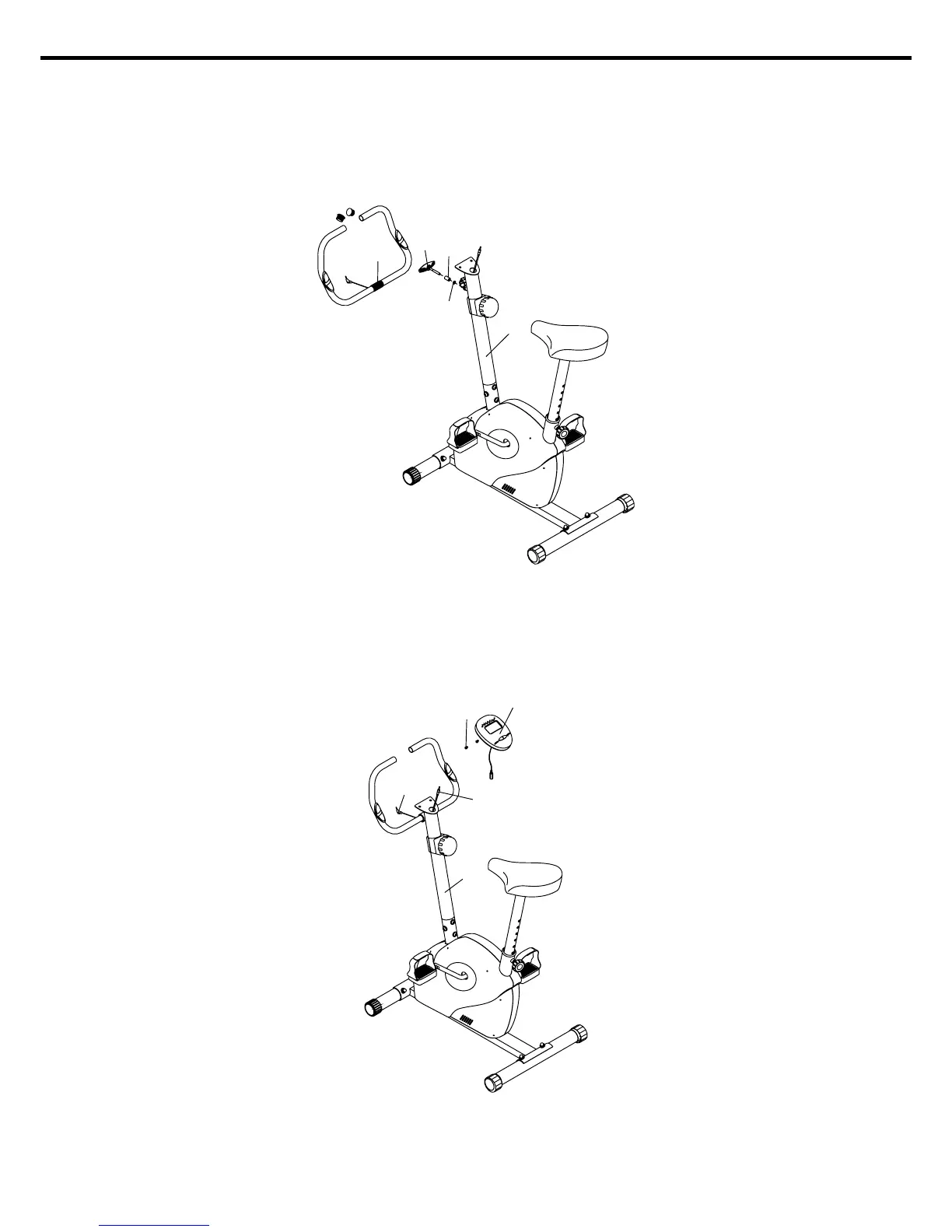
25
24
15
29
12
STEP 5.
Assemble handlebar (25) onto handlebar post (12) by fixing with washer (29), bushing (15) and
T-knob (24).
NOTE: To adjust angle of handlebar, by T-knob then tighten it firmly.
- 5 -
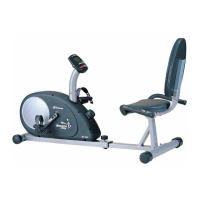
STEP 6.
Insert hand pulse wire (10A) into side hole on handlebar post (12) and through the hole on
monitor plate. Connect computer cable up (19) and hand pulse wire (10A) onto monitor (20),
then attach monitor (20) to the plate on handlebar post (12) with screws (20A).
NOW YOUR JMC-1105 HAS BEEN WELL ASSEMBLED.
20
20A
10A
19
12


 To Next Page