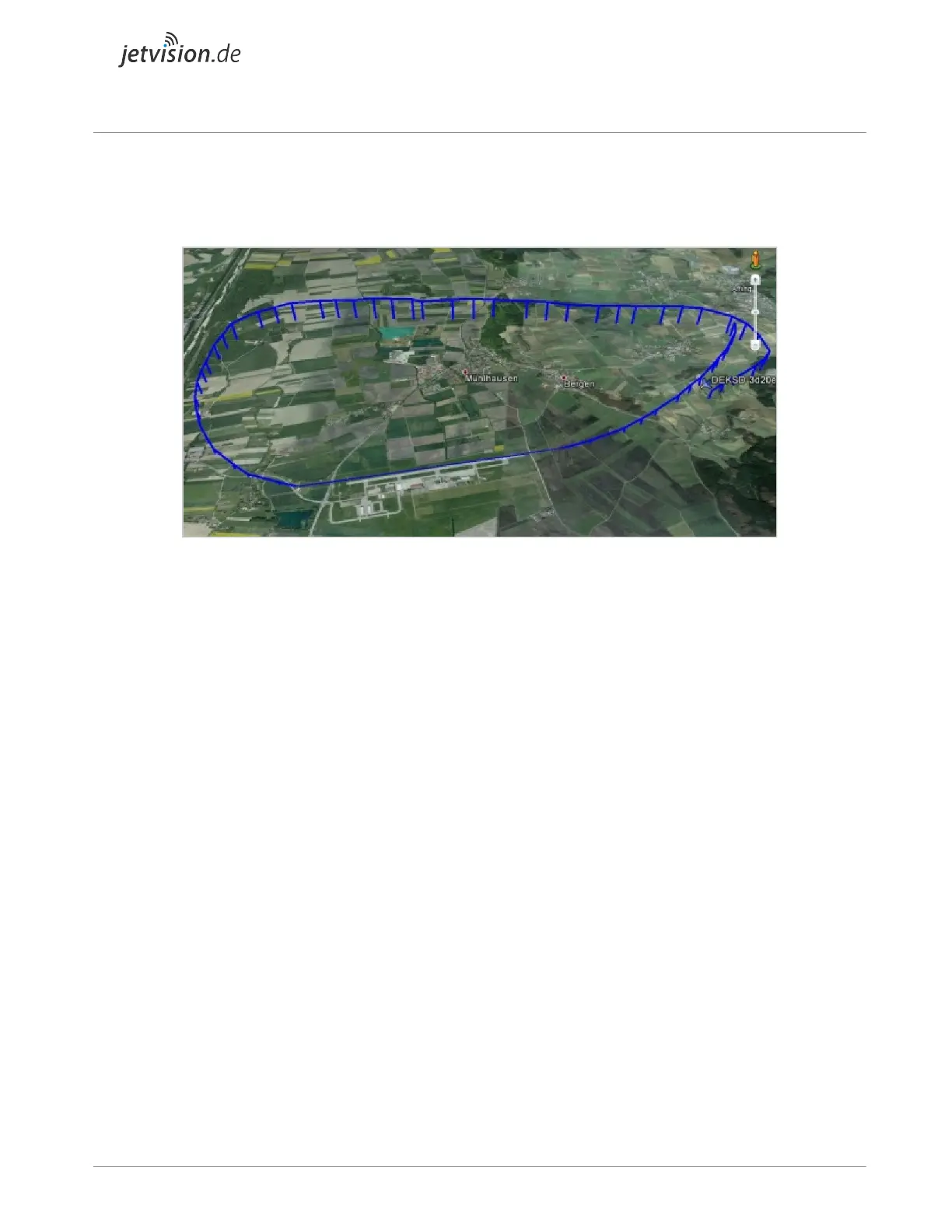
3D Data KML/KMZ Output
Google Earth can be attached to the Radarcape via KML/KMZ files.
Other Web Server Services
● index.html provides a menu of all functions
● deltadb.html outputs a comma separated list of all changes in the internal aircraft list since
the last call or a specified time. This is an efficient replacement of port 30003 functionalities
● gps.html informs about the status of the GPS clock
● connectionlist.html contains a history of events on the internal TCP servers
Data Streaming to Network (TCP) / Prefiltering / Local CRC Check
The TCP streamed data will be prefiltered for CRC correctness of not directly CRC checkable frames.
So the network load is lower than with the pure raw data stream. A port will be provided that streams out
only DF-17 (and probably also DF-11) frames, so with least network load anyone else even behind a low
speed network can have an overview of what's going around.
● TCP port 10002: This is a mirror of the data as it comes from the FPGA, DF-11, DF-17 and
DF-18 are CRC-checked. Includes Mode-A/C data with respect to the setting in the FPGA
(DIP switch). This interface may even be AVR format as long as the supplied FPGA firmware
supports AVR format, but please note that the Radarcape's high level Linux SW may not be
able to process AVR format correctly and with all features.
● TCP port 10003: Binary formatted raw data with all Modes-S data formats CRC-prechecked
(eliminates transmission of the erroneous frames, reduces load on the transmission path). All
data from the FPGA is disassembled into messages and verified if correct. In case that,


 To Next Page