
 Need help?
Do you have a question about the jetvision.de Radarcape and is the answer not in the manual?
Outlines the Radarcape's function as an ADS-B receiver and its display capabilities.
Details example features, multilateration, network feeding, usage, and software extensibility.
Describes the GPS module and its antenna connector.
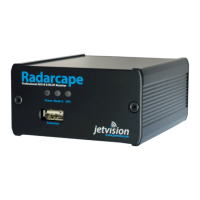
Details the front panel components and status LEDs.
Identifies the connectors on the rear of the Radarcape device.
Provides instructions for optimal placement of antennas for reception.
Explains how to access the device via IP address or hostname.
Outlines connection methods like SSH and USB for system access.
Advises on setting a password for the root user for security.
Details the procedure to change the root password.
Explains how to access the device via USB for service purposes.
Guides on connecting via USB and identifying the COM port.
Instructs on installing FTDI drivers for COM port recognition.
Guides on downloading and using Putty for terminal access.
Explains how to check the device's assigned IP address.
States that all configuration is done through a web browser.
Describes the webserver feature for displaying aircraft data.
Introduces the visual display of aircraft on a map.
Details how aircraft are shown on a 2D map.
Explains KML/KMZ output for Google Earth visualization.
Lists available web server functions.
Details TCP ports for prefiltered data streams.
Describes data access via a virtual serial port on USB.
Explains the need for a virtual serial COM port driver.
Mentions Radarcape's use as an NTP source.
Details new features and changes in the latest software release.
Guides on automatic and manual software update methods.
Provides tips on ADS-B reception and antenna placement.
States that information is subject to change and manual reproduction requires approval.
Lists the company responsible for distribution and their address.
 General
| Brand | jetvision.de |
|---|---|
| Model | Radarcape |
| Category | Receiver |
| Language | English |

 To Next Page