GPS LED
The GPS LED is flashing green once each second exactly when the second changes. In case of GPS
degradation, it occasionally flashes red. It is set quite critical, so that may happen during normal
operation, too.
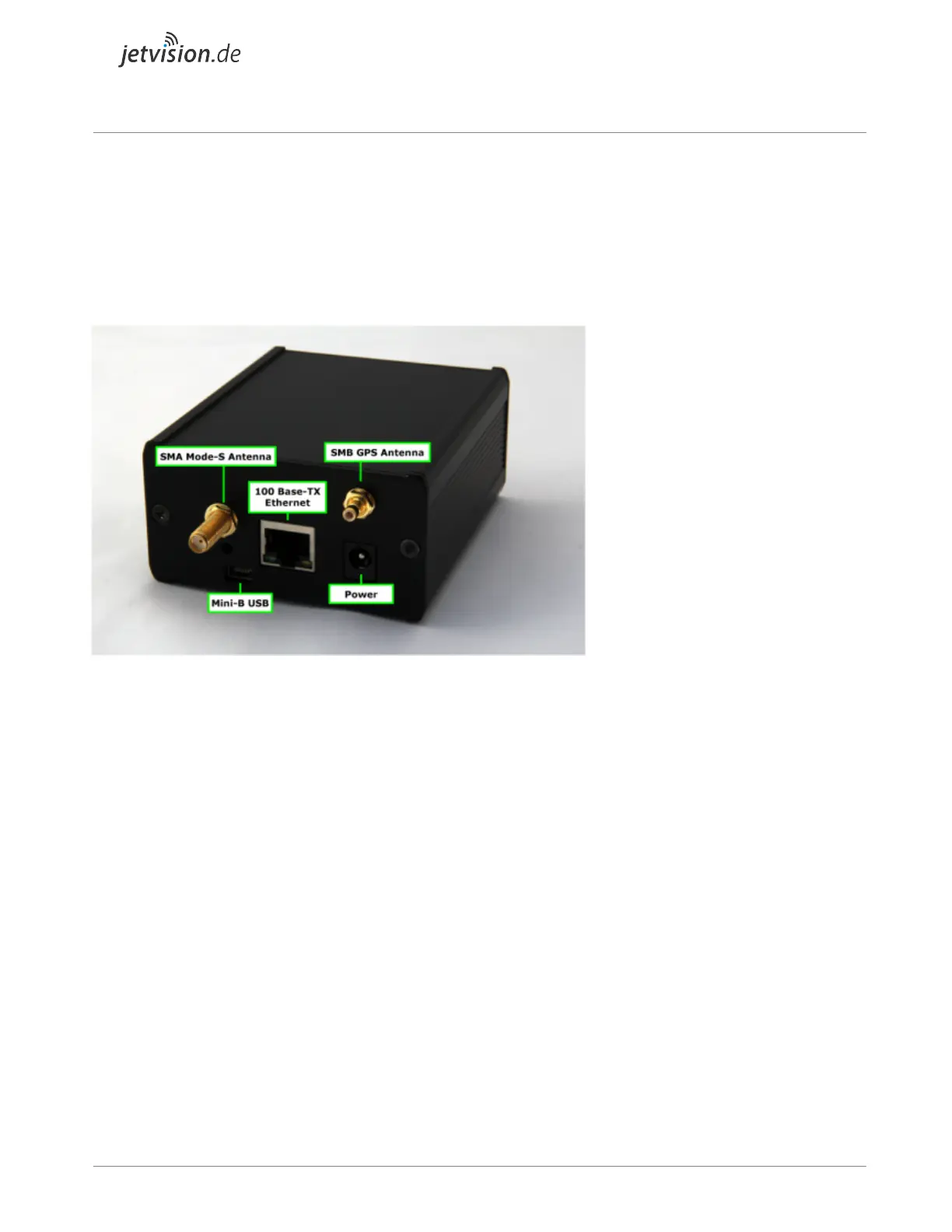
Radarcape Back Side
● Mode-S antenna (SMA connector)
● GPS antenna (SMB connector)
● 100Base-TX Ethernet connector (LAN)
● USB Serial (USB mini-B connector)
Note: If there is no label like RC65 on the back side of the device (above the Ethernet connector), your
hostname (DNS name) is Radarcape. Otherwise, this sign is telling your hostname.
Radarcape Hardware Installation
Plug the following connectors into the Radarcape
● Mode-S antenna
● GPS antenna
● Ethernet/LAN cable
● Power cable
Connect the power supply with the electrical outlet.


 To Next Page