EasyManua.ls Logo

Jimi JH08 - User Manual

Jimi JH08
33 pages
Print Icon
To Next Page IconTo Next Page
Loading...
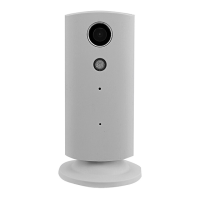
JH08 Wireless Home Monitor
User Manual
(Version: V0.2)
Prior to use, please read this manual thoroughly to ensure fast and effective installation. Final
appearance, color and accessories are subject to change without notice.

Questions and Answers

Summary

JH08 Wireless Home Monitor

1 Accessories

2 Specifications

3 Structure

3.2 LED indicator status

Details the status meanings of the device's LED indicator light.

4 Operation

4.1 Connect with power

Instructions for connecting the device to a power source.

4.2 Fast setting

Steps for quick device setup, including APP download and Wi-Fi configuration.

Account Management

Change Password

About and Updates

Media Gallery and Playback

Device Settings

Camera Settings

Adjust camera parameters like Night Vision, Video Quality, and microphone.

Wi-Fi Settings

Connect the device to a Wi-Fi network.

Alerts Settings

Configure motion and sound detection alerts, and set schedules.

Notification Mode

Recording Settings

Dropbox Settings

Camera Details

Camera Information

Timezone Setting

5 Installation

5.1 Wall mounting

Detailed steps for securely mounting the device on a wall.

5.2 Ceiling installation

Instructions for mounting the device on a ceiling.

6 Trouble shooting

FCC Statement

Jimi JH08 Specifications

General IconGeneral
BrandJimi
ModelJH08
CategorySecurity Camera
LanguageEnglish