2 Product Specications
Item Specications
Product Name JioExtender JMB43
Wi-Fi Standard Tri-band Wi-Fi 6 AX Mesh System (802.11ax)
Wi-Fi Frequency 5GHz, 2.4GHz and 5GHz tri-band concurrent
Wi-Fi Data Rate (max.) 2.4GHz: 570 Mbps (40 MHz) 2X2,
5GHz: 1200 Mbps (80MHz) 2X2,
5GHz: 4800 Mbps (160MHz) 4X4
Environment
Operating Temperature 0º - 40ºC
Rated Power Input 12V DC 2A
Storage Temperature -20º - 70ºC (-4º - 158ºF)
Operating Humidity 0 - 95% non-condensing
3 Setup JioExtender6 Controller
JioHome Mobile app, My Network feature helps prepare the HomeGateway
and setup JioExtender6 home Wi-Fi Network. Refer to Section 8 for more
details on the app.
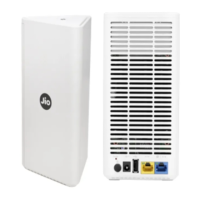
Required Accessories: Power Adapter, JioExtender6 unit and one LAN
cable.
1 Take the included LAN cable (this is the cable with the yellow connectors).
Connect one end of the LAN cable to the blue WAN/LAN ( ) port at the back
of your JioExtender6. Connect the other end of the LAN cable to a LAN port
of your JioFiber HomeGateway.
2 Take the power supply, plug the small end into the power inlet port of
the JioExtender6 and then plug the other end into a nearby power outlet.


 To Next Page