23
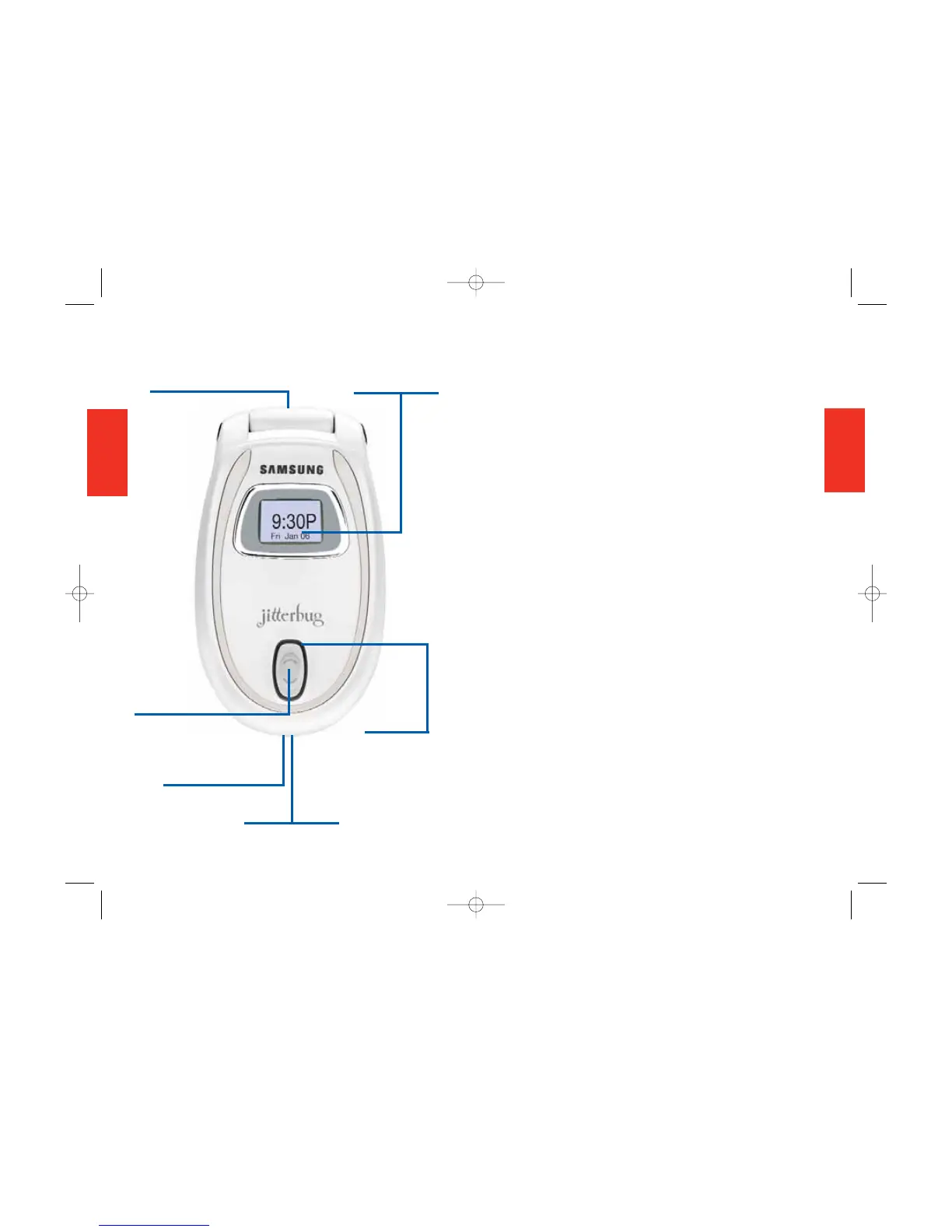
Closed View of Your Phone (Front)
1. Internal Antenna—Connects with the
cellular network so you can use your phone.
2. Display Window—Shows time, day and
date (when your phone is on). Indicates when
you have an incoming call or message.
3. Volume Button—Adjusts the ringer or
the voice volume during a call. (To silence
the ringer during an incoming call, tap
the volume button.)
4. Accessory Connector—Links
accessories to your phone.
5. Power Connector—Connects the AC
Power Charger to your phone.
6. Light Alert—Surrounds the Volume
Button and:
• Lights briefly when charging begins and
steadily when charging is complete.
• Flashes to indicate an incoming call or
message.
• Lights when you turn on the phone.
• Flashes when the phone needs charging
SECTION 2
22
Closed View of Your Phone (Front)
SECTION 2
1. Internal Antenna
2. Display Window
3. Volume Button
6. Light Alert
4. Accessory Connector
5. Power Connector



 To Next Page