EasyManua.ls Logo

JJC TM-J2 - User Manual

JJC TM-J2
20 pages
Print Icon
To Next Page IconTo Next Page
Loading...
Model:TM
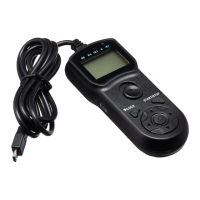
Multi-FunctionTimerRemoteControl
EnglishInstructionManual
Thankyouforpurchasing JJCTMSeriesMulti-FunctionTimerRemoteControl.For
thebestperformance,pleasereadthisinstructioncarefullybeforeusing.Youmustreadit
thoroughlyandfullyunderstandthismanualtoavoidimproperoperationwhichmayresult
indamagetotheproduct.
Question and Answer IconNeed help?

Do you have a question about the JJC TM-J2 and is the answer not in the manual?

JJC TM-J2 Specifications

General IconGeneral
BrandJJC
ModelTM-J2
CategoryRemote Control
LanguageEnglish

Summary

Package Contents

Specifications

Identifying Each Part of the Remote

Installing Batteries

Attaching the Set to Camera

Function of Buttons and Their Usage

ON;OFF Switch

Controls the power state of the remote. Move to ON to turn on, OFF to turn off.

LCD Icons Overview

Explains the function of icons (DE, BU, INT, N, Speaker) displayed on the LCD screen.

Configuring Timer Functions

Delay;Self Timer (DE)

Configures delay before shooting, up to 99 hours, 59 minutes, 59 seconds.

BULB;Long Exposure (BU)

Sets exposure time for long exposures, up to 99 hours, 59 minutes, 59 seconds.

Interval Timer (INT)

Sets time between shots, up to 99 hours, 59 minutes, 59 seconds.

Number of Exposures (N)

Determines total shots, from 1 to 399 or unlimited.

Speaker

Controls audible beeps for timer events. Can be set to ON or OFF.

Starting or Ending the Timer

Setting and Starting BULB Mode

Configures camera settings and remote for BULB exposure mode.

Setting and Starting Drive Modes (Except BULB)

Ending Shooting

Used as a Shutter Release Cable

About Trademark

ONE YEAR GUARANTEE

Related product manuals