EasyManua.ls Logo

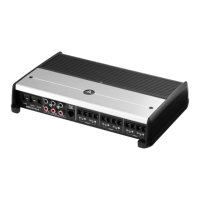
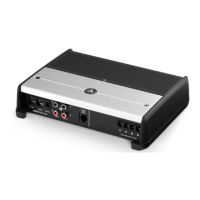
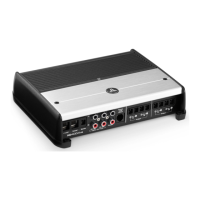
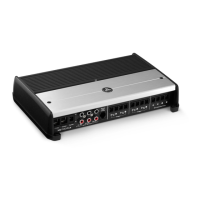
JL Audio XD1000/5v2 - User Manual

JL Audio XD1000/5v2
45 pages
Print Icon
To Next Page IconTo Next Page
Loading...
OWNER’S MANUAL
Remote
Level
Mode
Turn-On
Mode
All
|
Sub Ch.
Input Mode
2 Ch.
|
4 Ch.
|
6 Ch.
Rem.
|
Oset
|
Signal
Input Voltage
Low
|
High
CH. 3
(
L
)
CH. 4
(
R
)
CH. 1
(
L
)
CH. 1 & 2
CH. 3 & 4 SUB CH.
CH. 2
(
R
)
HP Filter Mode
Filter Freq. (Hz)
Input
Sens.
O
|
x1
|
x10
Filter Mode
HP Filter Freq. (Hz)
Input
Sens.
O
|
BP
|
HP
LP Filter Mode
LP Filter Freq. (Hz)
Input
Sens.
O
|
12dB
|
24dB
Mono Subwoofer Output
(
L
)
(
R
)
CH. 1
CH. 2
CH. 3
CH. 4
SUB
SUB
INPUT SECTION
+12 VDC Ground Remote
5 Channel Amplifi er with 2-Way / 3-Way Crossover
Thank you for purchasing a JL Audio amplifier for
your automotive sound system.
Your amplifier has been designed and manufactured to exacting
standards in order to ensure years of musical enjoyment in your vehicle.
For maximum performance, we highly recommend that you have
your new amplifier installed by an authorized JL Audio dealer. Your
authorized dealer has the training, expertise and installation equipment
to ensure optimum performance from this product. Should you
decide to install the amplifier yourself, please take the time
to read this manual thoroughly so as to familiarize yourself
with its installation requirements and setup procedures.
If you have any questions regarding the instructions in this
manual or any aspect of your amplifier’s operation, please contact your
authorized JL Audio dealer for assistance. If you need further assistance,
please call the JL Audio Technical Support Department
at (954) 443-1100 during business hours.
1000W 5-Channel Amplier with 2-Way / 3-Way Crossover

Questions and Answers

  • J
    Jessica BeckerAug 11, 2025
    Why my JL Audio XD1000/5v2 Amplifier doesn’t turn on?
    • C
      Cory FryAug 11, 2025
      If your JL Audio Amplifier doesn't turn on, start by checking the fuse with a continuity meter, removing it from the holder for testing. Then, inspect the fuse-holder. Also, verify the connections to the “+12VDC”, “Ground”, and “Remote” terminals, ensuring no wire insulation is pinched and each connection is tight. Finally, check for +12V at the “Remote” connection. If the turn-on lead from the source unit is insufficient, use a relay. To test, jump the “+12VDC” wire to the “Remote” terminal to see if the amplifier turns on.
  • T
    turnerjaredAug 19, 2025
    What to do if my JL Audio Amplifier turns on, but there is no output?
    • M
      michaelfarmerAug 19, 2025
      If your JL Audio Amplifier turns on but has no output, use an AC voltmeter to check the input signal by measuring the voltage from the source unit while playing an appropriate test tone. Also, check the amplifier's output and ensure the speaker wires are making a solid connection with the metal inside the terminal block.
  • D
    davisthomasAug 26, 2025
    What to do if my JL Audio Amplifier shuts off sometimes?
    • S
      Steven SchmidtAug 26, 2025
      If your JL Audio Amplifier shuts off occasionally, especially at higher volumes, check your voltage source and grounding point; the power supply will operate with charging system voltages down to 10V. Inspect all wiring and termination points. Upgrading the ground wire connecting the battery to the vehicle’s chassis and the power wire connecting the alternator to the battery may be necessary. For amplifier systems with main fuse ratings above 60A, upgrade to 4 AWG wires.
  • R
    Rachel EricksonSep 2, 2025
    How to fix a repetitive ticking or popping sound coming out of the speaker(s) with JL Audio XD1000/5v2 Amplifier?
    • Z
      Zachary RodriguezSep 3, 2025
      If you hear a repetitive ticking or popping sound from the speaker(s) connected to your JL Audio Amplifier, check the speaker wires for shorts between the positive and negative leads or between either lead and the vehicle’s chassis ground. Also, verify that each amplifier channel is driving a load equal to or greater than 2 ohms in stereo mode (4 ohms bridged).

JL Audio XD1000/5v2 Specifications

General IconGeneral
BrandJL Audio
ModelXD1000/5v2
CategoryAmplifier
LanguageEnglish

Related product manuals