EasyManua.ls Logo

JL Audio XD700/5v2 - User Manual

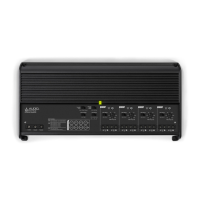
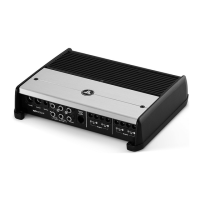
JL Audio XD700/5v2
24 pages
Print Icon
To Next Page IconTo Next Page
Loading...
Thank you for purchasing a JL Audio amplifier for
your automotive sound system.
Your amplifier has been designed and manufactured to exacting
standards in order to ensure years of musical enjoyment in your vehicle.
For maximum performance, we highly recommend that you have
your new amplifier installed by an authorized JL Audio dealer. Your
authorized dealer has the training, expertise and installation equipment
to ensure optimum performance from this product. Should you
decide to install the amplifier yourself, please take the time
to read this manual thoroughly to familiarize yourself
with its installation requirements and setup procedures.
If you have any questions regarding the instructions in this
manual or any aspect of your amplifiers operation, please contact your
authorized JL Audio dealer for assistance. If you need further assistance,
please call the JL Audio Technical Support Department
at (954) 443–1100 during business hours.
OWNER’S MANUAL
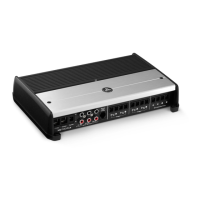
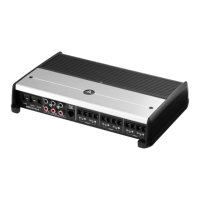
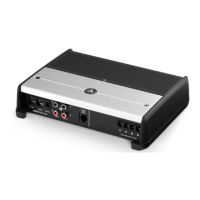
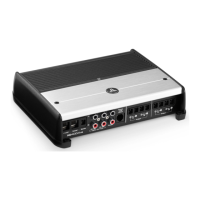
700W 5-Channel Amplier with 2-Way / 3-Way Crossover
Question and Answer IconNeed help?

Do you have a question about the JL Audio XD700/5v2 and is the answer not in the manual?

Summary

Product Introduction and Safety

Hearing Protection Advisory

Advises users to practice restraint with audio system volume to prevent hearing damage.

Installation Application Requirements

Specifies vehicle requirements (12V, negative-ground) and aircraft use restrictions.

Critical Installation Safety Guidelines

Details crucial safety precautions and common installation mistakes to prevent damage or injury.

Amplifier Controls and Operation

Control Panel Layout Diagram

Diagram identifying key controls and their functions on the amplifier.

Input Voltage and Sensitivity Settings

Guides on selecting input voltage range and adjusting input sensitivity for optimal gain.

Filter Control Functions

Details on high-pass, band-pass, and low-pass filter modes and frequency selection.

Installation Procedures and Connections

Installation Planning and Cooling

Guidance on planning amplifier installation, including cooling and mounting considerations.

Typical Installation Sequence

Step-by-step guide for installing the amplifier, from disconnecting the battery to final setup.

Power Connection Guide

Instructions for connecting power wires, including wire gauge and fuse requirements.

Turn-On Options and Input Section

Explains turn-on methods and how to connect input signals to the amplifier.

Outputs, Bridging, and System Configurations

Speaker Output Connections

Information on connecting speakers, including impedance and bridging configurations.

Bridging Considerations

Guidance on combining amplifier channels to drive a single load for increased power.

Subwoofer Output Connections

Guidance for connecting subwoofer(s) to the dedicated subwoofer output.

System Configuration Examples

Illustrates bi-amplified and tri-amplified system setups using the amplifier.

Status, Troubleshooting, and Specifications

Status LED and Protection Circuitry

Explains the meaning of the amplifier's LED indicator lights and protection modes.

Troubleshooting Common Issues

Addresses common amplifier problems like no turn-on, popping sounds, or fluctuating output.

Technical Specifications

Provides detailed technical specifications for the amplifier, including power ratings and frequency response.
Limited Warranty Information

Summary

Product Introduction and Safety

Hearing Protection Advisory

Advises users to practice restraint with audio system volume to prevent hearing damage.

Installation Application Requirements

Specifies vehicle requirements (12V, negative-ground) and aircraft use restrictions.

Critical Installation Safety Guidelines

Details crucial safety precautions and common installation mistakes to prevent damage or injury.

Amplifier Controls and Operation

Control Panel Layout Diagram

Diagram identifying key controls and their functions on the amplifier.

Input Voltage and Sensitivity Settings

Guides on selecting input voltage range and adjusting input sensitivity for optimal gain.

Filter Control Functions

Details on high-pass, band-pass, and low-pass filter modes and frequency selection.

Installation Procedures and Connections

Installation Planning and Cooling

Guidance on planning amplifier installation, including cooling and mounting considerations.

Typical Installation Sequence

Step-by-step guide for installing the amplifier, from disconnecting the battery to final setup.

Power Connection Guide

Instructions for connecting power wires, including wire gauge and fuse requirements.

Turn-On Options and Input Section

Explains turn-on methods and how to connect input signals to the amplifier.

Outputs, Bridging, and System Configurations

Speaker Output Connections

Information on connecting speakers, including impedance and bridging configurations.

Bridging Considerations

Guidance on combining amplifier channels to drive a single load for increased power.

Subwoofer Output Connections

Guidance for connecting subwoofer(s) to the dedicated subwoofer output.

System Configuration Examples

Illustrates bi-amplified and tri-amplified system setups using the amplifier.

Status, Troubleshooting, and Specifications

Status LED and Protection Circuitry

Explains the meaning of the amplifier's LED indicator lights and protection modes.

Troubleshooting Common Issues

Addresses common amplifier problems like no turn-on, popping sounds, or fluctuating output.

Technical Specifications

Provides detailed technical specifications for the amplifier, including power ratings and frequency response.
Limited Warranty Information

JL Audio XD700/5v2 Specifications

General IconGeneral
BrandJL Audio
ModelXD700/5v2
CategoryAmplifier
LanguageEnglish

Related product manuals