EasyManua.ls Logo

JLab Audio JBuds Pro - User Manual

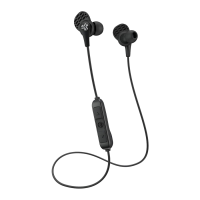
JLab Audio JBuds Pro
1 page
Print Icon
Loading...
MICROPHONE
+
BUTTON FUNCTIONS
INSTRUCTIONS FOR USE
1 Lower the volume on your audio device.
2 Gently insert the earbuds into your ears.
3 Gradually raise the volume to a comfortable level.
4 In order to block outside noise, position the earbuds so they form
a seal inside your ear.
5 Test the various gel tip options to find the best fit.
POSITION 1:
Snug,
Deeper Fit
POSITION 2:
Relaxed,
Shallow Fit
UNIVERSAL MIC
Goes with both Android
+
Apple
JLABAUDIO.COM
PLAY / PAUSE / ANSWER / HANG UP CALLS: Single click
TRACK FORWARD: Double click
TRACK BACKWARD: Triple click
JBUDS PRO
EARBUDS
ADJUSTABLE TIP PLACEMENT CUSH FIN PLACEMENT
Choose your tip size. Adjust the position.
Lock in
Cush Fin.
Rotate
Cush Fin.
Select tip and Cush Fin.
32
1
2
1
CAUTIONS
• Avoid getting moisture or liquids into the tip of the earbuds.
• Avoid extreme heat, cold, and humidity.
• Avoid dropping or crushing the earbuds, stressing the cable by rapid pulling or extreme force, or bending the cable at a sharp angle.
• Wax may build up in the earbud tips, lowering the sound quality. Carefully remove the wax with a cotton swab or other small tool to
improve the sound quality.
• If you experience discomfort or pain, try lowering the volume or discontinuing use temporarily.
• If you experience regular discomfort while using this product, discontinue use and consult your physician.
• We recommend you treat your earbuds as you would a nice pair of sunglasses and keep them in safe location when not in use.
Shop products | Product alerts | Burn-in your headphones
JLab Audio + Burn-in Tool
C
U
S
T
O
M
E
R
S
U
P
P
O
R
T
U
.
S
.
B
A
S
E
D
We love that you are rocking JLab Audio!
We take pride in our products and fully stand behind them.
YOUR WARRANTY
All warranty claims are subject to JLab Audio
authorization and at our sole discretion. Retain your
proof of purchase to ensure warranty coverage.
CONTACT US
Reach out to us at support@jlabaudio.com
or visit jlabaudio.com/contact
REGISTER TODAY
jlabaudio.com/register
Product updates | How-to tips
FAQs & more
Question and Answer IconNeed help?

Do you have a question about the JLab Audio JBuds Pro and is the answer not in the manual?

Overview

This document describes the JBuds Pro Earbuds, a product from JLab Audio, emphasizing user experience, warranty, and proper usage.

Function Description:

The JBuds Pro Earbuds are designed for audio playback and communication, featuring a universal microphone compatible with both Android and Apple devices. They are intended to provide a comfortable and secure fit for optimal sound quality and noise isolation.

Important Technical Specifications:

While specific technical specifications like frequency response, driver size, or impedance are not detailed in this document, the earbuds are designed with adjustable tip placement and Cush Fin placement to ensure a proper seal for blocking outside noise and enhancing sound quality. The universal microphone indicates broad compatibility with mobile operating systems.

Usage Features:

Instructions for Use:

  1. Volume Adjustment: Begin by lowering the volume on your audio device.
  2. Insertion: Gently insert the earbuds into your ears.
  3. Comfortable Level: Gradually raise the volume to a comfortable listening level.
  4. Noise Isolation: Position the earbuds to form a seal inside your ear to effectively block outside noise.
  5. Fit Optimization: Experiment with the various gel tip options provided to find the best and most comfortable fit.

Adjustable Tip Placement:

The earbuds offer two main positions for tip placement to customize the fit:

  • Position 1 (Snug, Deeper Fit): This position provides a tighter, deeper insertion for enhanced noise isolation and a more secure feel.
  • Position 2 (Relaxed, Shallow Fit): This position offers a looser, shallower insertion for a more relaxed feel. Users are instructed to first choose their preferred tip size and then adjust the position within the earbud.

Cush Fin Placement:

The Cush Fin is a key feature for securing the earbuds in the ear. The placement process involves three steps:

  1. Selection: Select the appropriate tip and Cush Fin combination.
  2. Rotation: Rotate the Cush Fin to align it correctly with your ear's anatomy.
  3. Locking: Lock the Cush Fin into place within your ear for a secure fit.

Microphone + Button Functions:

The earbuds feature a single button for controlling various functions:

  • PLAY / PAUSE / ANSWER / HANG UP CALLS: A single click performs these actions.
  • TRACK FORWARD: A double click advances to the next track.
  • TRACK BACKWARD: A triple click goes back to the previous track.

Maintenance Features:

Cautions (Important for Maintenance and Longevity):

  • Moisture/Liquids: Avoid exposing the tip of the earbuds to moisture or liquids.
  • Extreme Conditions: Protect the earbuds from extreme heat, cold, and humidity.
  • Physical Stress: Do not drop or crush the earbuds. Avoid stressing the cable by rapid pulling, applying extreme force, or bending it at a sharp angle.
  • Wax Buildup: Wax can accumulate in the earbud tips, potentially reducing sound quality. Regularly and carefully remove wax using a cotton swab or another small, appropriate tool to maintain optimal sound.
  • Discomfort/Pain: If you experience discomfort or pain, lower the volume or discontinue use temporarily. For regular discomfort, discontinue use and consult a physician.
  • Storage: Treat your earbuds with care, similar to a pair of sunglasses, and store them in a safe location when not in use to prevent damage.

Warranty and Support:

  • Warranty: All warranty claims are subject to JLab Audio authorization and discretion. Users must retain proof of purchase for warranty coverage.
  • Contact: For support, users can reach out via email at support@jlabaudio.com or visit jlabaudio.com/contact.
  • Registration: Users are encouraged to register their product at jlabaudio.com/register for product updates, how-to tips, and access to FAQs.

Additional Resources:

JLab Audio offers a "Burn-in Tool" and other products, accessible through their website and dedicated apps available on the Apple App Store and Google Play.

JLab Audio JBuds Pro Specifications

General IconGeneral
BrandJLab Audio
ModelJBuds Pro
CategoryHeadphone
LanguageEnglish

Related product manuals