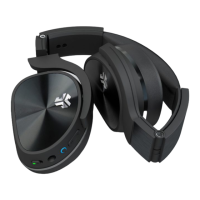
CONTROLS
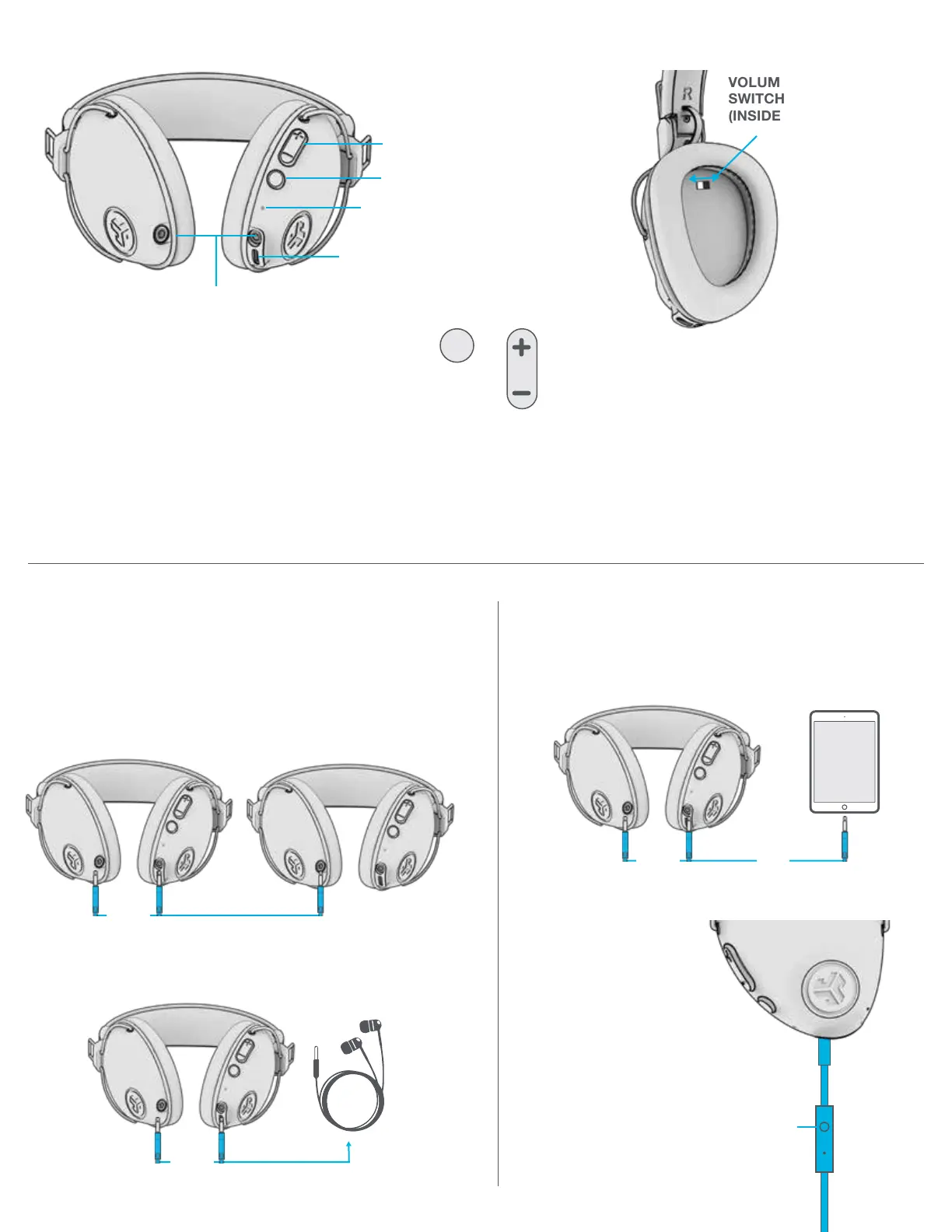
VOLUME UP / VOLUME DOWN: 1 Click
TRACK FORWARD / TRACK BACKWARD: 2 Second hold
BLUETOOTH PAIRING:
(Follow First Time Setup: Bluetooth Pairing)
POWER ON / OFF: Press and hold 3 seconds
(Slow blinking blue light indicates power is on)
PLAY / PAUSE / ANSWER / HANG UP CALLS: 1 Click
ACTIVATE SIRI (iOS) OR “OK GOOGLE” (ANDROID): 2 Clicks
RE-PAIRING AND ADDITIONAL DEVICES:
When power is off, press and hold 10 seconds
Connect the included AUX CABLE to either side to another
JBuddies Pro or any other wired headphone/earbud
for Share Mode.
SHARE MODE
OPTION 1:
OPTION 2:
Connect the AUX CABLE to a
device for a wired connection.
GO WIRED
VOLUME
+
TRACK CONTROL
VOLUME LIMITER
SWITCH 85DB / 95DB
(INSIDE FABRIC)
POWER ON / OFF
CHARGING PORT
AUX INPUT / OUTPUT
INDICATOR LIGHT
EITHER
SIDE
EITHER
SIDE
Microphone should be installed on
JBuddies Pro AUX input side to use.
EITHER
SIDE
WITH
PLAY / PAUSE / ANSWER /
HANG UP CALLS: 1 CLICK
TRACK FORWARD: 2 CLICKS
TRACK BACKWARD: 3 CLICKS


 To Next Page