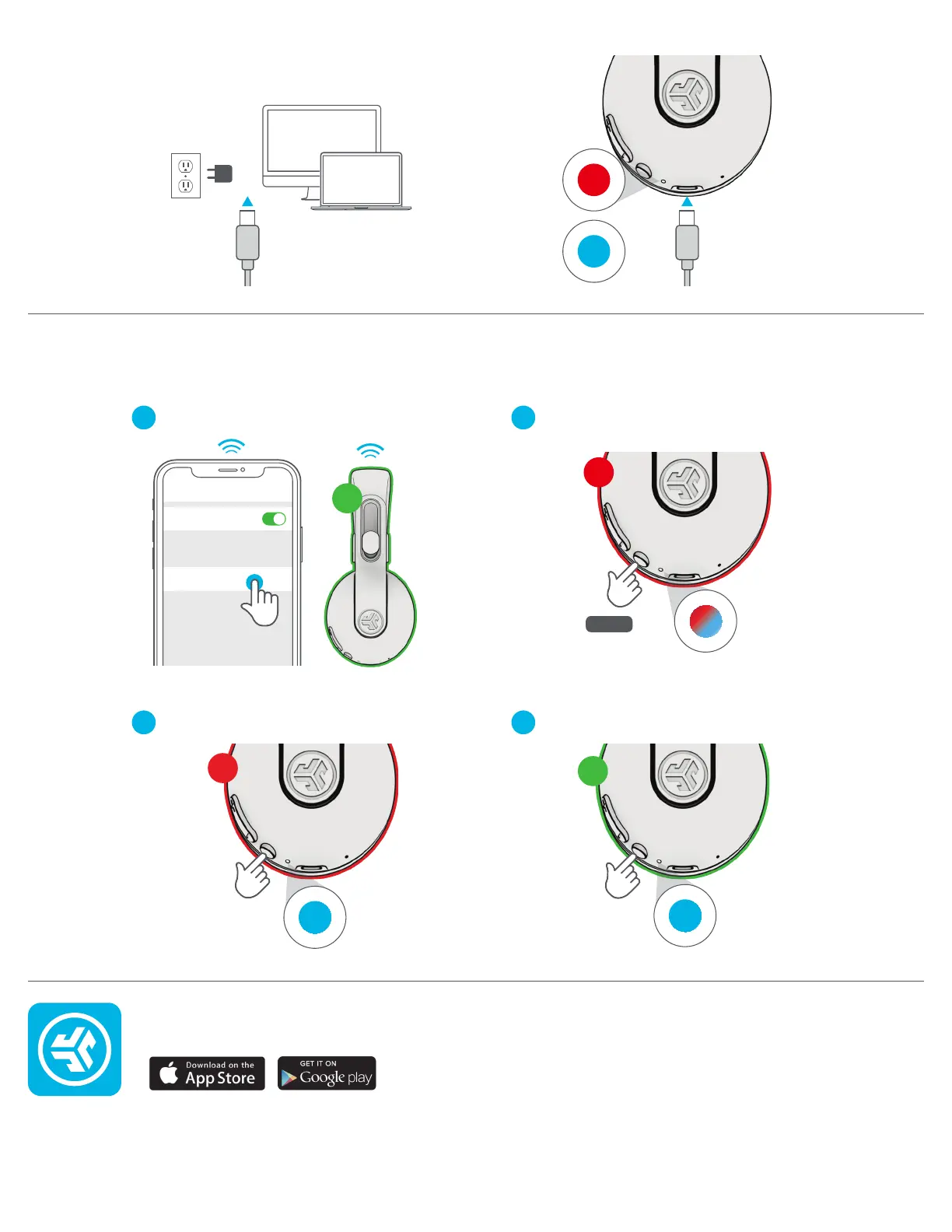
CHARGING
Shop products | Product alerts | Burn-in your headphones
JLab Audio + Burn-in Tool
SHARE MODE (SHARE BETWEEN TWO JBUDDIES STUDIO 2 WIRELESS HEADPHONES)
Connect to computer or
5V USB-C charger.
CHARGING
CHARGED
Connect FIRST headphone to device.
SECOND headphone should be power off.
Press hold until flashing blue/red.
SECOND headphone 5x Press and blinks blue.
Bluetooth
Settings
Connected
5x Press
(Blinks blue)
2
ND
FIRST headphone 5x Press to share.
5x Press
(Solid blue
once connected)
1
ST
1
ST
2
ND
(Flashes blue/red)
8 sec
1
3
2
4
JLAB.COM



 To Previous Page