8
RESETTING YOUR MONITOR
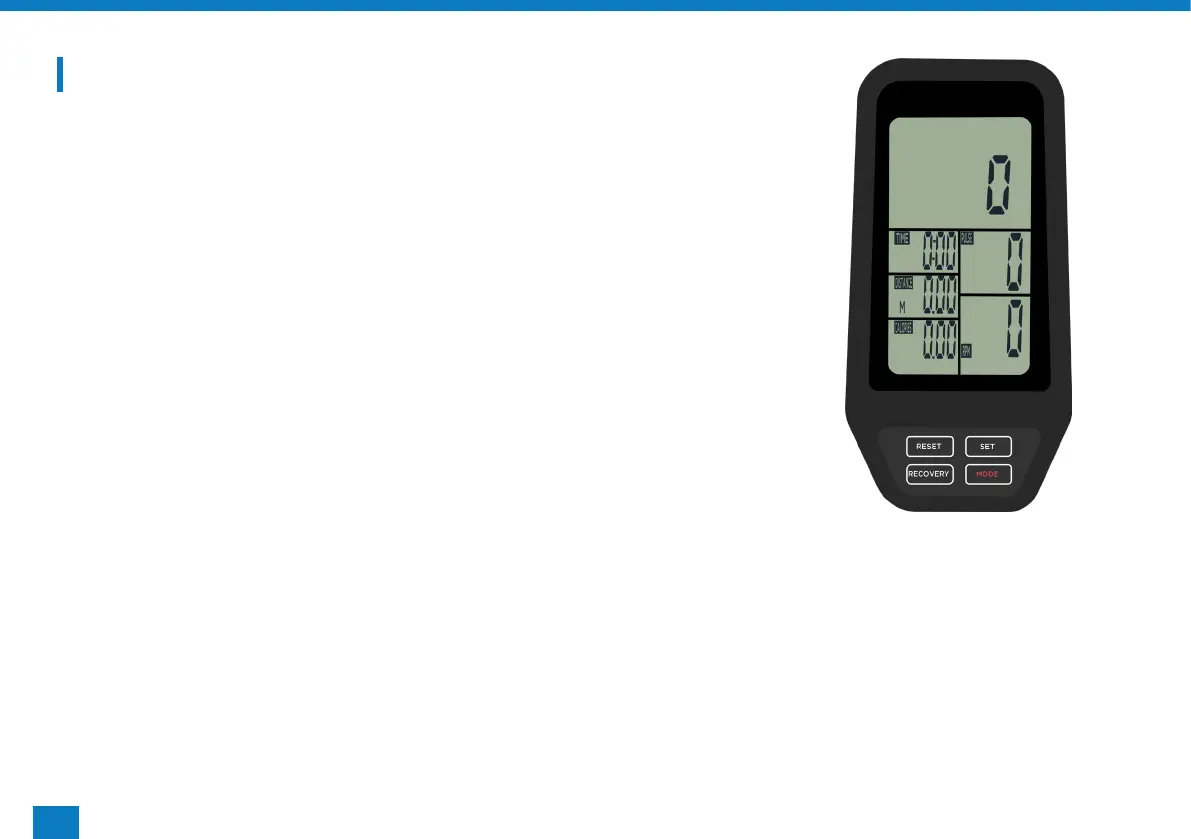
Press and hold the ‘RESET/GO’ button until all the digits come up
and return to zero, the monitor will also beep.
RECOVERY FUNCTION
Once you’ve completed your workout you can test how well your
body recovers by:
• Press ‘RECOVERY’ and place both hands on each of the pulse
plates.
• All readouts will disappear apart from Time which will start to
count down from 60 seconds.
• Once completed the screen will display a code from F1-F6, F1
being the best and F6 being the worst.


 To Next Page