EasyManua.ls Logo

JLT VERSO 12 User Manual

JLT VERSO 12
2 pages
To Next Page IconTo Next Page
Page #1 background imageLoading...
Page #1 background image
Quick Start Guide
VERSO Series
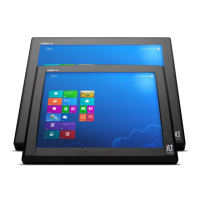
VERSO 12
VERSO 15
Quick Start Guide - JLTVERSO, 201212v1
JLT Mobile Computers AB
Head oce: Isbjörnsvägen 3, SE-352 45 Växjö, SWEDEN
Sales Oce: Medborgarplatsen 3, Plan 8, SE-118 26 Stockholm, SWEDEN
Phone: +46 470 53 03 00 Fax: +46 470 445 29 Email: info@jltmobile.com
www.jltmobile.com
JLT provided Mounting Kits: RAM®
RAM® Mount -> Computer: Use included screws and washers.
RAM® Mount + “JLT Communication Box” -> Computer: Use included screws and
washers.
Usage of thread locking products like Loctite® is recommended.
Mounting with other brands
When mounting a JLT unit to a VESA bracket, use M6 screws with correct length.
The inserting part of the screw should be minimum 5mm and must NOT exceed
6.5mm.(That is 5 complete turns on the screw).
If screws are too long, build up with washers to adjust the inserting part of screw.
If this is not done and the screws are too long, they will deform the aluminum case
inwardly when applying great force.
Torque: Maximum 6Nm
Mounting
Supplied within the computers box are also
• Cable Strain Relief (Use Torx T10 / T20 screwdriver)
• Rubber Sealing Plugs – for all unused ports.
For additional sealing of your JLT units, we oer the Roxtec Sealing KIT. Please contact
your JLT Sales representative for more information about the Roxtec Sealing KIT or
visit www.jltmobile.com
IP65 med Cable strain relief
IP67 med Roxtec
Sprängskisser

Other manuals for JLT VERSO 12

Question and Answer IconNeed help?

Do you have a question about the JLT VERSO 12 and is the answer not in the manual?

JLT VERSO 12 Specifications

General IconGeneral
BrandJLT
ModelVERSO 12
CategoryPDA
LanguageEnglish

Summary

Mounting

JLT Provided Mounting Kits

Instructions for RAM® mount kits for computers and communication boxes using provided screws.

Mounting With Other Brands

Guidance on using M6 screws with VESA brackets, screw length, and torque specifications.

Included Accessories

Details on included computer box accessories like Cable Strain Relief and Rubber Sealing Plugs.

First Startup

Touch Screen Calibration

Instructions for calibrating the touchscreen after Windows setup and cleaning advice.

Interfaces

WAN / GPS Connectors

Information on optional SMA connectors for WAN (3G/UMTS/HSDPA+) and GPS modules.

User Replaceable Components

Battery

Details on the UPS function battery, its replacement using Torx T10 screwdriver.

Boot Media

Information on replacing the boot media (CFast) using a Torx T10 screwdriver.

Power Input

Description of the power input configuration and fuses for 9-36 VDC.