
 Need help?
Do you have a question about the JM Concept ULCOS 920D2 and is the answer not in the manual?
User instructions for quality, precision, and safety. Check for transport damage.
Sequence for programming: display/input, then outputs (analog and relay).
Tests and standards for environmental compatibility.
Conditions, power supply, and technical influences for process measurement.
Standards for emissions and immunity.
Protection varnish, tropicalization, and board types.
Overview of ULCOS device models and their input/output configurations.
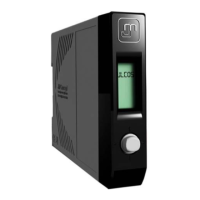
Diagram illustrating the device's physical dimensions and connection ports.
Default configuration settings for various parameters like input, output, and alarms.
Available and adjustable scales for DC current input.
Available and adjustable scales for DC voltage input.
Available and adjustable scales for RTD input.
Supported thermocouple types and their specifications.
Resistance range for potentiometer input.
Specifications for sensor power supply (2 or 3 wires).
Available and adjustable scales for current output.
Available and adjustable scales for voltage output.
Specifications for relay output (current, voltage).
Display characteristics and automatic resolution adjustment.
Magnifying effect on input and output signals for calibration.
Programming the device using the front panel joystick.
Setting input offset and process tare for accurate measurements.
Simulating outputs and display independently of input.
Limiting output values and detecting sensor breaks or wiring issues.
Creating custom output functions by input signal segmentation.
Setting thresholds, hysteresis, and managing alarms.
Cut Off, resolution, comma, filtering, and display settings.
Input impedance values for different signal types.
Output impedance values for current and voltage outputs.
Specifications for residual ripple and overall precision class.
Electrical isolation ratings and operating/storage temperature ranges.
Device response time, thermal drift, consumption, and auxiliary supply.
IP protection rating and available options like tropicalization.
Wiring diagram for various input types (mA, mV, RTD, Thermocouple).
Wiring diagram for relay and analog outputs.
Wiring for DC and AC power supply.
How to navigate and select functions using the scrolling menus.
Using the joystick for measurement and programming modes.
Displaying input values, min/max, and tare/reset functions.
Configuring alarm setpoints and relay outputs.
Overview of the main menu hierarchy and access to sub-menus.
Navigating to input, analog output, and alarm configuration menus.
Navigating to parameter configuration and simulation mode.
Selecting the input type (mA, Volt, Pot., RTD, TC).
Details on accessing specific input menus based on type.
Setting scale for current input (e.g., 0.20mA, 4.20mA).
Configuring minimum and maximum values for current input.
Choosing between manual and automatic scaling for current input.
Setting specific points for current input calibration.
Configuring how current input values are displayed.
Setting resolution, function (linear, root, segment), and segmentation.
Setting offset and digital filter for current input.
Enabling or disabling the cut-off function for current input.
Setting scale for voltage input (e.g., 0.10V, SP.mV).
Configuring minimum and maximum values for voltage input.
Choosing between manual and automatic scaling for voltage input.
Setting specific points for voltage input calibration.
Configuring how voltage input values are displayed.
Setting resolution, function (linear, root, segment), and segmentation.
Setting offset and digital filter for voltage input.
Enabling or disabling the cut-off function for voltage input.
Setting scale for potentiometer input (e.g., 0.0/110.0%).
Configuring minimum and maximum values for potentiometer input.
Choosing between manual and automatic scaling for potentiometer input.
Setting specific points for potentiometer input calibration.
Configuring how potentiometer input values are displayed.
Setting resolution, function (linear, root, segment), and segmentation.
Setting offset and digital filter for potentiometer input.
Enabling or disabling the cut-off function for potentiometer input.
Selecting RTD sensor type (Pt100) and temperature unit (°C/°F).
Setting scale and min/max values for RTD input.
Choosing between manual and automatic scaling for RTD input.
Setting calibration points and display for RTD input.
Setting offset and digital filter for RTD input.
Configuring the display range for RTD input.
Selecting thermocouple sensor type (J, K, T, etc.) and calibration points.
Setting temperature unit (°C/°F) and scale for thermocouple input.
Configuring minimum and maximum values for thermocouple input.
Choosing between manual and automatic scaling for thermocouple input.
Setting calibration points and display for thermocouple input.
Setting offset and digital filter for thermocouple input.
Configuring Cold Junction Compensation and display range.
Configuring analog output parameters like scale and limits.
Setting scale for analog outputs (mA or Voltage).
Defining specific minimum and maximum values for analog output.
Setting scale for 0-10V analog output.
Defining specific min/max values for 0-10V analog output.
Configuring basic alarm settings, display, and relay status.
Setting alarm type (low, high) and setpoints.
Configuring hysteresis and delay for alarms.
Setting hysteresis type (low/high) and value.
Configuring delay timers for alarms and sensor rupture detection.
Enabling alarm memory and relay memoization.
Navigating the parameter menu for configuration.
Configuring parameters, counters, and programming modes.
Definitions for sensor break and display overflow messages.
Explanation of SPEC scale zooming and cut off function.
Explanation of square root function and input Phi display mode.
Description of tare and offset settings.
 General
| Brand | JM Concept |
|---|---|
| Model | ULCOS 920D2 |
| Category | Transmitter |
| Language | English |

 To Next Page
