NT-2000 REF Manual
Customizing Operation via Menu System
4-18
4.10.8. Outputting Specific NAVTEX Message
If you wish to output a specific message out of all currently displayed messages, carry
out the following procedure:
NOTE: A forced carriage return
(
)
will be replaced by an underscore
( _ ) (
hex 5F
)
when it
is output to a PC terminal or a printer
.
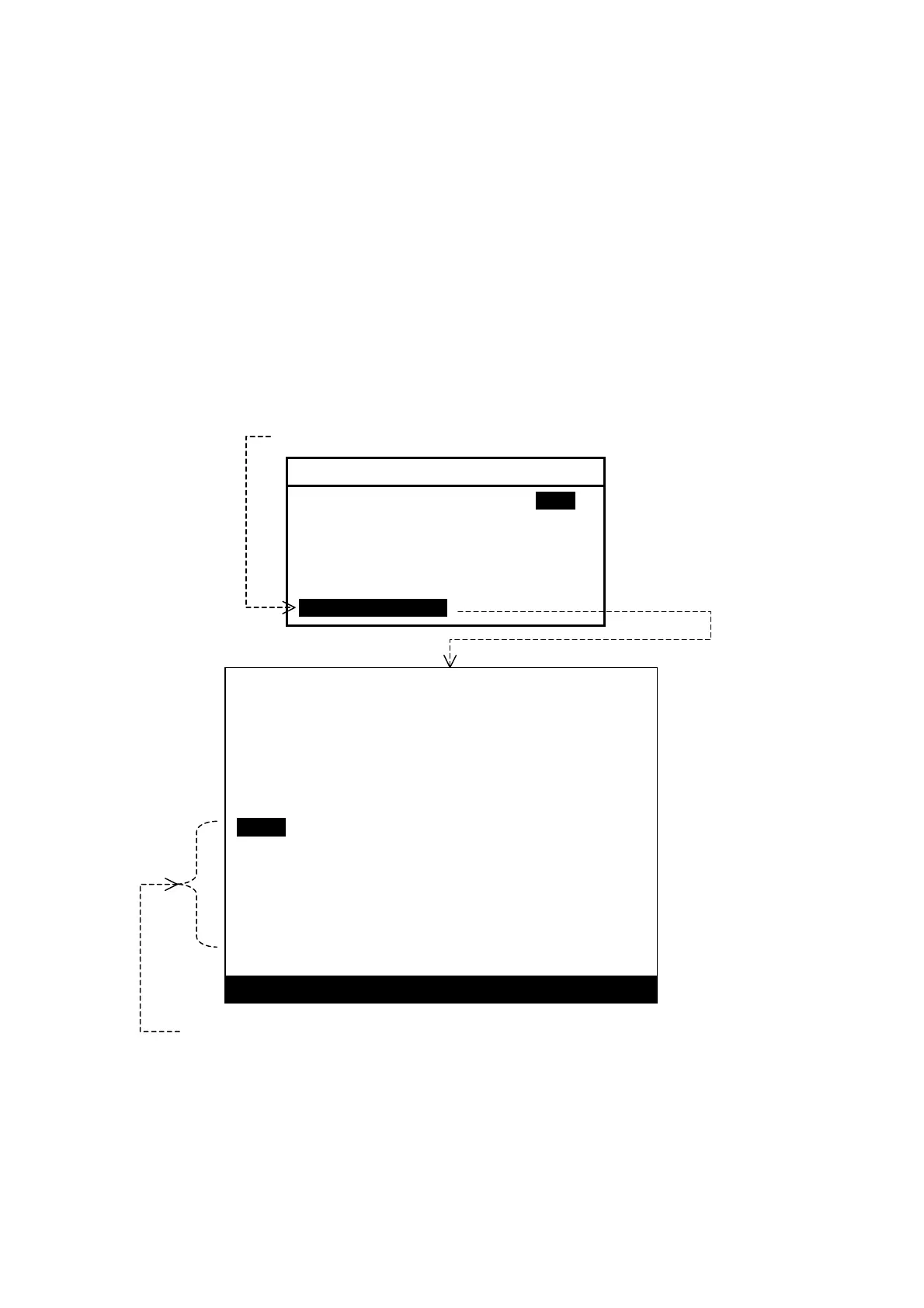
(1) Highlight “7:SELECTED MSG” on the SELECT OUTPUT MESSAGES submenu,
and then press
. This turns all menus off, showing the current message screen,
as in the example illustrated below.
Figure 4-25 Outputting Specific Message – Example
(2) Using
/
, highlight the ID of the desired message as in the example above,
and then press
.
To cancel the function, press
instead of
.
KB53
020310 UTC JUL 05
IMPORTANT WARNING FOR KUSHIRO NAVTEX AREA.
STATIONARY FRONT FROM 37N 115E TO 37N 120E,
37N 130E TO 36N 142E
NNNN
STORED (CER= 00%)
iIA27
020240 UTC JUL 05
SAR EXERCISES BY AEROPLANES, STARTING AT
2300Z TO 1800Z, DAILY FROM 30 JUN TO JUL.
AREA BOUNDED BY 33-46N 134-45E, 33-46N 135-08E,
33-30N 135-22E, 33-24N-135-45E, 32-44N 135-52E.
NNNN
STORED (CER= 00%)
PRESS
ENT
TO OUTPUT OR
CLR
TO EXIT
To output this message, select its ID with
/
and then press
.
Select this option with
/
, and then press
.
6: SELECT OUTPUT MESSAGES
1: RECEIVING MSG ON IOFFI
2: ALL STORED MSG
3: MSG SELECTED BY FREQUENCY
4: MSG SELECTED BY STATION
5: MSG SELECTED BY TYPE
6: DISPLAYED MSG
7: SELECTED MSG



 To Next Page