NT-2000 REF Manual
Customizing Operation via Menu System
4-23
4.11.4.2. Selecting Parameters for RS–232C Port (
continued – 2 / 2
)
(1) Press
/
to highlight the desired parameter.
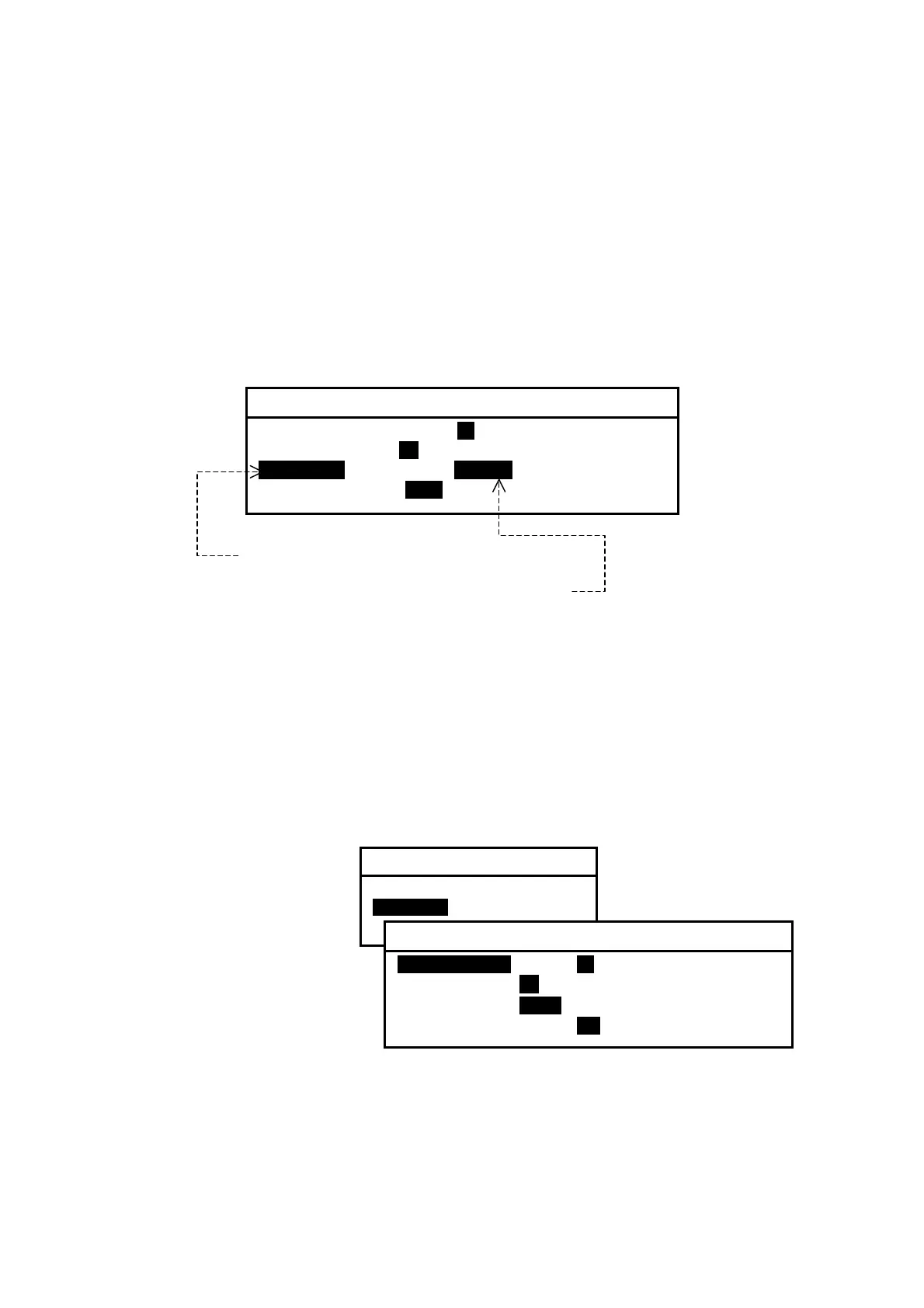
For example, to change the parity bit status to non–parity, highlight “3:PARITY.”
(2) Press
/
to highlight the desired value, and then press
.
For example, highlight “NONE” and press
.
Figure 4-34 Changing Parity Bit Status Parameter – Example
(3) Press
to return to the previous submenu or
to return to the first receiver
text page.
4.11.4.3. Selecting Parameters for RS–422 Port
The parameters for the RS–422 port are initially set as follows:
Figure 4-35 Checking Current Parameters for RS–422
・ Data Bits: 8 bits
・ Stop Bits: 1 bit
・ Parity: Odd parity
・ Bit Rate: 4800 baud
The current parameter values
can be checked by selecting
“2:RS–422” as shown at right.
Each parameter can be changed in the same manner as in the example given above
(paragraph 4.11.4.2). Be sure to press
after selecting the desired value.
(
continued on next page
)
1: RS–232C
1: DATA BITS 7 I8I
2: STOP BITS I1I 2
3: PARITYI ODD INONEI
4: BIT RATE i0.11 4.8 9.6 19.2 38.4
(1) Highlight this with
/
.
(2) Highlight this with
/
, and press
.
3: SET BIT FORMAT & RATE
1: RS–232C
2: RS–422
3: I/O DATA
2: RS–422
1: DATA BITSI 7 I8I
2: STOP BITS I1I 2
3: PARITY iODD NONE
4: BIT RATE 0.11 4.8 9.6 19.2 38.4



 To Next Page